E80/E70 Digital Electrocardiograph User’s Manual
3-8
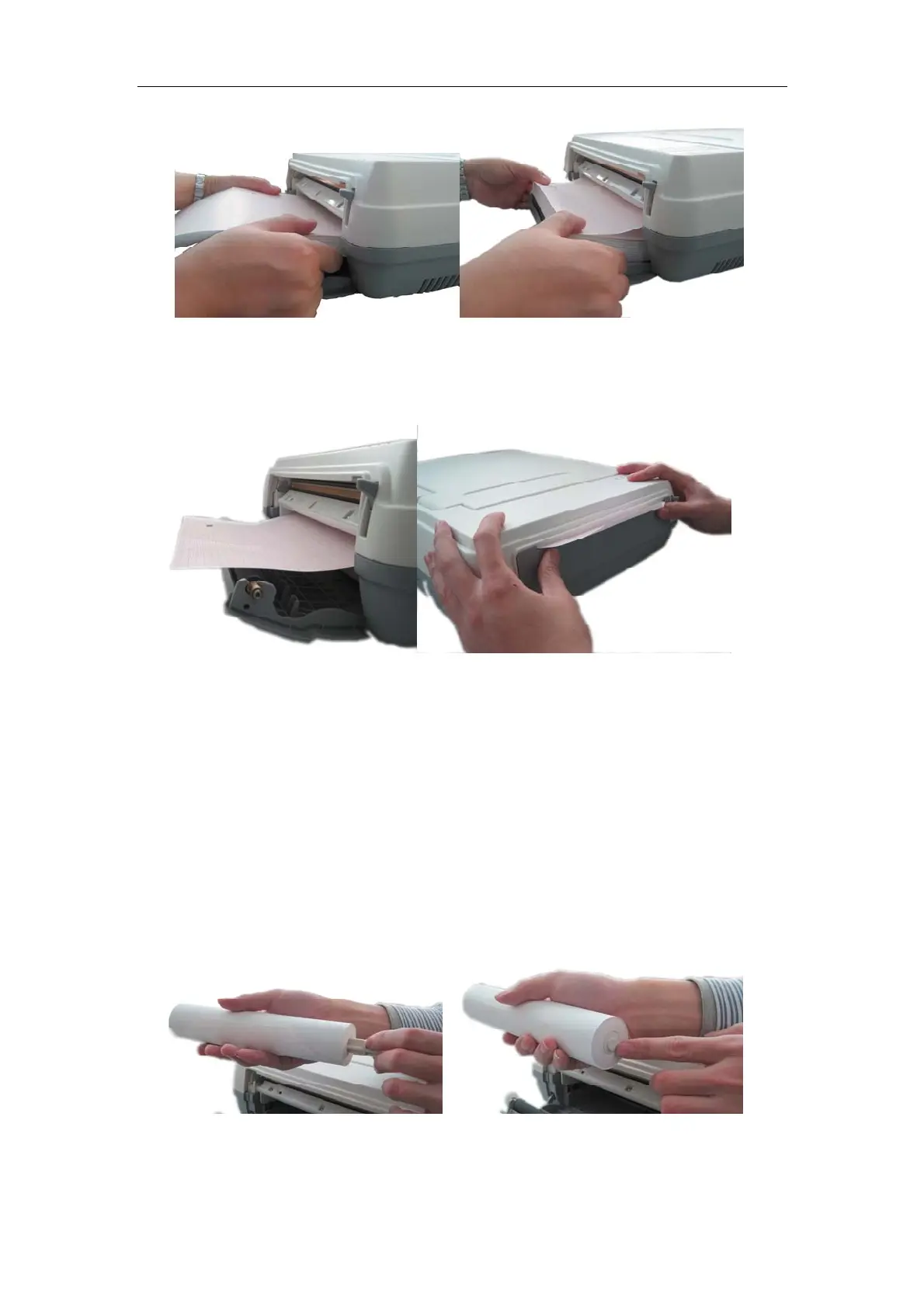
Fig. 3-2 Install folded paper
3)
Pull out about 2cm chart paper from the paper outlet of recorder,
and close the cover of recorder. At this time, the installation is completed.
Fig. 3-3 Install folded paper
Install the reel thermosensitive printing paper:
1) Press downwards with one hand the box cover button on the left of
recorder, and grasp the edge of box cover with the other hand, and
open outward the cover of recorder with a little force (the operation
method is the same as that shown in Figure 3-1) ;
2) Take out the paper reel from the paper slot, and remove the adhesive
paper at the seal place of new record reel paper, and install the new
record reel paper along one end of paper reel;
Fig. 3-4 Install reel paper
3) Align the aligning pin of paper reel with the groove of paper slot, and



 To Next Page