E80/E70 Digital Electrocardiograph User’s Manual
4-18
interface. Shown as following chart:
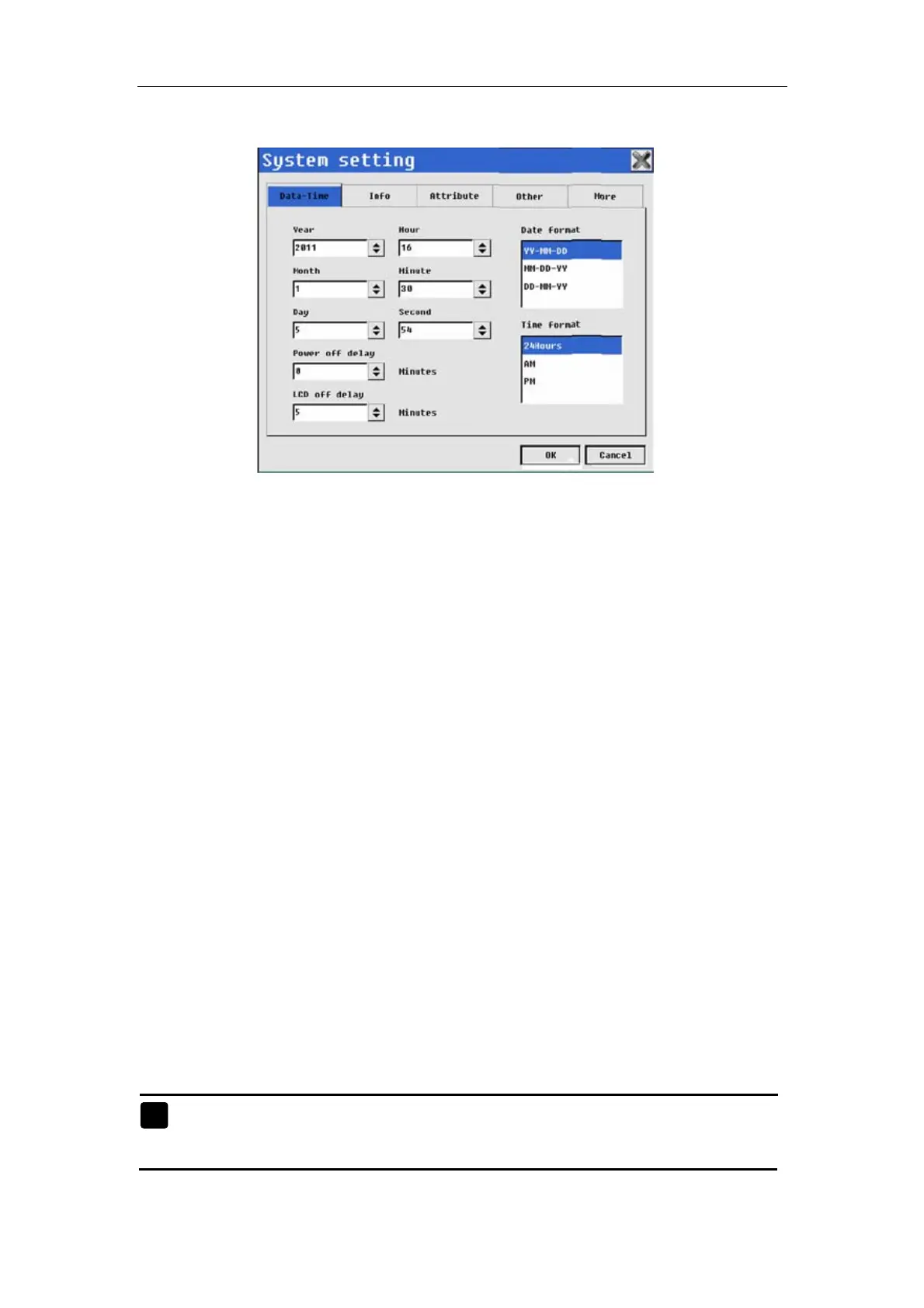
Fig. 4-17: System setting—Data-time
System setup of electrocardiograph includes: Data-Time, Info, Attribute,
Other and More.
4.9.1 Date-Time Setup
In the system setup interface, select【Date-time】to enter the date/time
setup interface, as shown in Figure 4-13 below. In the interface, you may
conduct the following operations:
——Select respectively【Year】【Month】,【Day】,【Hour】,【Minute】,
【Second】: users can set current data and time.
——Select 【 Power-off delay 】 : Set the automatic shut-off time of
Electrocardiograph in case of power supply by built-in battery.
——Select【LCD off delay】: Set the automatic shut-off time of LCD of
Electrocardiograph. After LCD shuts off automatically, press any key to
reactivate LCD screen.
——Select【Date format】: The users may select the format of date display
according to actual needs.
——Select【Time format】: The users may select the format of time display
according to actual needs.
After setup of Date-Time, select 【OK】.
Note: When 【Power-off delay】or【LCD off delay】is 0, the two times
is useless.



 To Next Page