E80/E70 Digital Electrocardiograph User’s Manual
4-19
4.9.2 Info Setup
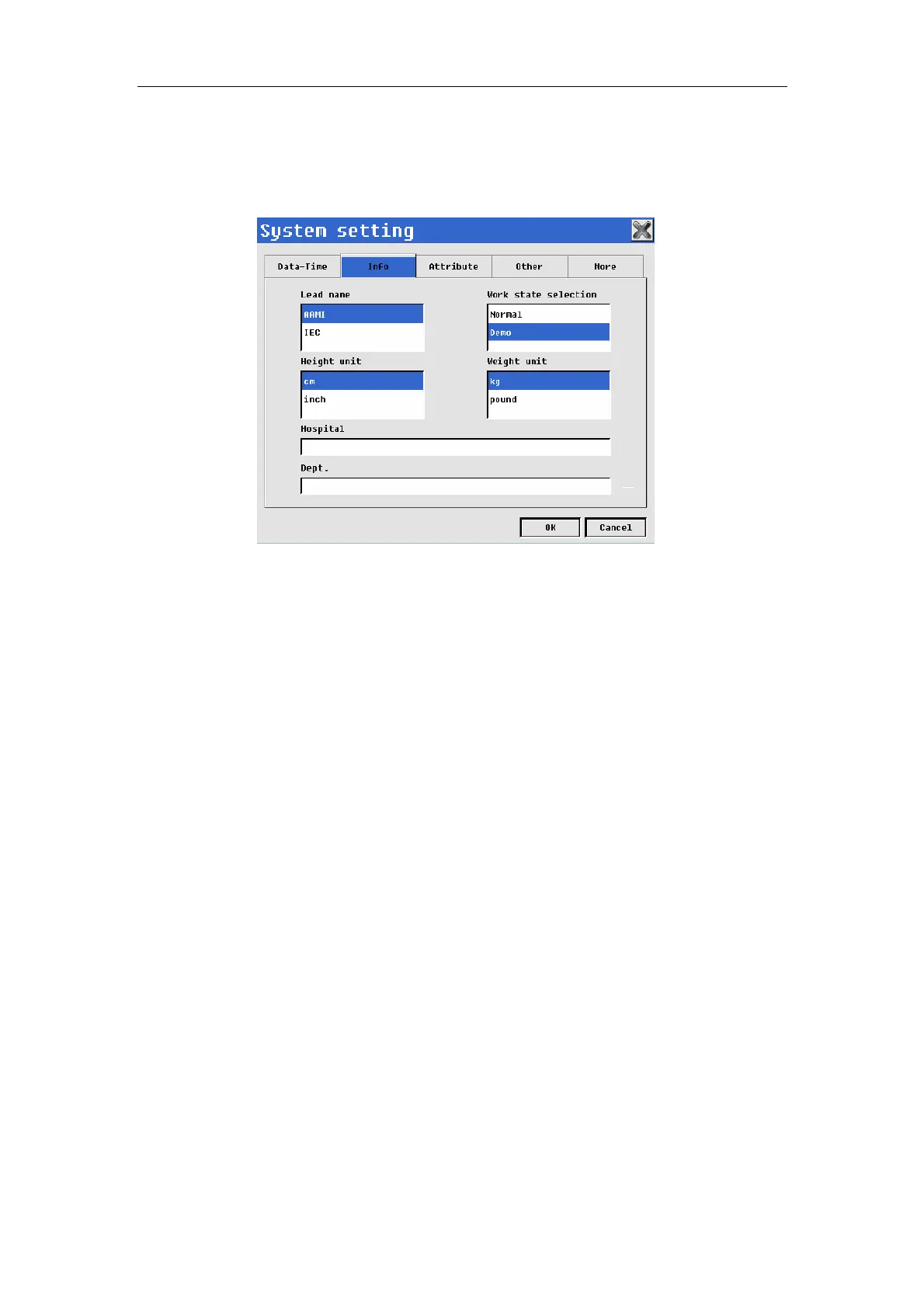
Select【Info】in system setup interface to enter info setup interface. As
shown following chart.
Fig. 4-18: System setting--info
In the interface, you may conduct the following operations:
——Select【Lead name】: May select lead name displayed: “AAMI” or “IEC”.
——Select【Work state selection】: Selecting work mode according to actual
needs: “Normal” or “Demo”. You can switch different modes while choosing
“Normal”, and you should input code “888888” to enter demo mode while
choosing “Demo”.
——Select【Height unit】: May select unit of patient height: “cm” or “inch”.
——Select【Weight unit】: May select unit of patient weight: “kg” or “pound”.
——Select【Hospital】: May input hospital’s name, it will be displayed in
ECG report.
——Select【Dept.】: May input dept.’s name, it will be displayed in ECG
report.
After setup of Info, select【OK】.
4.9.3 Attribute Setup
Select 【Attribute】 in system setup interface to enter attribute setup
interface. Shown as following chart.



 To Next Page