50
Set Up Your RIGHTEST CGMs
Attach your transmitter after you insert a sensor.
• Dock your spare transmitter in the transmitter charger. Store both the transmitter and its charger in
the storage vial provided with your RIGHTEST CGMs. Before attaching the transmitter, make sure it
is fully charged. Do not remove your transmitter until your sensor session is over.
Follow these steps to install your Transmitter:
1. Get your transmitter.
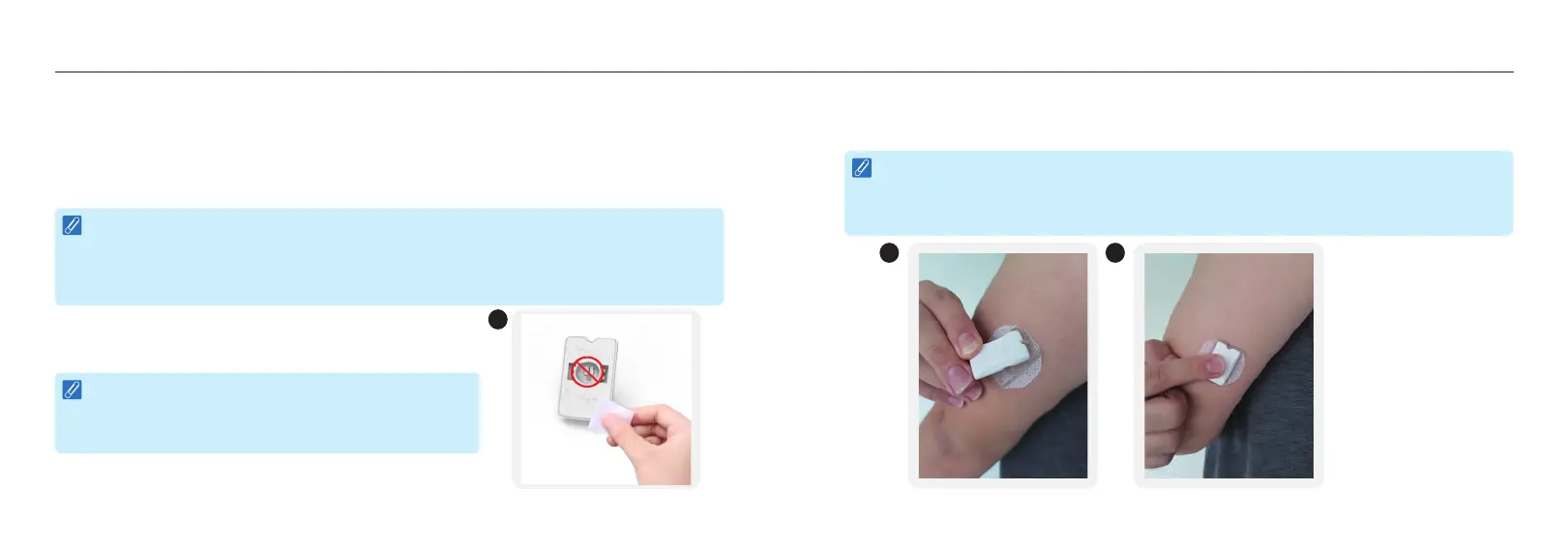
2. Always clean bottom of transmitter with an alcohol wipe
before use. While you do so, do not touch or scratch its
metal components located at the bottom.
NOTE :
Plug in to Charge. Be sure to fully charge your transmitter every time you start with a new
sensor. When plugged into a standard household electrical outlet (100 to 240V AC, 50/60 Hz),
the transmitter battery requires approximately 2 hours to fully charge using the transmitter
charger supplied with the RIGHTEST CGMs.
NOTE :
After the transmitter and sensor are connected, they are water-resistant in compliance with
IPX7 and can be worn while bathing, showering, or swimming. Do NOT take them deeper
than 3 feet (1 meter) or immerse them longer than 30 minutes in water.
NOTE :
Wipe the bottom of transmitter with a dry cloth or an
alcohol pad. Failure to clean it may cause it to deteriorate
and harden over time, resulting in malfunction.
2
51
Set Up Your RIGHTEST CGMs
3. Let the transmitter dry.
4. Align both notches on the sensor base and transmitter.
5. Press down the transmitter until it snaps into place.
4 5














 To Next Page