68
Understand Your Glucose Readings
ACCESS YOUR NOTES INFORMATION
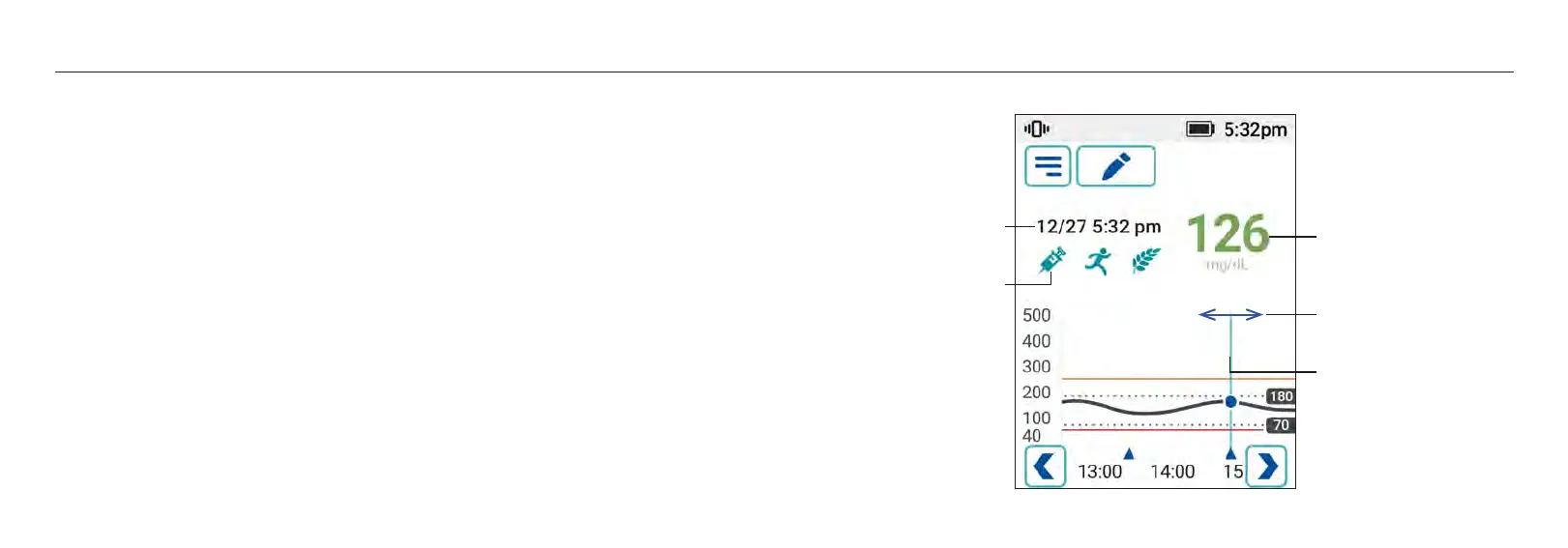
Personal notes (insulin, meals, exercise) are marked by blue triangle on the bottom of the graph. If
you performed calibration, the calibration record (if accepted) is marked with a blue target symbol
and is viewable in the note. To access your sensor glucose information or to view your personal
notes from anytime between the first and most recent reading, hold and drag the trend graph left
or right. Note entries will be displayed on the upper portion of the receiver screen. Tap the [Back]
button to return to the Home screen showing the most recent glucose information.
69
Understand Your Glucose Readings
Glucose reading at selected
point in time
Note Date/Time
Events
Hold and drag left or right on
the graph
Calibration Symbol














 To Next Page