1
3
2
4
1
3
2
4
EN-19
ENGLISH
InstruCtIons for use
• Regeneration
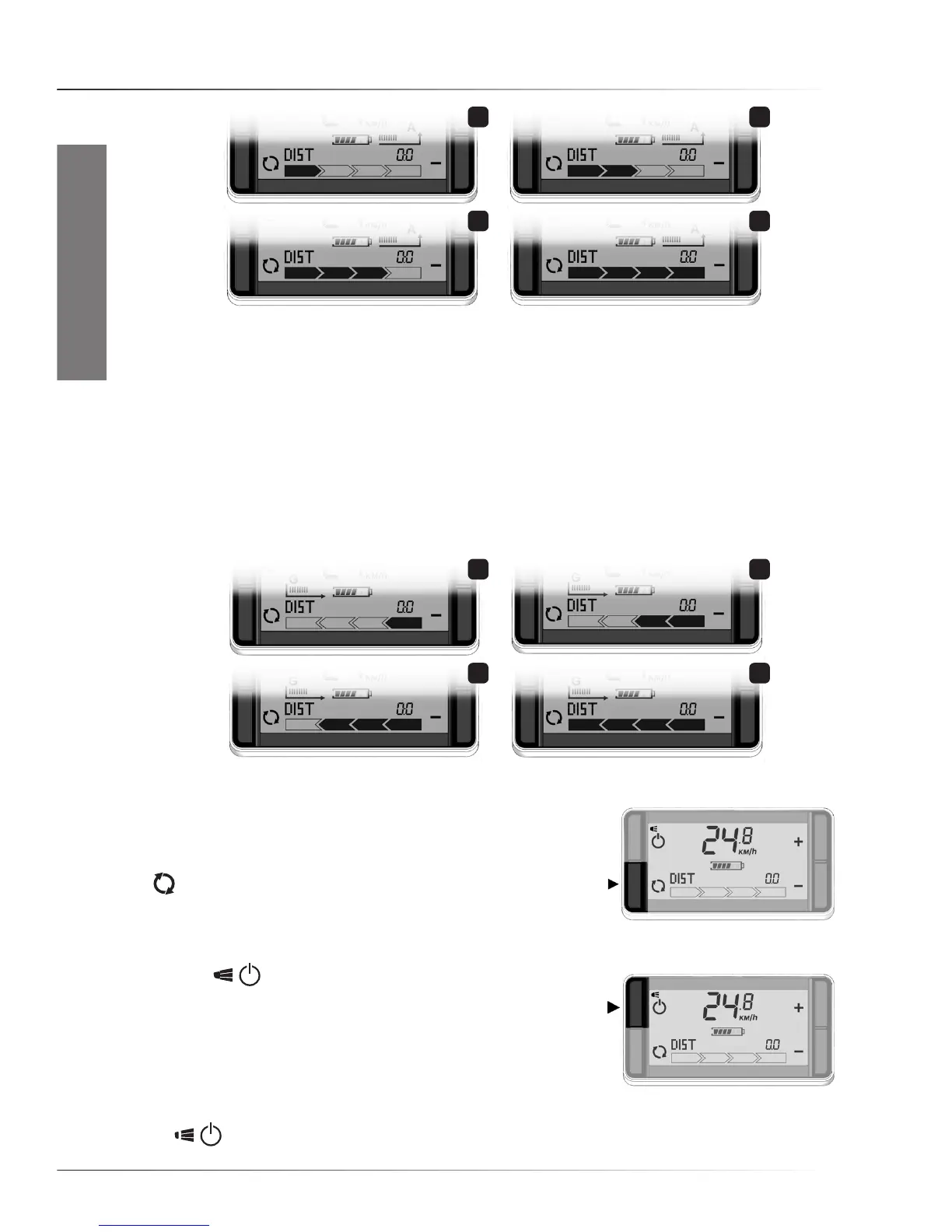
When the bicycle regenerates electricity for the battery, the system is in generation mode.
There are four levels of regeneration. The level of regeneration is shown by the arrows at the bottom
ofthescreen.Toincreasetheregenerationlevel,pressbutton‘-’.Forregenerativelevel1pressonce.
Press again to increase the regeneration level to a higher level. For a lower regeneration level press
button ‘+’.
ToswitchfromanylevelofAssistancetothefirstregenerativelevel,pressandholdthe‘-’button.
To switch from any level of regeneration to the first assist level, press and hold the ‘+‘ button.
The ‘G’ and the arrow will appear on the display during generation of energy.
• Distance, Odometer, Chronometer, Average speed, Clock
The right bottom corner of the screen shows the distance,
odometer,chronometer,andaveragespeed(Orderofappearance:
tripdistance,odometer,averagespeed,timeofday).Pressthe
button to switch modes. To reset distance, chronometer, or
averagespeed,keepthisbuttonpressedfor2seconds.
• Switching lights On/Off
Press the , buttonfor2secondstoswitchOn/Offthe
Controllerdisplaylight,and,ifpresent,thefrontandrearlights.
The lights will stay On even when you stop. Once activated,
thetext“lightOn”appearsonthescreen.Evenwhenthebattery
gauge shows ‘empty’, there is enough energy to run the lights for
about two hours. If the battery pack is fully drained, the lights will be
powered by the system as it switches to generative mode automatically. To switch the lights Off, hold
the ,
buttonfor2seconds.AfterswitchingOff,thetext“lightOff”willappearonthescreen.



 To Next Page