EasyManua.ls Logo

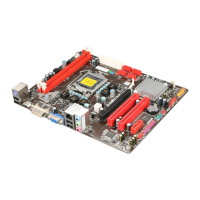
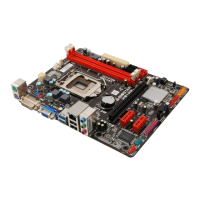
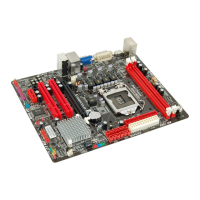
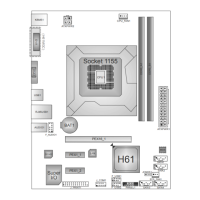
Biostar H77MU3 - User Manual

Biostar H77MU3
41 pages
Print Icon
To Next Page IconTo Next Page
Loading...
H77MU3 UEFI BIOS Manual
i
UEFI BIOS Setup...................................................................................... 1
1 Main Menu ............................................................................................. 3
2 Advanced Menu...................................................................................... 4
3 Chipset Menu ....................................................................................... 22
4 Boot Menu............................................................................................. 32
5 Security Menu ...................................................................................... 34
6 Performance ......................................................................................... 35
7 Exit Menu ............................................................................................. 40

Other manuals for Biostar H77MU3

Questions and Answers

  • A
    Amy MorrisJul 30, 2025
    What to do if my Biostar H77MU3 Motherboard does not boot from hard disk drive?
    • B
      betty26Jul 30, 2025
      If your Biostar Motherboard system isn't booting from the hard disk drive but works fine with the optical drive, first check the cable that connects the disk to the disk controller board. Ensure both ends are securely plugged in. Also, verify the drive type in the standard CMOS setup. It's also important to remember to back up your hard drive, as hard disks can fail at any time.
  • R
    Richard WilliamsAug 4, 2025
    How to troubleshoot a Biostar Motherboard with no power?
    • C
      Carol JohnsonAug 4, 2025
      If your Biostar Motherboard system has no power, and the power LED isn't lit while the power supply fan isn't working, ensure the power cable is securely plugged in. If it still doesn't work, try replacing the cable. If problems persist, contact technical support.
  • K
    klawsonAug 9, 2025
    What to do if Biostar H77MU3 Motherboard only boots from optical drive?
    • T
      Tiffany WhiteAug 9, 2025
      If your Biostar Motherboard system only boots from the optical drive, and you can read hard disks and use applications but the system fails to boot from the hard disk, back up your data and application files. Then, reformat the hard drive and reinstall applications and data using backup disks.
  • S
    Stacie RuizAug 14, 2025
    Why does my Biostar Motherboard show 'Invalid Configuration'?
    • W
      wanda61Aug 14, 2025
      If you see an “Invalid Configuration” or “CMOS Failure” message on your Biostar Motherboard, review your system’s equipment and ensure the correct information is in the setup.
  • L
    Lisa LopezAug 19, 2025
    What to do if Biostar H77MU3 is inoperative but lights are on?
    • W
      wwyattAug 19, 2025
      If your Biostar Motherboard system is inoperative but the keyboard lights are on, the power indicator lights are lit, and the hard drives are running, apply even pressure on both ends of the DIMM until the module snaps into place.
  • C
    Christopher GreenAug 25, 2025
    Why won't my Biostar Motherboard boot after installing a second hard drive?
    • B
      brandilongAug 25, 2025
      If your Biostar Motherboard system cannot boot after installing a second hard drive, set the master/slave jumpers correctly. Then, run the SETUP program and select the correct drive types. For compatibility issues, contact the drive manufacturers.

Summary

2 Advanced Menu

3 Chipset Menu

4 Boot Menu

5 Security Menu

6 Performance

Fixed CPU Ratio

Enables or disables the fixed CPU ratio setting.

CPU Ratio

Allows adjustment of the CPU ratio when Fixed CPU Ratio is enabled.

IA Core Current Max (1;8 Amp)

Sets the maximum IA core current value for the CPU.

iGFX Core Current Max (1;8 Amp)

Sets the maximum iGFX core current value for integrated graphics.

Turbo Mode

Enables or disables the CPU's Turbo Boost functionality.

Power Limit 1 Value (1;8 Watt)

Sets the maximum power limit for the CPU over a specific time.

Power Limit 2 Value (1;8 Watt)

Sets a secondary maximum power limit for the CPU.

DRAM Timing Control

Allows manual or automatic regulation of DRAM timing parameters.

DDR DRAM Multiplier

Sets the multiplier for DDR3 DRAM frequency.

CAS# Latency (tCL)

Allows selection of CAS Latency timing for DDR3 memory.

Row Precharge Time (tRP)

Allows selection of Row Precharge Time timing for DDR3 memory.

RAS# to CAS# Delay (tRCD)

Allows selection of RAS to CAS Delay timing for DDR3 memory.

RAS# Active Time (tRAS)

Allows selection of Row Active Time timing for DDR3 memory.

Write Recovery Time (tWR)

Allows selection of Write Recovery Time for DDR3 memory.

Row Refresh Cycle Time (tRFC)

Allows selection of Minimum Refresh Recovery Time for DDR3 memory.

Write to Read Delay (tWTR)

Allows selection of Write to Read Delay timing for DDR3 memory.

Active to Active Delay (tRRD)

Allows selection of Row Active to Row Active Delay for DDR3 memory.

Read CAS# Precharge (tRTP)

Allows selection of Read to Precharge Delay for DDR3 memory.

Biostar H77MU3 Specifications

General IconGeneral
BrandBiostar
ModelH77MU3
CategoryMotherboard
LanguageEnglish

Related product manuals