Multi-Purpose Thruline Wattmeter RF Power Analyst
21
Disassembly
Front Panel Removal
1. Disconnect AC power from the instrument.
2. Remove the six screws that secure the front panel to the Main PCB
supports (
Figure 18 on page 22
, item 1).
3. Remove the two screws and lock washers that secure the front panel at the
bottom of the housing (item 2).
4. Remove the two screws and lock washers that secure the front panel at the
back of the housing (item 3).
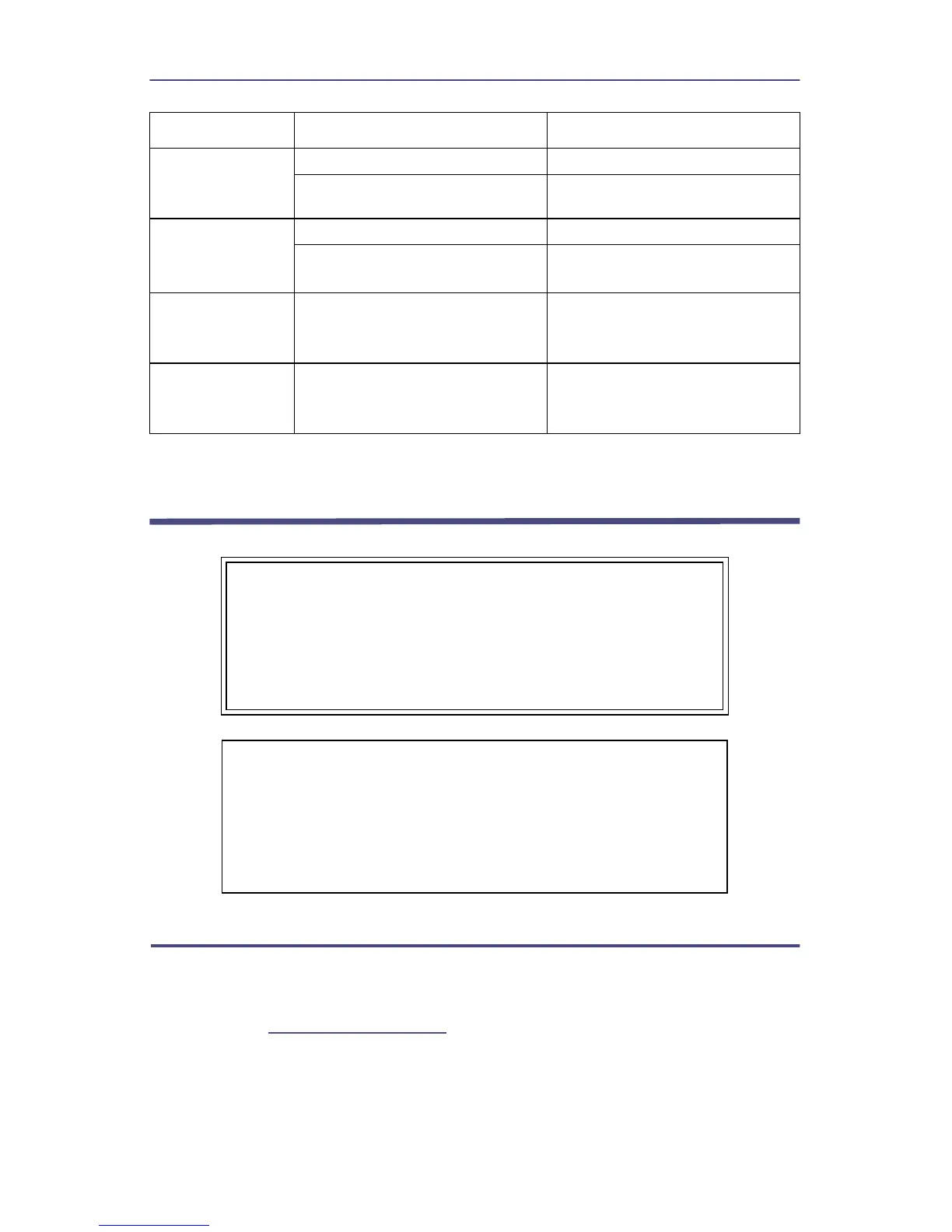
One segment of
a display does
not light
Defective Display Replace the display.
All decimal
points stay lit
Low charge on the batteries Recharge the batteries.
Defective circuit component
Replace the Main circuit board
assembly.
Same segment
on all displays
doesn’t light
Defective circuit component
Replace the Main circuit board
assembly.
One or more
keys do not
function
Defect on Main PC board
Replace the Main circuit board
assembly.
WARNING
Be sure that the power cable is unplugged before opening
the wattmeter case. The power supply capacitor, C1, can
retain a dangerous charge that must be removed before
touching. Always have another person standing by who is
trained in electric shock first aid.
CAUTION
This instrument contains static sensitive electronic
components. Before opening or servicing the unit, make
sure that you understand and practice electrostatic
discharge component handling. Failure to comply may result
in permanent damage to sensitive components.
PROBLEM POSSIBLE CAUSE REMEDY


 To Next Page