Multi-Purpose Thruline Wattmeter RF Power Analyst
25
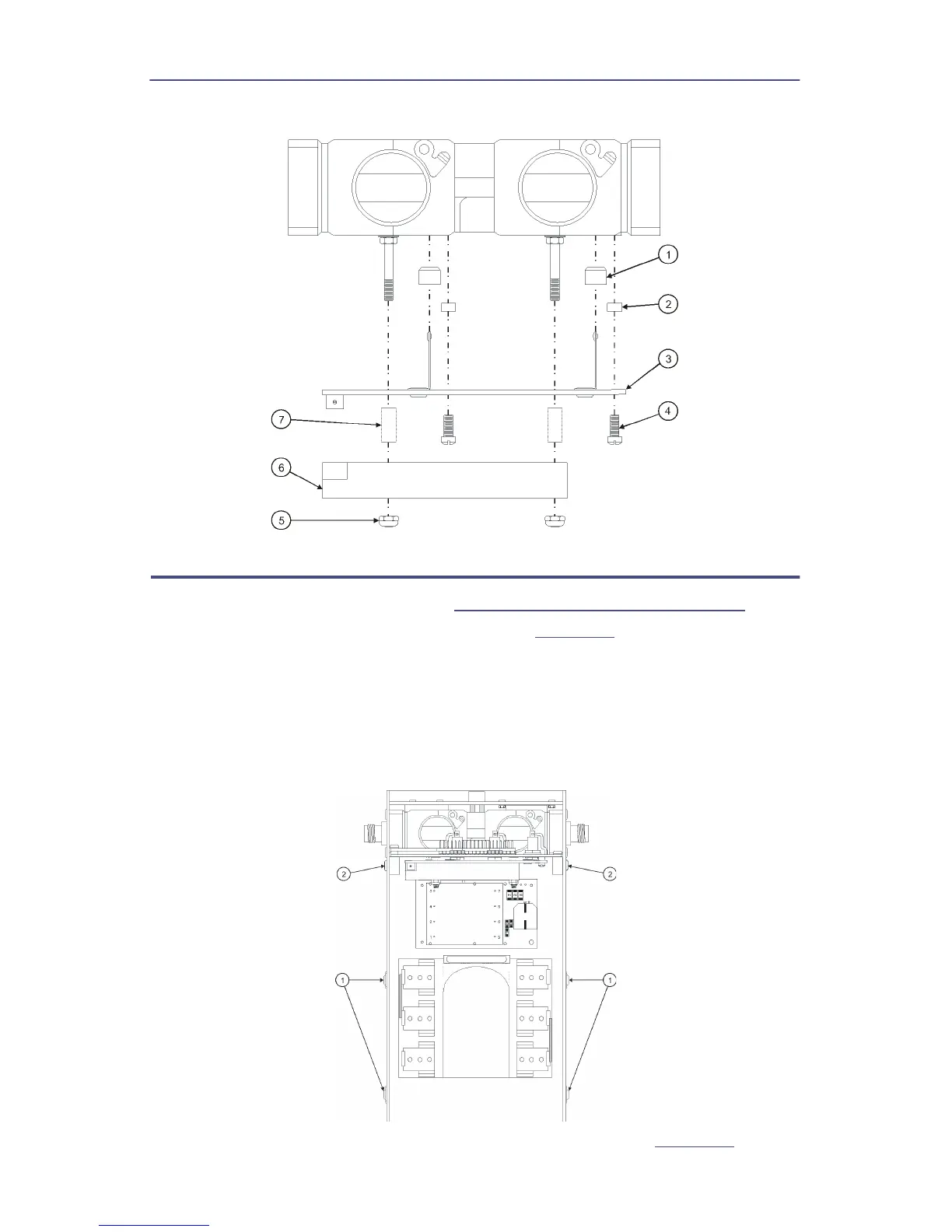
Figure 21 Removing Line Section PCB
Battery Replacement
1. Remove the front panel (refer to
"Front Panel Removal" on page 21
) .
2. Remove the four screws and lock washers (
Figure 22
, item 1) that secure
the Main PCB.
3. Loosen, but do not remove the remaining two screws that secure the Main
PCB (item 2).
4. Tilt the Main PC board assembly up to expose the batteries then tighten the two
screws to secure the PCB.
Figure 22 Tilt Main PCB to Expose Batteries
5. Unfasten the Velcro strap and remove it from the D-ring. (
Figure 23
).


 To Next Page