ANTSPACE HK3 Water cooling container & Dry-Wet Tower Product Manual
53
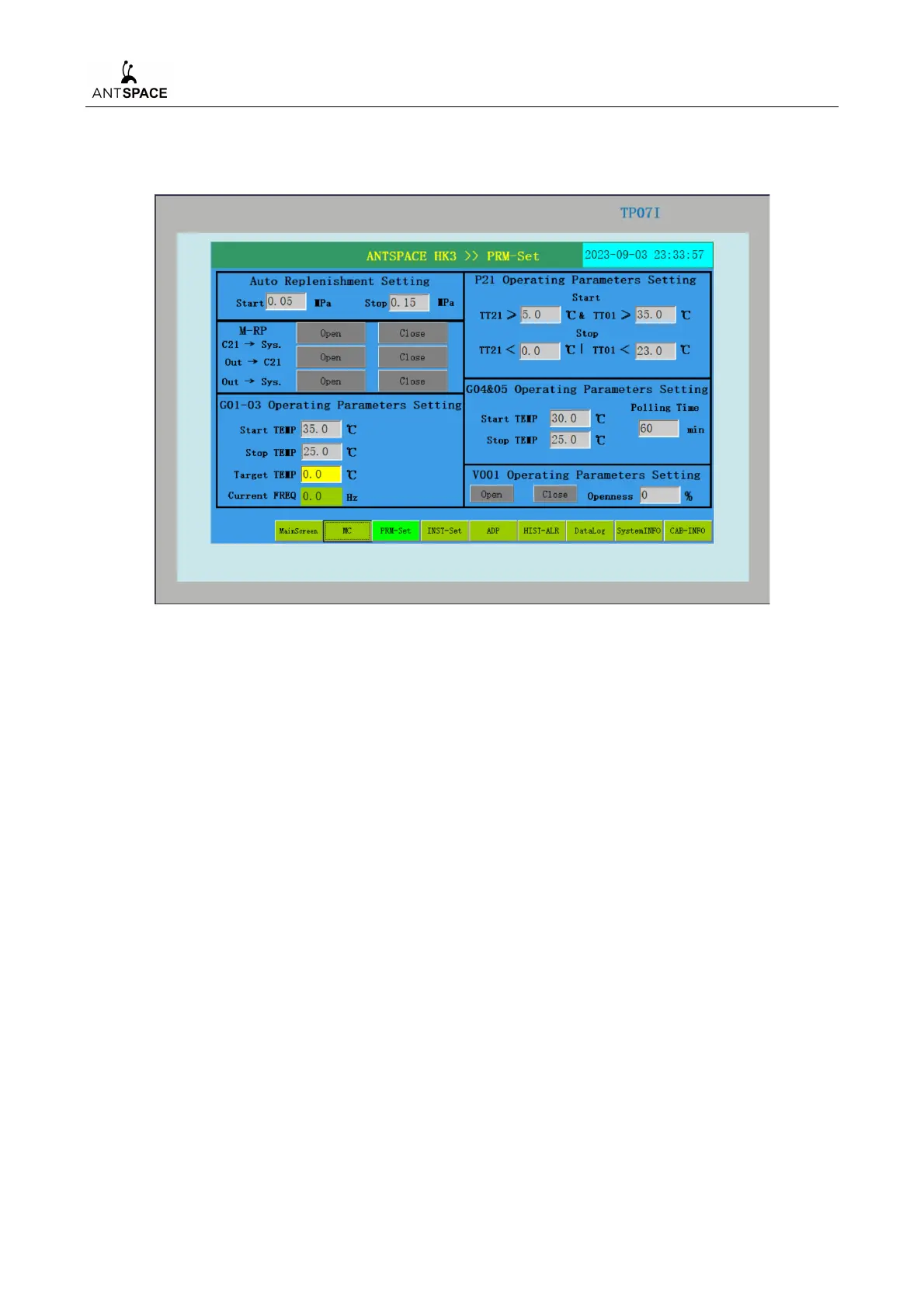
The parameters in the system have been set, and the screen is as follows (which will be displayed
in the real screen):
Figure 7-31 Parameter setting interface
After the unit is turned on, the above parameter values have been set to the initial default values.
For the first start up, it is necessary to check whether the parameter setting interface is consistent with
Figure 7-31. If there are any differences, they need to be reset according to the figure. The parameter
setting interface allows manual settings of automatic Water replenishment parameters, V001 electric
butterfly valve opening, container fan operating parameters, cold tower fan operating parameters, and
spray pump operating parameters. In addition, through the buttons in the manual Water replenishment
box in the parameter setting interface, manual Water replenishment can be performed for different
operating conditions of the system.
5) Instrument Setting Interface



 To Next Page