09
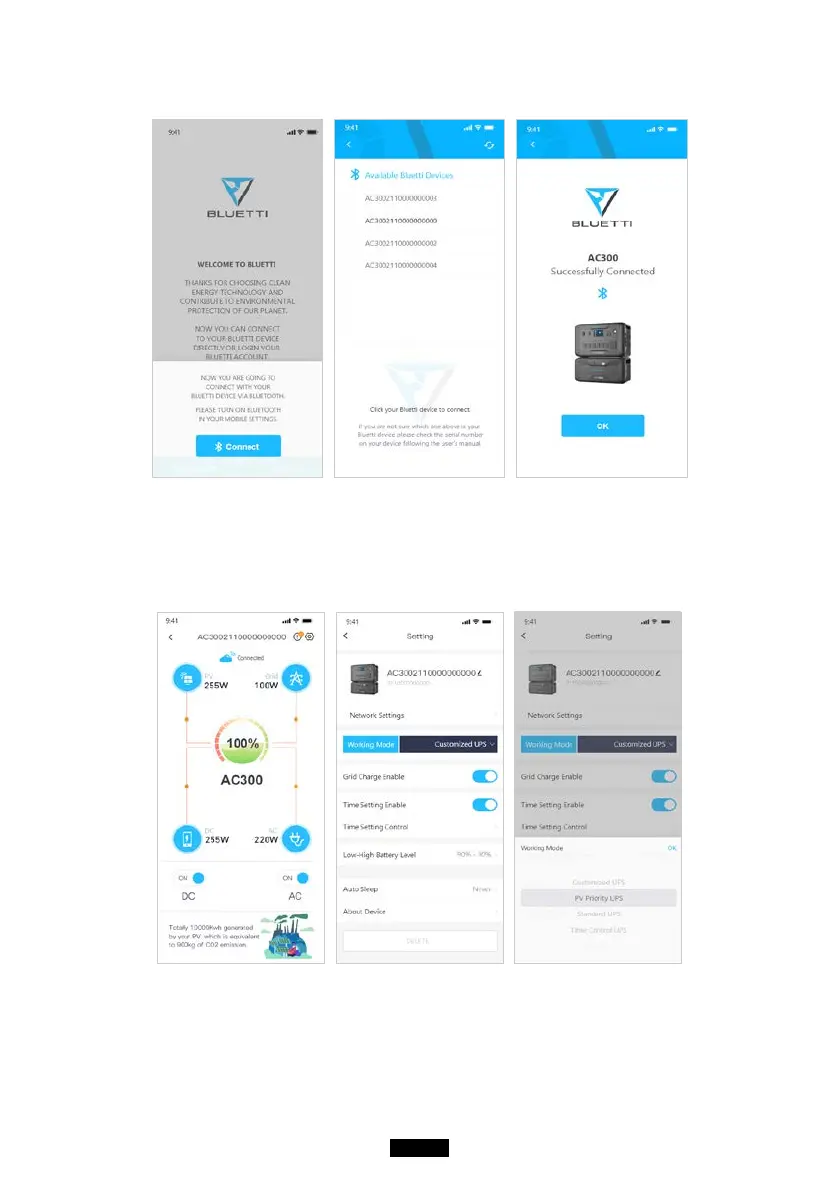
Please tap ‘’settings-product info’’ on AC300 to view the SN number of your unit.
● The basic information can be viewed after the unit is connected with App
successfully. Tap ‘’gear icon’’ to customize the current working mode and
parameters of your AC300 under “Settings”.
● The BLUETTI App supports a “Firmware Update” function which allows access
to the latest software upgrades for continued features, improvements and xes.



 To Next Page