EasyManua.ls Logo

Bodystat 1500 - OUTPUT OPTIONS

Bodystat 1500
45 pages
Print Icon
To Next Page IconTo Next Page
To Previous Page IconTo Previous Page
Loading...
17
OUTPUT OPTIONS
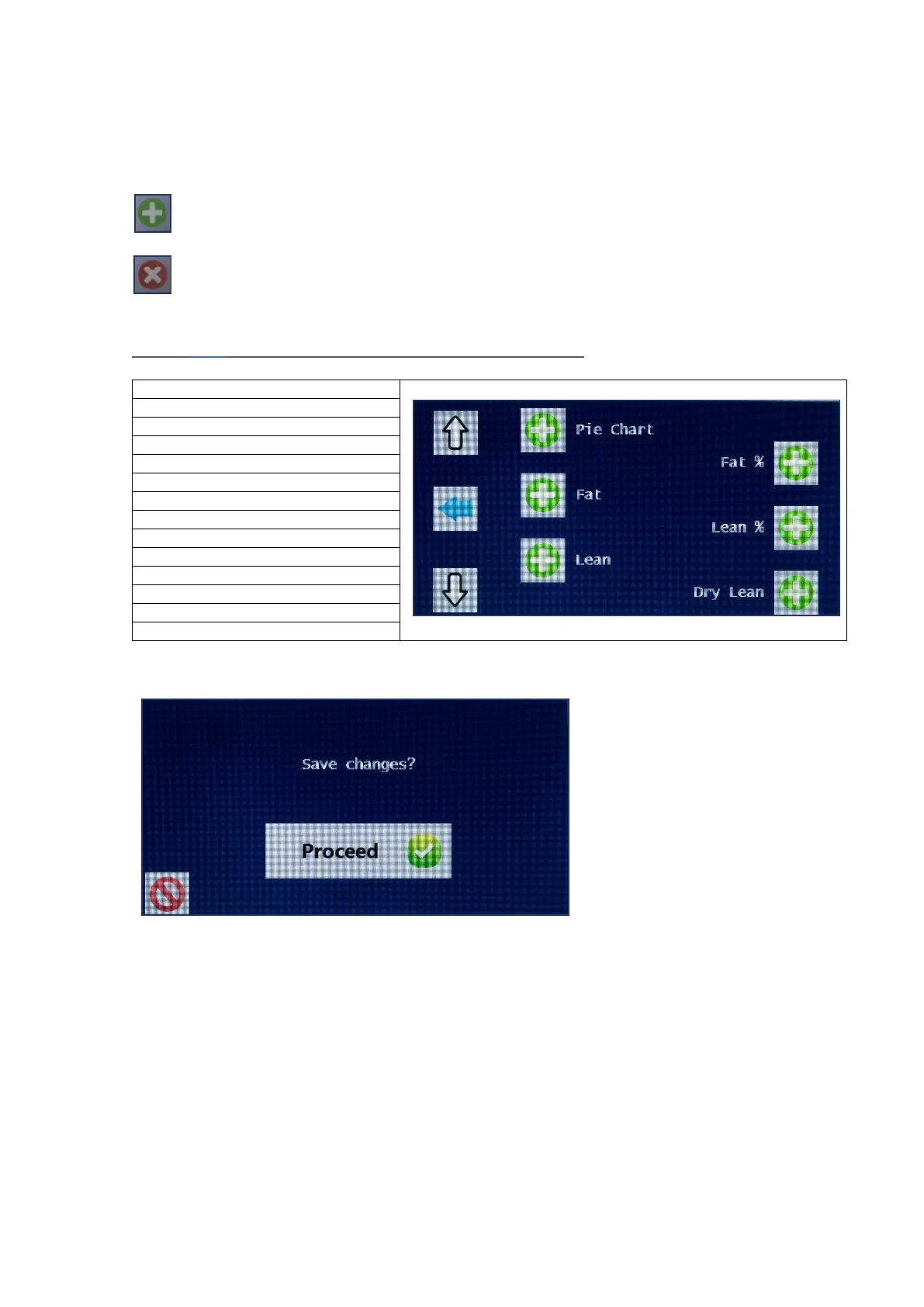
The green plus button confirms that the selection will be displayed
in the results
The red cross button hides the selection and the item chosen will
not be displayed in the results.
.
Press <> proceed. The Output options available are:
BODY COMPOSITION PIE CHART
FAT %
FAT WEIGHT
LEAN %
LEAN WEIGHT
DRY LEAN WEIGHT
WAIST/HIP RATIO
TOTAL WEIGHT
TBW %
TBW
BASAL. MET. RAT
BMR/WEIGHT
EST. AVERAGE REQ
BMI
Once the options have
been saved or aborted,
the selection reverts
back to the 4 options
for Units, Inputs,
Outputs or Printer.
Further selections can
be made or
alternatively, press the
home button to return
to the main screen.
If the Waist Hip Ratio or EAR option is unselected from the output results, then
the corresponding Waist Hip and Activity Level input measurements will also not
be displayed when performing a test.
If all of the output display options have been removed except for the raw data
impedance measurements, then the input screens for age, gender, height and
weight, waist and hip will not be displayed. In this instance, the first screen that
will appear when performing a test, will be the connect electrodes screen.

Related product manuals