ENTER SUBJECT DATA
Switch the BODYSTAT
®
1500 unit ON. No message will be displayed on the
touch screen LCD screen if the battery is flat, in which case replace the batteries
with new Duracell/Procell Batteries.
Select the New Test button on the screen to perform a Bodystat measurement.
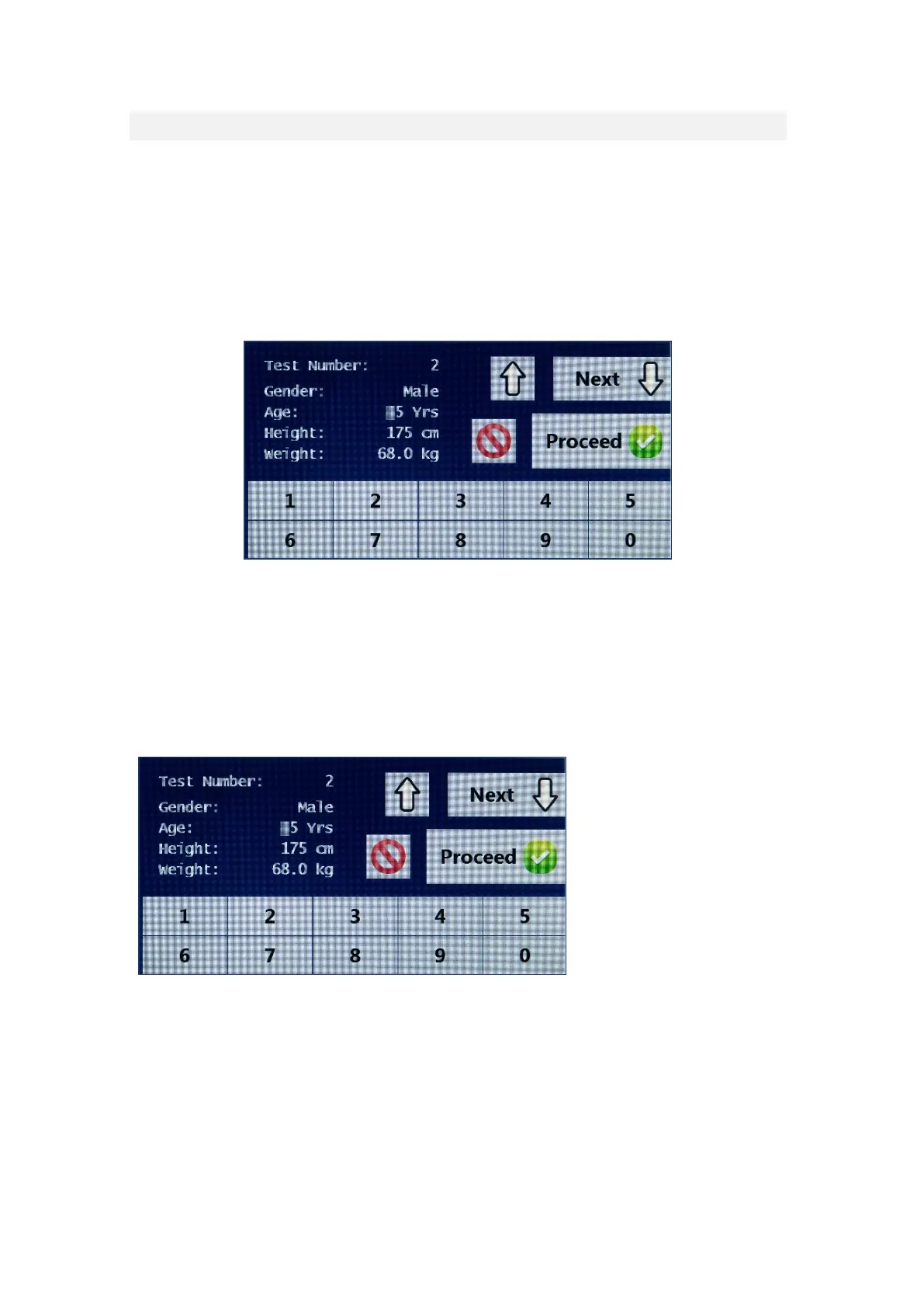
Once the new test option has been selected, the following screen will be
displayed:
The BODYSTAT
®
1500 unit automatically allocates the next available number.
The test number is used to identify the subjects’ data if tests are to be recalled
for viewing. It is, therefore, recommended that a manual record of the test
numbers should be maintained against the respective subjects.
The first option available is for gender. Select the M for Male or F for Female.
Press the <> key to move down to the next input option.
Height and weight may be displayed either in imperial or metric (refer
CUSTOMISING YOUR UNIT).
Once the weight option has been entered, the user can either select the next
button to move to the next screen or the proceed button to move to the
measurement screen (without entering waist/hip or activity levels). If the
waist/hip and activity screen is skipped at this stage, then the device will use the


 To Next Page