PRINTER OPTIONS
The Bodystat
®
1500 device has the option of printing to a thermal printer. When
using the printer for the first time, it is important that the printer is first paired with
the Bodystat
®
1500 device.
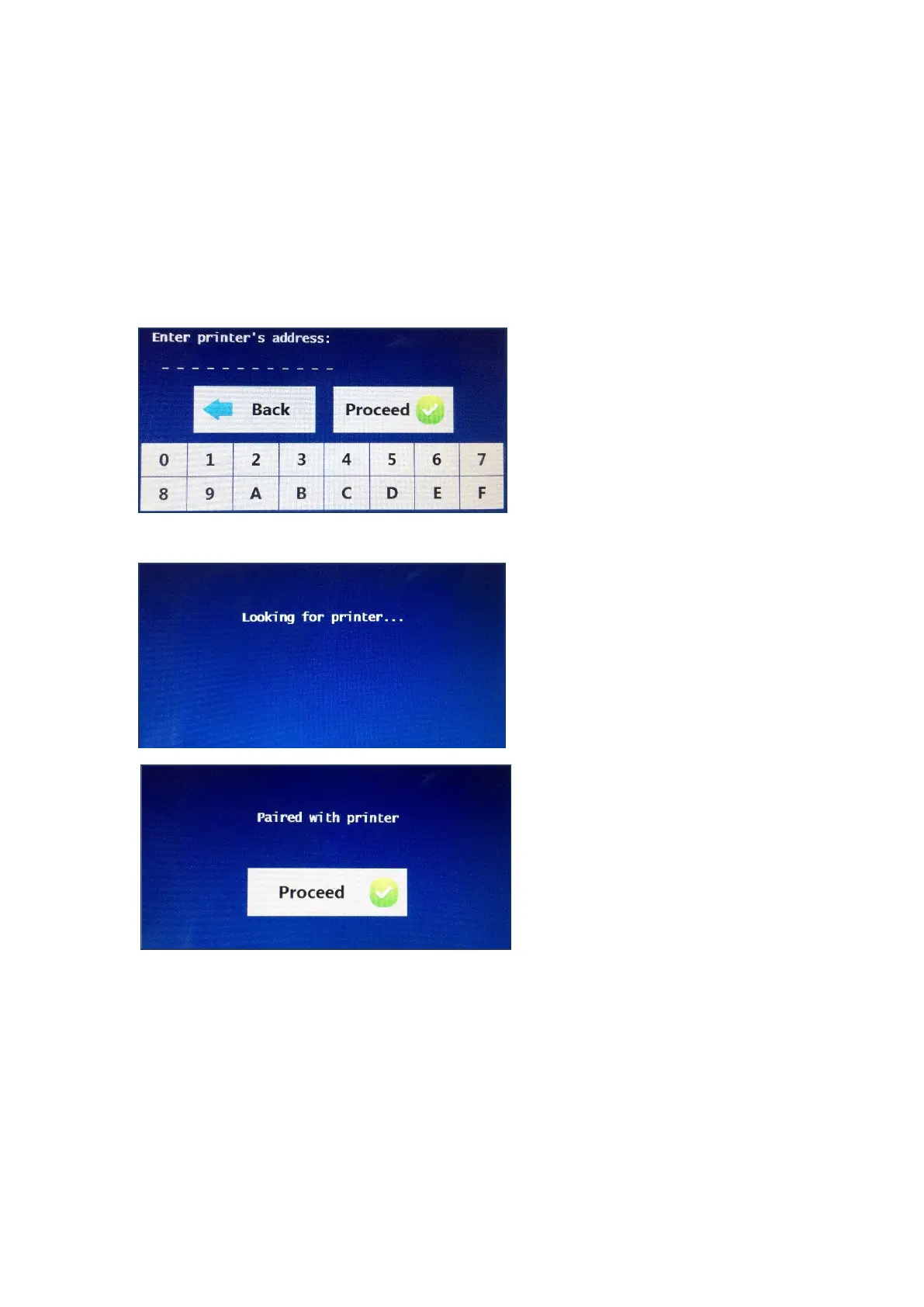
To pair the printer, press the printer button and the screen will ask for printer’s
address. Ensure that the printer is switched on at this stage.
The printer’s address can be
found on the label on the
reverse of the printer. The
printers address is a 12 digit
code which must then be
typed into the Bodystat
device. Once the code has
been typed into the device,
press the proceed button.
The Bodystat device will then
continue to search for the
printer. If the device does not
find the printer, ensure that
the printer is switched on.
Once the device has been
paired with the printer, a
message will be displayed
confirming the pairing has
been completed. Press the
proceed button to complete
and the device will revert you
back to the 4 options for Units,
Inputs, Outputs or Printer.


 To Next Page