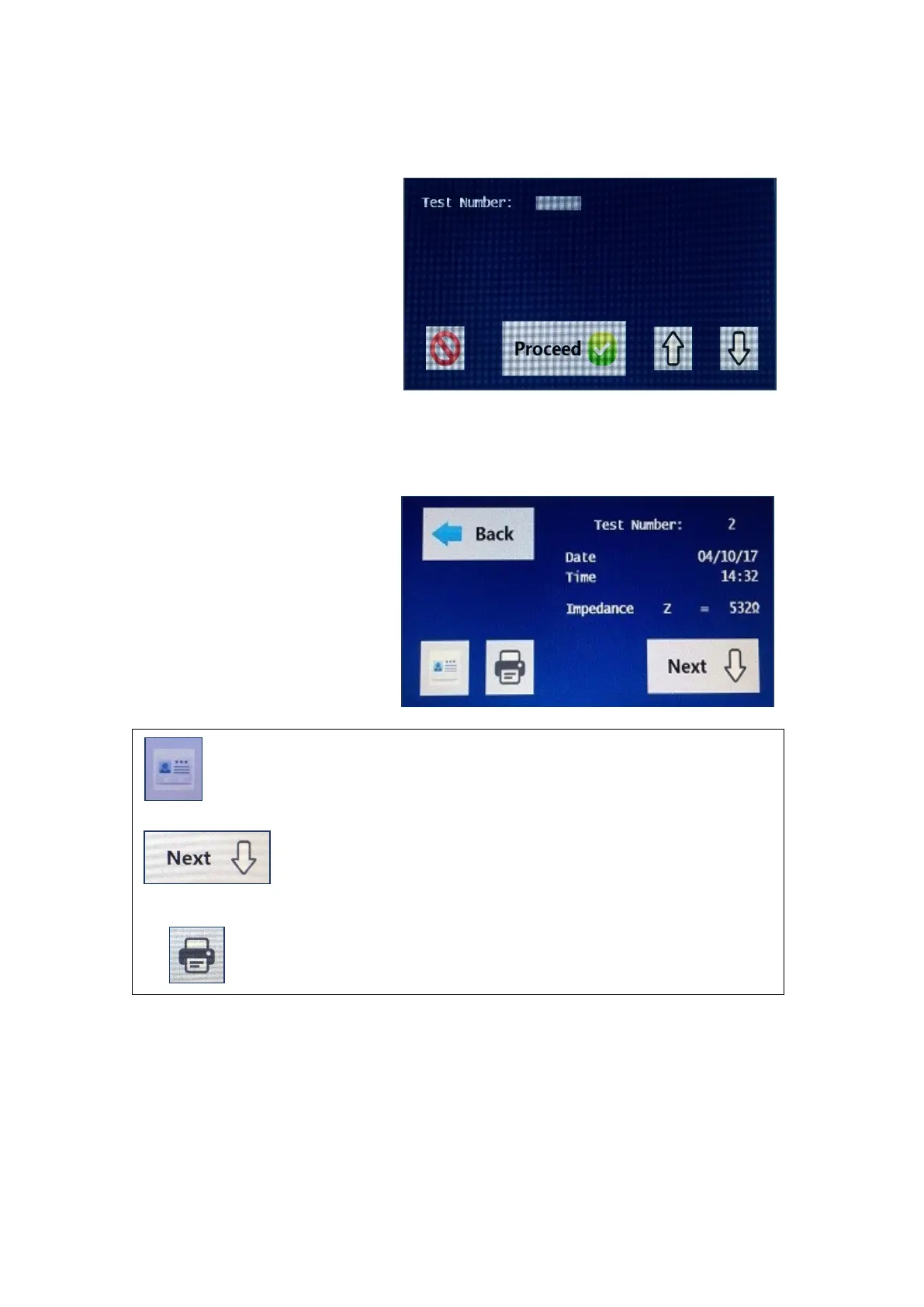
The number that will be
displayed at the top shall be
the most recent test that was
tested and saved immediately
prior to selecting this option.
Ten tests are displayed per
page and it may be necessary
to use the up and down arrow
keys at the bottom to scroll
through the pages.
Select the test to display and
press the proceed button to
view the Input details and
Results information.
The first screen displayed is
the test summary screen
which shows the Impedance
at 50 kHz.
The results for that particular test can be viewed by
selecting the results icon.
To view the results for that particular test without viewing
the input data, select the next button.
To print the results to the paired thermal printer, select the
print icon.
Press the home button to return to the main screen.
The first screen displayed is the input data that was entered for that particular
test. By pressing the next button the result output data is then displayed.


 To Next Page