RATIO.pm6.5 - USA
Page 1.19
RATIO
BOGE – RATIO compressor control for screw compressors
Control Parameterization1.5
If pressure drops in relatively small receiver/pneumatic network volumes must
be avoided at any price, continuous operation can be set as follows – if no
continuous control was parameterized in connection with a single compressor:
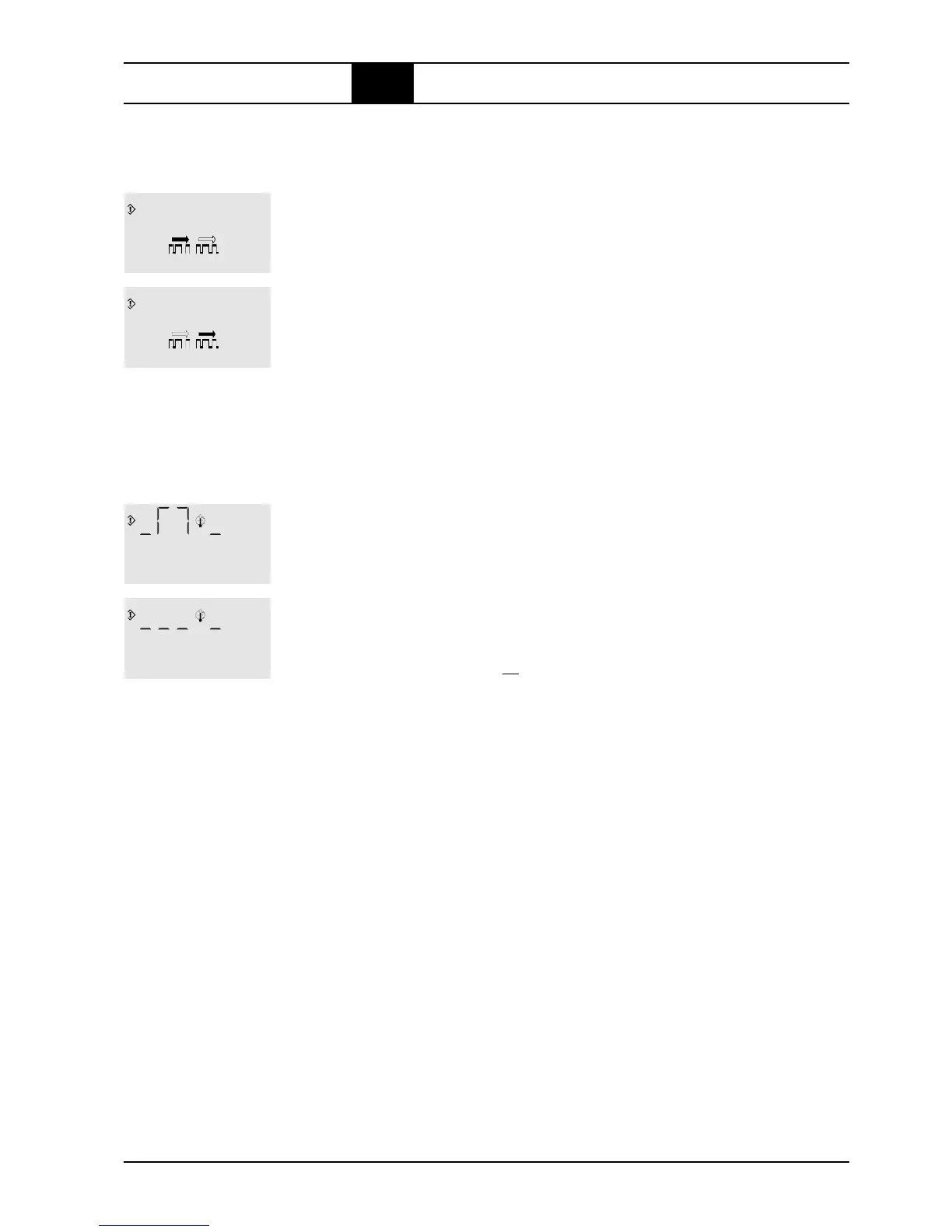
1. Enter Code 733 as described under parameterization → and the display
shows Fig. c on the left.
The shading of the left arrow blinks. This means: automatic power economy
operating mode selection.
2. Press the ↑ or ↓-key to change to Fig. d on the left. (press again to toggle
back...).
The shading of the right arrow blinks. This means: continuous operation.
3. Press ↵-key to overwrite the non-volatile EEPROM with the blinking sym-
bol, and the main display from the selected symbol appears.
The compressor is set to automatically start an idling phase – in star mode
i.e. without switching on a probably existing ventilator motor – from standby
when the temperature drops to below +4°C. During this phase in the main
display a thermometer blinks left of the temperature display. The idling phase
is finished as soon as the min. after-running time or +20°C final compression
temperature are reached.
This anti-freeze function can be switched off as follows:
1. Enter Code 056 as described under parameterization → and the display
shows Fig. c on the left: the 'curve' left of the thermometer blinks.
This display means: automatic idling phase in frost.
2. Press ↑ or ↓-key to change to Fig. d on the left (press again to toggle
back...) The 3x dotted line left of the thermometer blinks.
This display means: no automatic running phase in frost, shown by means
of the right dash as to the thermometer.
3. Press ↵-key to overwrite the non-volatile EEPROM with the blinking sym-
bol, and the main display from the selected symbol appears.
Set continuous mode
c
d
Anti freeze operation
(only in mode
ready for operation
)
c
d



 To Next Page