Front panel AC-UPS GD 128x64
16 OMX76014 Rev. A
4.3.2 Log
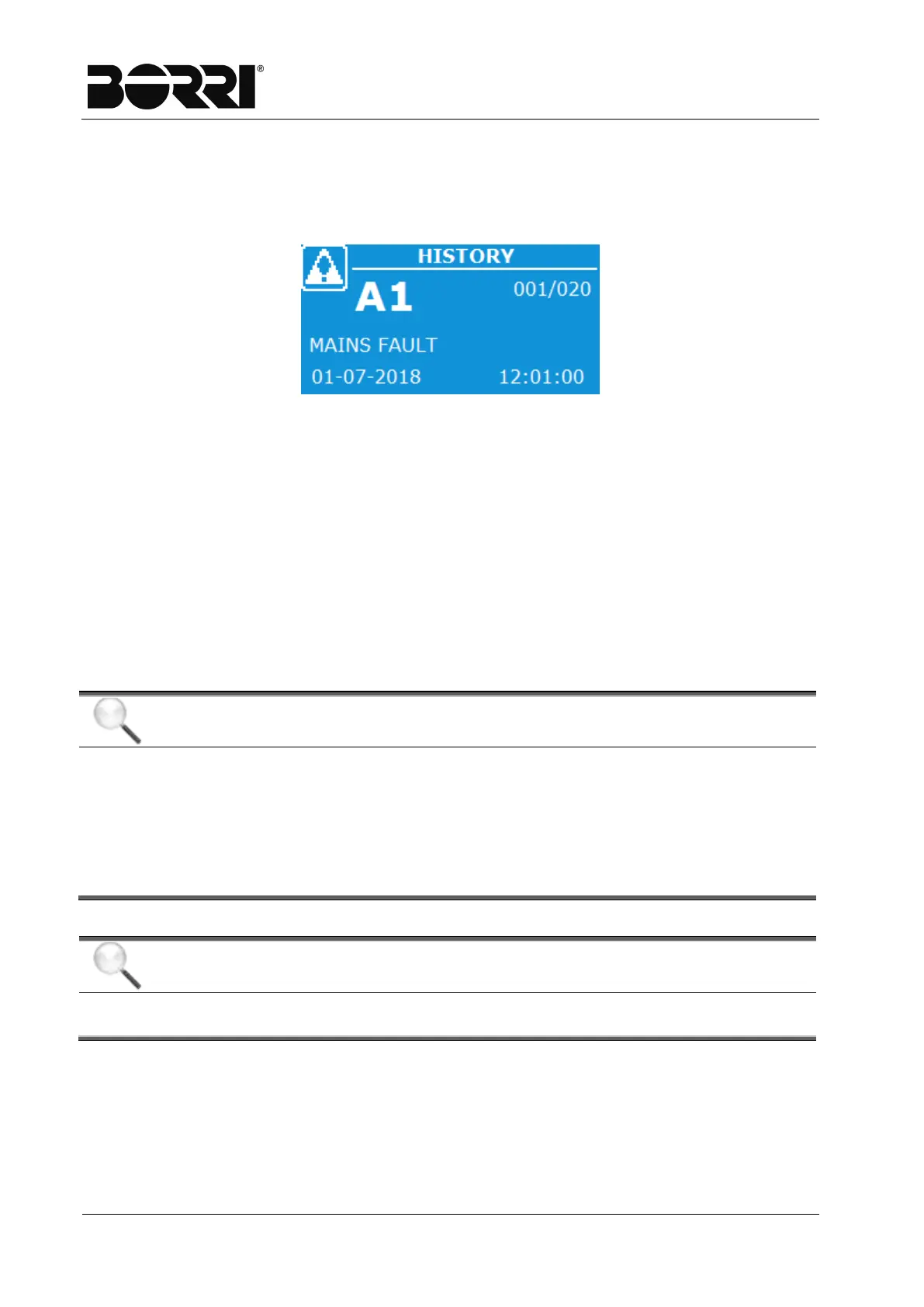
The Log page displays the log of machine events.
One element at a time is displayed according to the structure visible in the following
screen.
Figure 11
–
Alarms Menu - Log
All the visible events on the page are similarly represented with:
- event code (a star beside the alarm code indicates alarm reset);
- description of the alarm;
- date and time of the event;
- position of the event in the log (xxx/yyy), which indicate the position of the event
(xxx) with reference to the number of total events saved (yyy - maximum number
equal to 500).
On first access, the event displayed will be more recent as indicated on the top right
(001/yyy).
You can move between saved events using the arrow keys.
Display and saving mode of the alarms and statuses
In the alarm and statuses menus, the latter are always displayed in
increasing order based on the numerical code.
The alarms are displayed when they occur and must be silenced by the
buzzer.
The alarms are visible until they are present and are saved automatically
in the events log, with the time and date.
Alarms and description of statuses
For further information on the alarms and the statuses, see the “Faults and







 To Next Page