13 | Recording
78/112 Data Logger C 70 Manual Bosch Motorsport
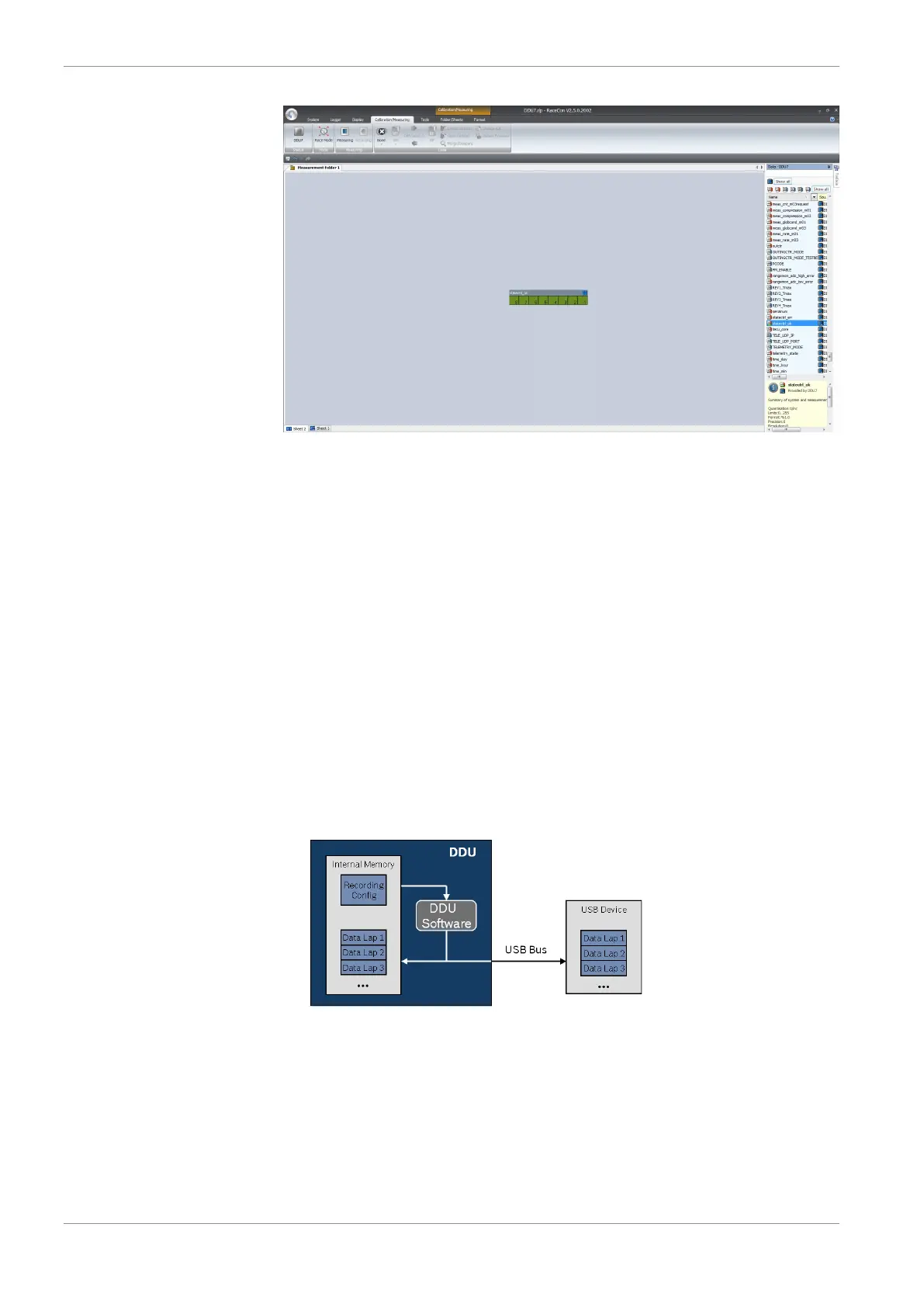
The ‘Bit-LED’ element shows the state of received channel data in bit-representation. A
green highlighted channel means 0, a red highlighted channel means 1.
– Measurement correctly initialized, but recording threshold(s) not reached: 254
– Measurement correctly initialized, C 70 is recording data: 255
– Values less than 254 indicate an error state
– ‘statectrl_ok’ can be linked to an alarm on the display. See chapter ‘'Alarm' display
element’ for details.
13.3 Recording data on USB device
1. Plug an USB device to C 70.
2. Prepare a recording configuration in RaceCon.
3. Power on the system and connect with RaceCon to the vehicle.
4. Download the configuration to the C 70.
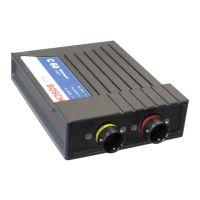
5. Record measurement data. If an USB device is present, the C 70 stores the data in
parallel on the internal memory and the USB device.
6. Power off the system.
7. Remove USB device from the vehicle.
8. Start the WinDarab software.


 To Next Page