
 Need help?
Do you have a question about the Bosch CCS and is the answer not in the manual?
Specifies where the CCS and CCD units must be installed in the dashboard.
Instructions for proper disposal of the appliance using waste return systems.
How to turn the system on and off, including automatic functions and battery conservation.
How to select frequently used functions by pressing buttons.
Accessing system functions and settings through menus.
Managing control between cockpit and cabin audio/video sources.
Steps to select audio/video sources for the driver's area.
Steps to select audio/video sources for the passenger area.
How to adjust the volume for the currently active audio/video source.
Setting default volume levels for various sources in the main menu.
Modifying bass, treble, and balance for the active audio source.
Saving current sound settings (bass, treble, balance) as a profile.
Adjusting volume and sound for microphone announcements.
Adjusting volume and sound for navigation, phone calls, and alarms.
Adjusting the default volume level for different audio/video sources.
Procedure for inserting and removing CDs or DVDs from the drives.
Overview of radio wavebands and memory bank availability by region.
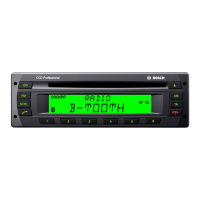
Controls for radio operation via the CCS unit.
Controls for radio operation via the CCD unit.
Menu-based operations for radio functions.
Advanced radio functions accessible through the main menu.
Controls for CD and USB playback via the CCS unit.
Menu options for CD, MP3, and WMA playback.
Controls for video and DVD playback via the CCS unit.
Menu options for video and DVD playback.
Configuration options for DVD playback in the main menu.
Controls for TV tuning via the CCS unit.
How to control display content (e.g., track name) on the CCD unit.
Main menu settings for display configuration.
Activating, deactivating, and synchronizing cabin monitors with video sources.
How to display camera images on the driver's monitor.
Using remote buttons and ENTER to control the navigation system.
Viewing the navigation system's map on cabin monitors.
Managing calls and phone book via the CCD unit.
Configuring Bluetooth connectivity and pairing.
Accessing and managing contacts, calls, and dialled numbers.
Enabling or disabling the multichannel audio system.
System configuration options including private mode and illumination.
Overview of buttons on the remote and their corresponding functions.
Main menu settings related to remote control functions.
Technical specifications for the CCS unit, including voltage and formats.
Technical specifications for the CD drive, including supported formats and frequency ranges.
Technical details for the CPA 811 and CPA 2011, including power and consumption.
 General
| Brand | Bosch |
|---|---|
| Model | CCS |
| Category | Car Stereo System |
| Radio | Yes |
| CD Player | Yes |
| MP3 Playback | Yes |
| USB Port | Yes |
| Auxiliary Input | Yes |
| Bluetooth | Yes |
| Display | Yes |








 To Next Page