en | 49
09.2014Robert Bosch Car Multimedia GmbH
en
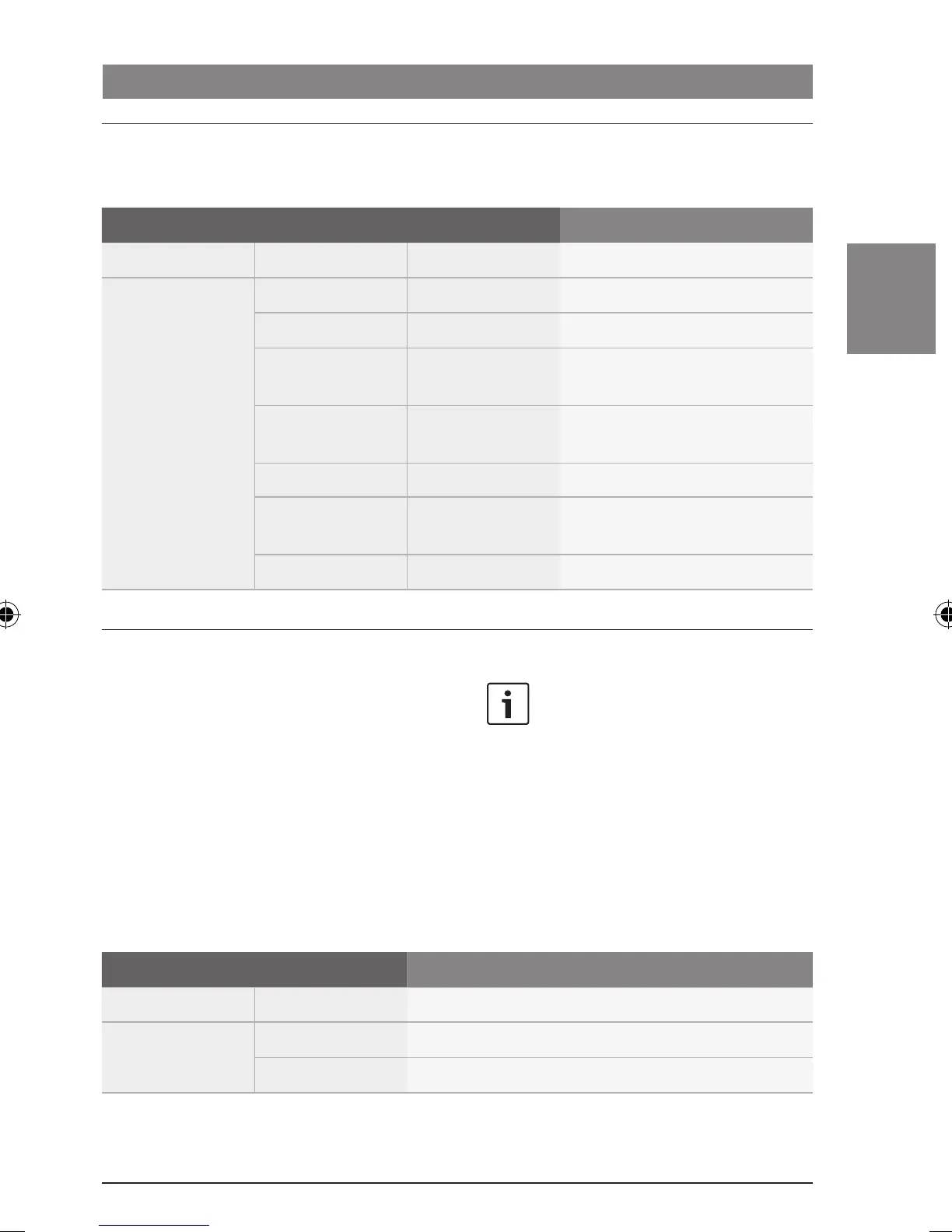
Adjusting the sound of the currently playing source
You will find the following functions in the
menu of the current audio/video source:
1
st
Menu level 2
nd
Menu level 3
rd
Menu level Function
:
*AUD BASS BASS -7 ... +7 Adjust the bass level
TREBLE TREBLE -7 ... +7 Adjust the treble level
BALANCE BALANCE -7 ... +7 Adjust the right/left volume
distribution
FADER FADER -7 ... +7 Adjust the front/rear volume
distribution
CENTER Reset the sound settings to “0”
RESTORE Reset the sound settings to the
stored sound profile
:
Storing a sound profile
Adjusting the volume and sound
In the main menu you can store the current
settings for the bass and treble levels and for
the volume distribution as a sound profile. You
can reset the sound settings at any time to this
sound profile (see the section entitled
“Adjusting the sound of the currently playing
source” in this chapter; “RESTORE” menu item
in the “*AUD” menu).
Note:
In order to prevent unintentional
changes being made in the “*MORE”
menu, “CODE” is displayed as soon
as you have confirmed the “*MORE”
menu item. When “CODE” is
displayed, press both of the control
knobs (< and ?) simultaneously
to open the “*MORE” menu.
1
st
Menu level 2
nd
Menu level Function
:
*MORE :
SAVE Store a sound profile
02_ProLine3_en.indd 49 15.09.14 14:40









 To Next Page