68 | en
09.2014 Robert Bosch Car Multimedia GmbH
f Press the MENU button D to open the
main menu.
f Turn the control knob < to select the
“*MORE” menu item on the first menu
level.
f Press the control knob < to open the
“*MORE” menu.
Note:
In order to prevent unintentional
changes being made in the “*MORE”
menu, “CODE” is displayed as soon
as you have confirmed the “*MORE”
menu item. Press both of the control
knobs (< and ?) simultaneously
to open the “*MORE” menu.
Further system settings
Further system settings
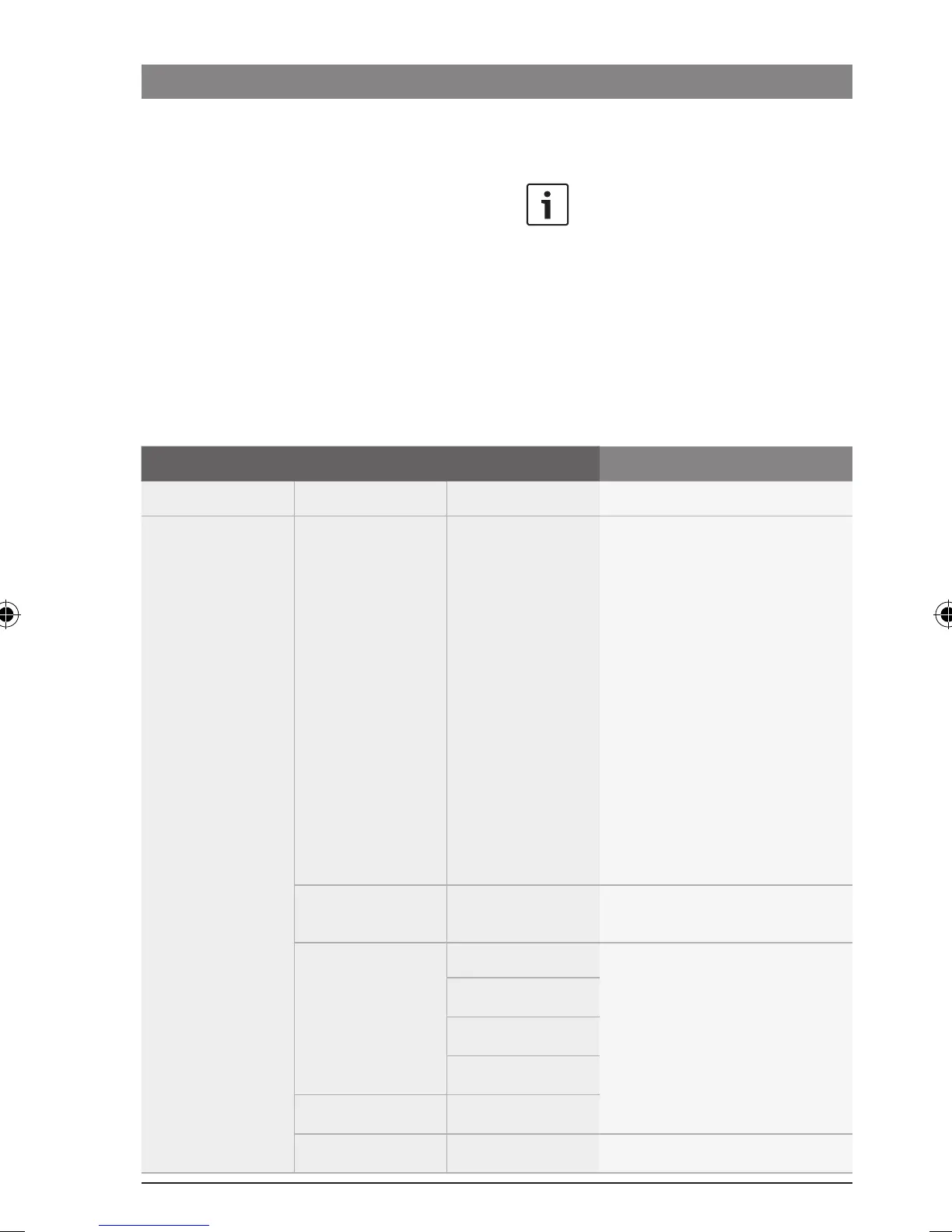
You will find the following functions in the “*MORE” menu:
1
st
Menu level 2
nd
Menu level 3
rd
Menu level Function
:
*SYSTEM PRIV OFF/1/2 Deactivate private mode (the
playback of certain sources only
over the headrest loudspeakers)
or select the level for private
mode (1: phone call; 2: phone
call as well as traffic announce-
ment and navigation announce-
ment)
Note:
The volume that you set in
private mode for phone calls
and announcements will
continue to apply after private
mode has been deactivated.
RED/GREEN Select the colour of the button
illumination
*VIDEO1 OFF Set the type of device con-
nected to the VIDEO1 and/or
VIDEO2 connection.
DVC1
DVP1
TV1
*VIDEO2 ...
AUX ON/OFF Switch the AUX input on/off
02_ProLine3_en.indd 68 15.09.14 14:40









 To Next Page