en | 55
09.2014Robert Bosch Car Multimedia GmbH
en
Functions in the menu
1
st
Menu level 2
nd
Menu level 3
rd
Menu level Function
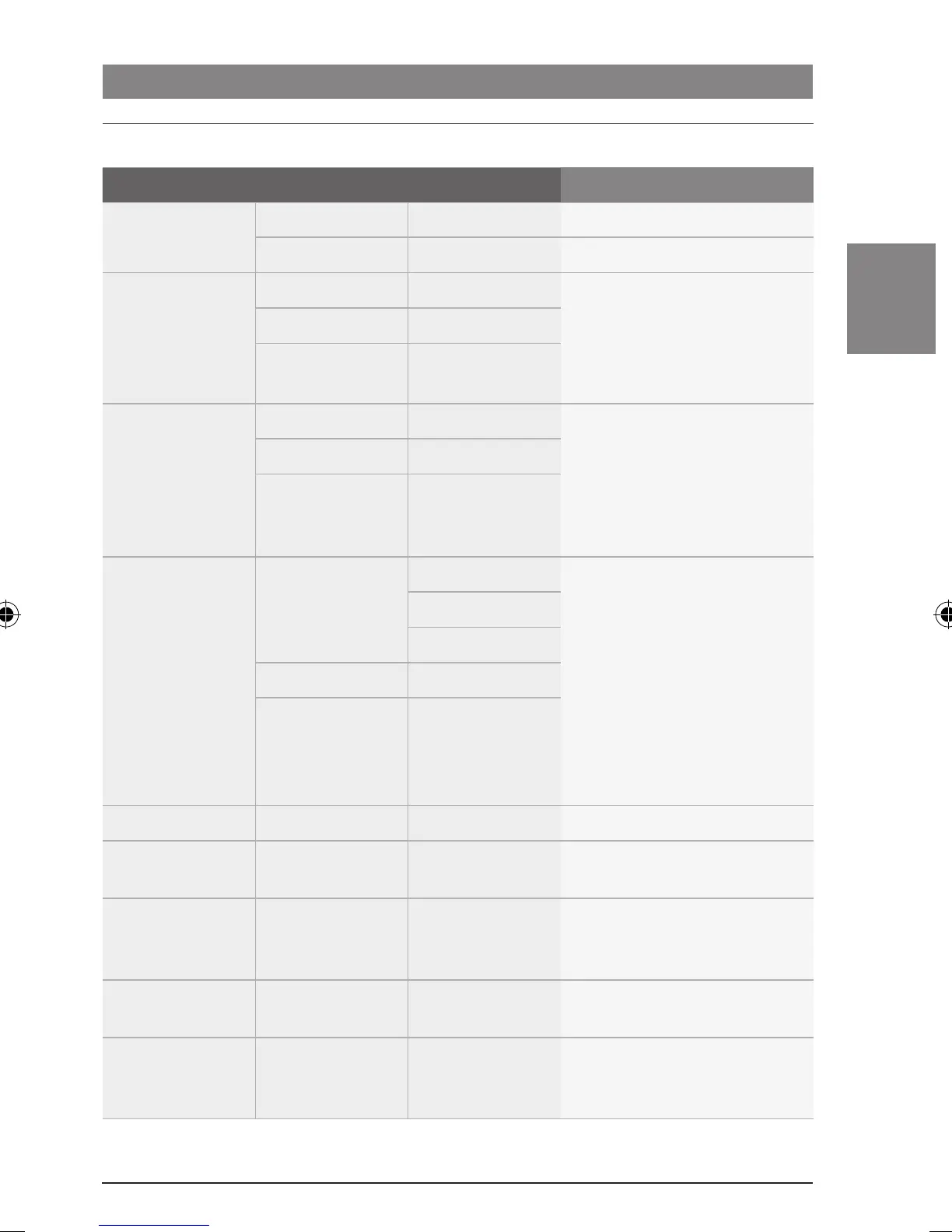
*SEARCH <SEARCH Start a search downwards
SEARCH> Start a search upwards
*TUNE MHz 87.50 Select a frequency
Note:
The radio immediately tunes
into and plays the selected
frequency.
:
MHz 108.00
*STORE MHz 88.80 Store a station
Note:
The currently stored fre-
quency or station name is
displayed for each of the six
memory locations.
:
MHz 95.70
*BAND FMTS
MHz 88.80 2
nd
Menu level: select the
memory bank
Note:
The selected memory bank
stays activated after you leave
the menu.
3
rd
Menu level: select the
memory location
Only the frequency bands of the
respective region are available.
:
MHz 95.70
:
SW ...
TRAVEL–S Start the Travelstore function
TA ON/OFF Switch traffic announcement
priority on/off
AF ON/OFF Activate/deactivate automatic
switching to alternative
frequencies
REG ON/OFF Switch the regional function on/
off
AUTO/MANUAL Switch between automatic seek
tuning and manual station
tuning
Radio mode
02_ProLine3_en.indd 55 15.09.14 14:40









 To Next Page