Bosch Security Systems | 2007-11 | 9922 141 70691 en
DCN Wireless | Installation and User Instructions | Central Devices en | 46
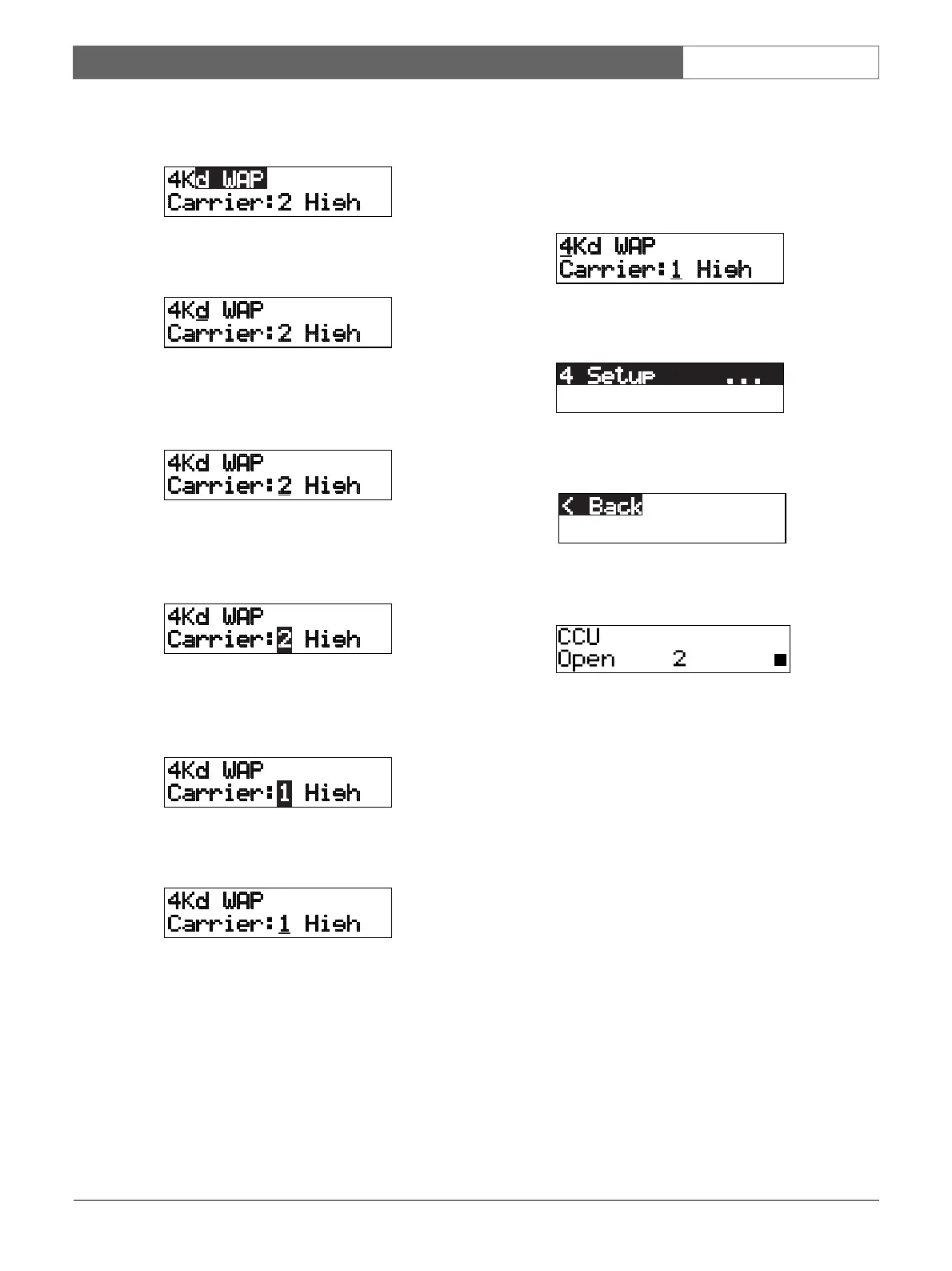
6 Turn the knob clockwise until 4Kd WAP is reached.
7 Push the knob to open the menu item.
8 Turn the knob to move the cursor to the currently
selected carrier, for example Carrier: 2.
9 Push the knob to select the carrier. The carrier
number will start to flash.
10 Turn the knob to change the carrier, for example
Carrier: 1.
11 Push the knob to select the carrier.
To return to the main menu:
1 Turn the knob to move the cursor to the main menu
number, for example 4.
2 Push the knob to go back to the Main menu.
3 Turn the knob clockwise until < Back is reached.
4 Push the knob to go back to the main screen.













 To Next Page