Bosch Security Systems | 2007-11 | 9922 141 70691 en
DCN Wireless | Installation and User Instructions | Central Devices en | 45
10.6.2.11 To select a parameter
1 Open the correct menu item (refer to 10.6.2.10).
2 Turn the knob to move the cursor to the parameter
that is shown.
3 On the parameter, push the knob. The parameter
flashes.
4 Turn the knob to go to the applicable parameter.
5 When the display shows the applicable parameter,
push the knob to select the parameter. The display
shows a cursor.
10.6.2.12 To change the value of a parameter
1 Select the applicable parameter (refer to 10.6.2.11).
2 Turn the knob to move the cursor to the value.
3 Push the knob. The value flashes.
4 Turn the knob to go to the value.
5 When the display shows the correct value, push the
knob to select the value. The display shows a cursor.
10.6.2.13 To close a menu item
1 Turn the cursor to the last character that identifies
the menu item.
2 Push the knob to close the menu item. The last
character and the menu item title flash.
10.6.2.14 To close a sub-menu
1 Turn the cursor to go to the second last character
that identifies the menu item.
2 Push the knob to close the sub-menu. The last
character and the menu item title flash.
10.6.2.15 To close the main menu
1 From the main menu, turn the primary knob
clockwise to go to the < Back menu item.
2From the < Back menu item, push the knob to go to
the Main menu item.
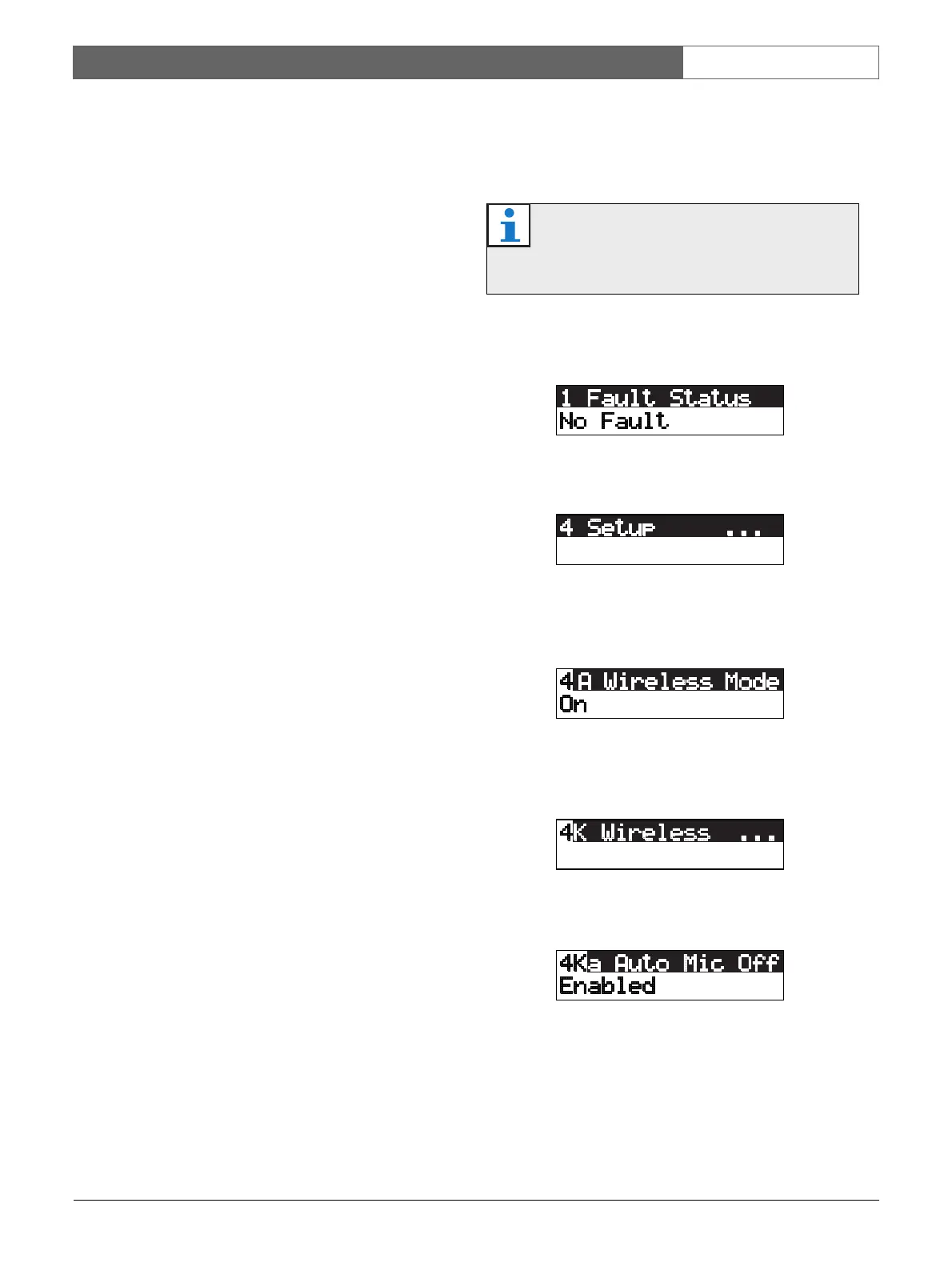
10.6.2.16 Example
For an example, do as follows to select the carrier of the
wireless access point:
1 Push the knob to open the Main menu.
2 Turn the knob clockwise until 4 Setup ... is reached.
3 Push-and-hold the knob for 3 seconds to open the
sub-menu.
4 Turn the knob clockwise until 4K Wireless is
reached.
5 Push the knob to open the sub-menu..
Note
Make sure that when you do this example, you
start from the Main menu item.













 To Next Page