3) Cabling and wall/ceiling/tripod floor stand installation
The Wireless Access Point is provided to be installed to a wall, a ceiling or on a tripod floor
stand. Take care of the installation location regarding the wireless signal coverage area
between the Wireless Access Point and the Wireless Devices. See Installation planning, page
11.
Caution!
Do not open the Wireless Access Point. Any hardware change makes the product certificates
invalid. Only qualified personnel may open the Wireless Access Point.
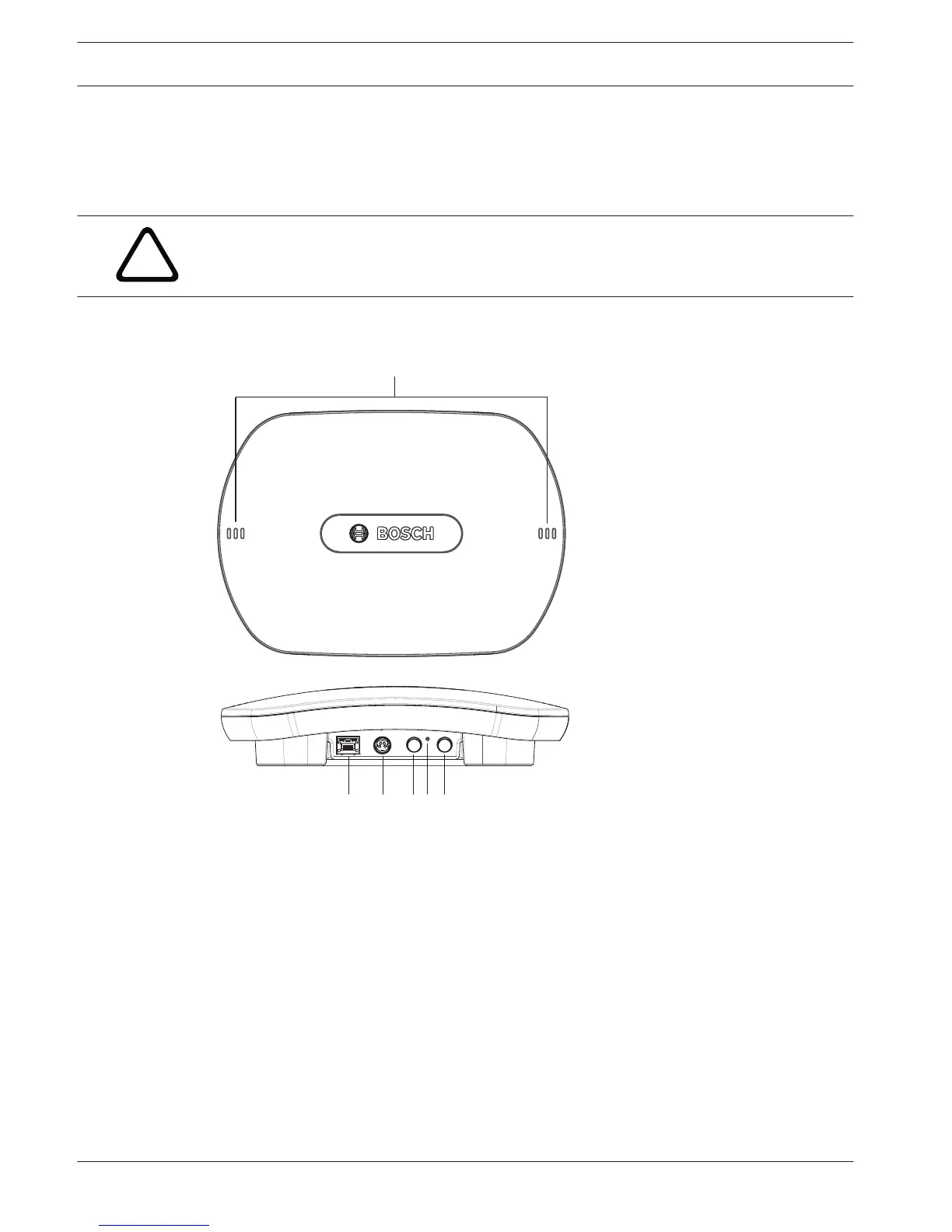
Cable connections:
Figure 5.2: DCNM‑WAP front and bottom view
1. Connect an external balanced audio line input (4), if required.
2. Connect the balanced audio line output (6) to an external audio system, if required.
3. Connect the Ethernet (PoE) (2) or AC/DC power supply adapter (3).
For detailed connection description, see the “Power on / connection and indicator” paragraph
at the end of this section.
14 en | Installation Wireless Access Point DICENTIS
2015.03 | V1.01 | Installation Manual Bosch Security Systems B.V.















 To Next Page