Installation Wireless Access Point
Use the following steps to install the Wireless Access Point (DCNM-WAP).
1. Make sure all equipment is available as described in 1) Scope of delivery.
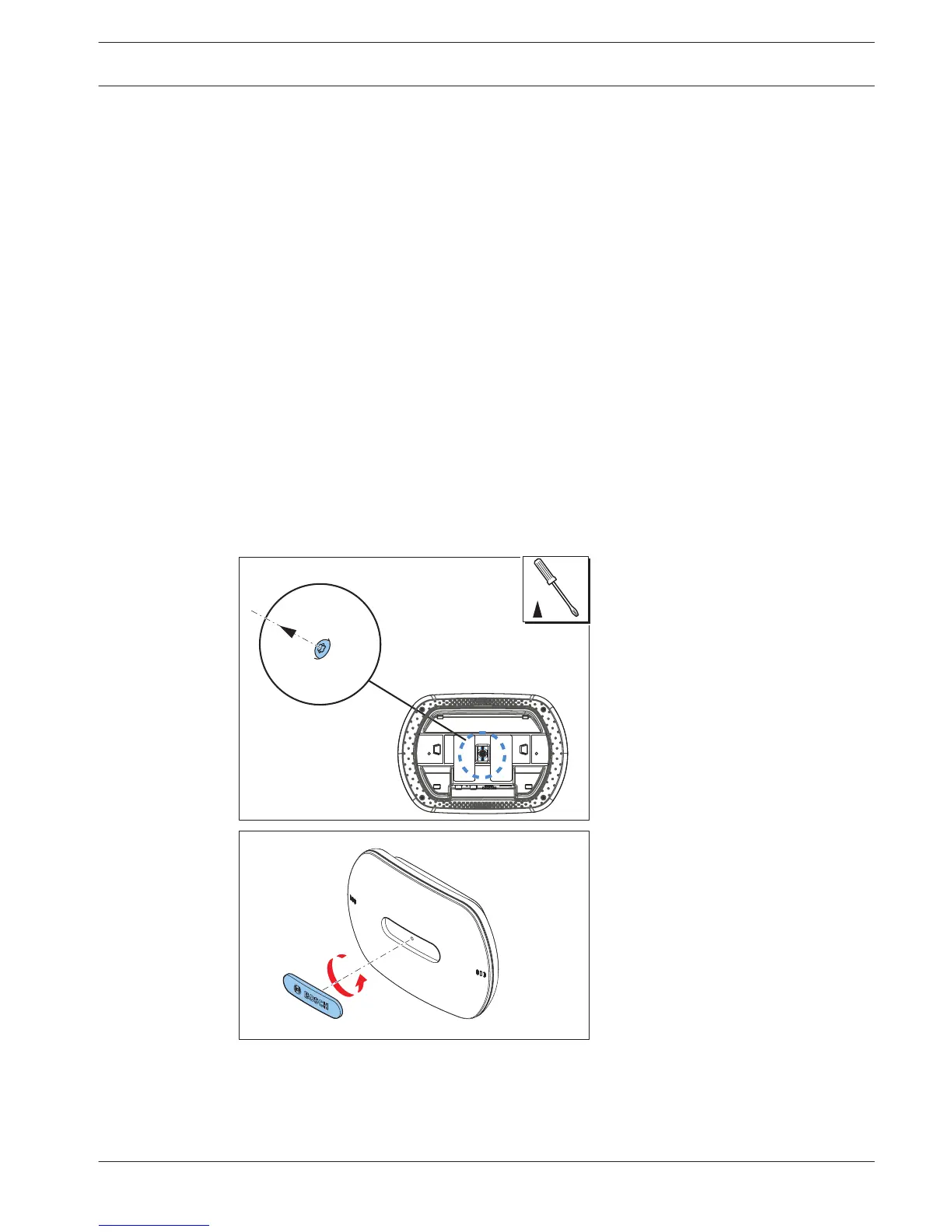
2. Optional set the “Brand logo” in the correct orientation.
3. Connect the cabling and install the Wireless Access Point to the wall/ceiling or tripod
floor stand.
4. Power on the Wireless Access Point.
1) Scope of delivery
The Wireless Access Point (DCNM-WAP) is shipped with the following parts:
Quantity Components
1 DCNM-WAP Wireless Access Point
1 AC/DC power supply adapter. Including: AC plug‑AU, AC plug‑UK, AC
plug‑EU, AC plug‑US
1 Mounting bracket
1 DVD with manuals and software
1 Safety instructions
2) Brand logo
The orientation of the logo could be changed.
Figure 5.1: Change logo orientation
5
DICENTIS Installation Wireless Access Point | en 13
Bosch Security Systems B.V. Installation Manual 2015.03 | V1.01 |















 To Next Page