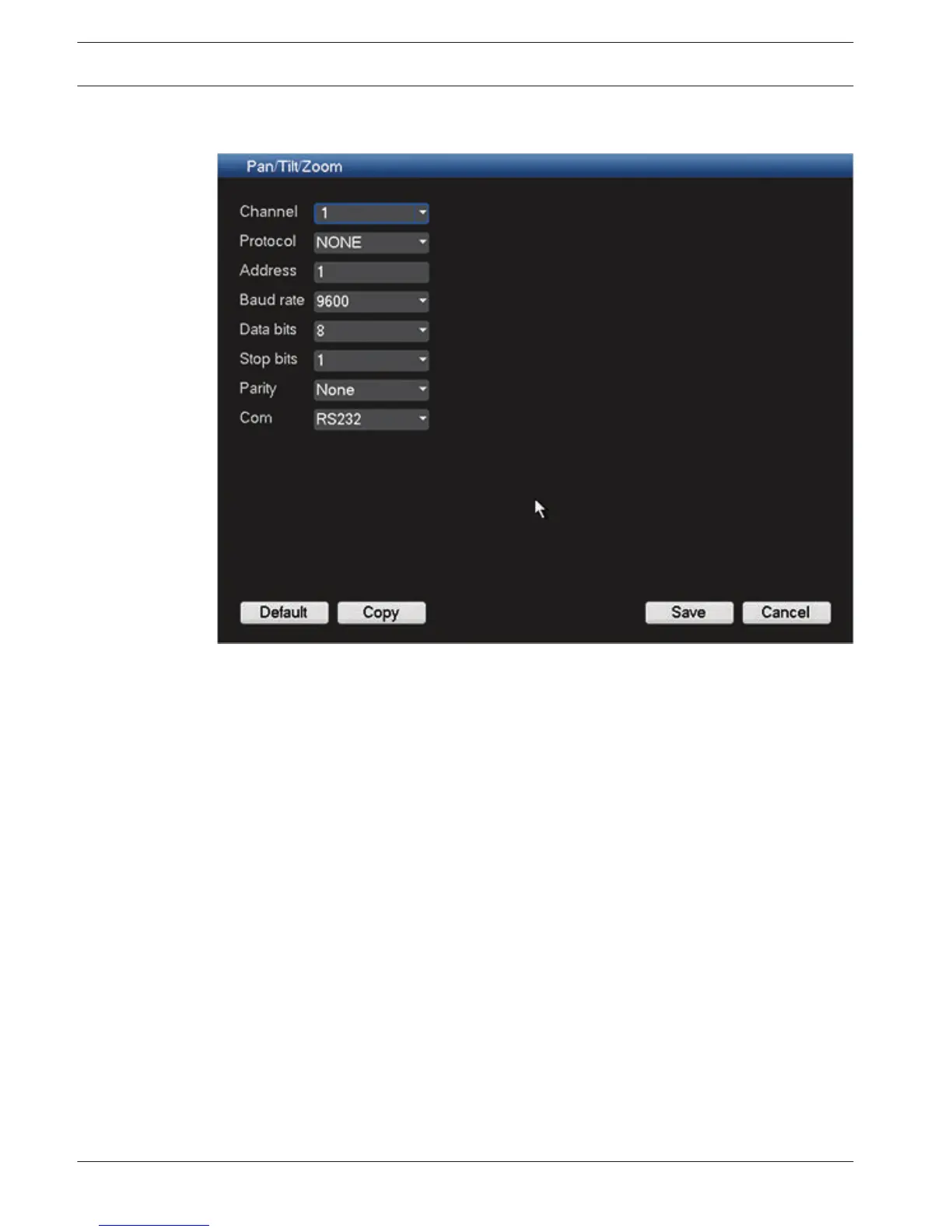
Pan/Tilt/Zoom
Figure 6.24: Pan/Tilt/Zoom
The pan/tilt/zoom setup includes the following items.
–
Channel - select first the applicable channel (these settings can later be copied to other
channels using <Copy>.
– Protocol: Select corresponding PTZ protocol such as BOSCH or PELCOD.
– Address: input corresponding PTZ address.
– Baud rate: Select baud rate.
– Data bit: Select data bit.
– Stop bit: Select stop bit.
– Parity: There are three choices: none/odd/even.
After completing setup, click <Save> to go back to the previous menu.
For a detailed description of how the PTZ is operated, please refer to PTZ, page 92.
6.9
62 en | Configuration
DIVAR 3000/5000 Digital Video
Recorder
2013.05 | 1.0 | DIVAR 3000/5000 Digital Video
Recorder
Operator Manual Bosch Security Systems



 To Next Page