Integrus Configuration | en 47
Bosch Security Systems B.V. Installation and Operation manual IOM-INT | V1.1 | 2010.12
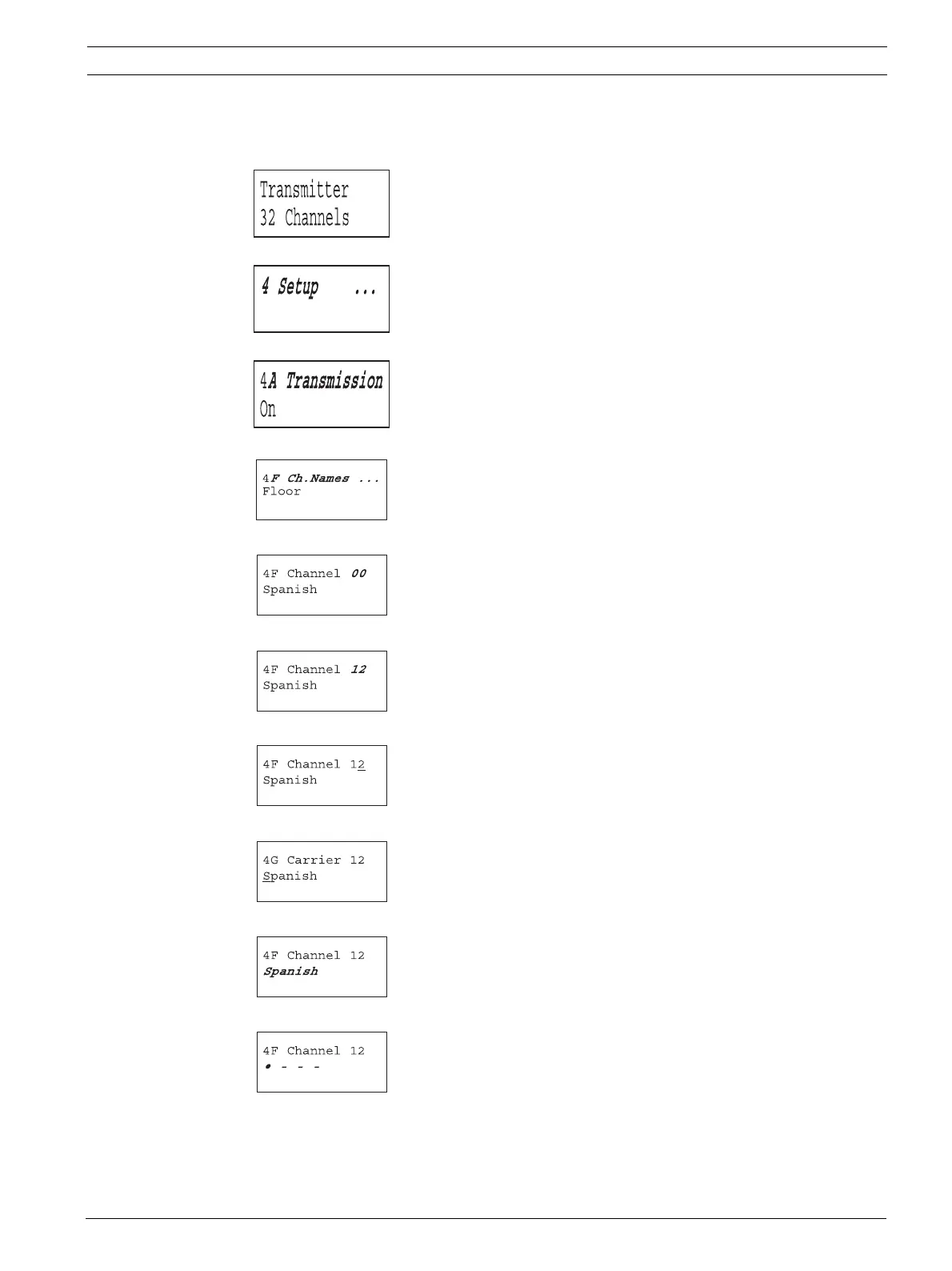
Example 2: Assign a new user defined name to channel 12.
See also section 7.2.6 .
1. Turn the button to select the 'Setup' item (4) in the Main
menu.
2. Push and hold the button for 3 seconds to go to the 'Setup'
sub-menu.
3. Turn to select the 'Ch. Names' sub-menu item (4F).
4. Push to go to the 'Ch. Names' sub-menu.
5. Turn to select the required channel number (12).
6. Push to confirm.
7. Turn to move the cursor to the start of the second line.
8. Push to confirm.
9. Turn clockwise until the channel name changes to: o - - -
10. Push to confirm.















 To Next Page