Pack201 | Operator Interface | Section 4
EN | 9
© Bosch Packaging Technology, Inc.
All rights reserved 2012
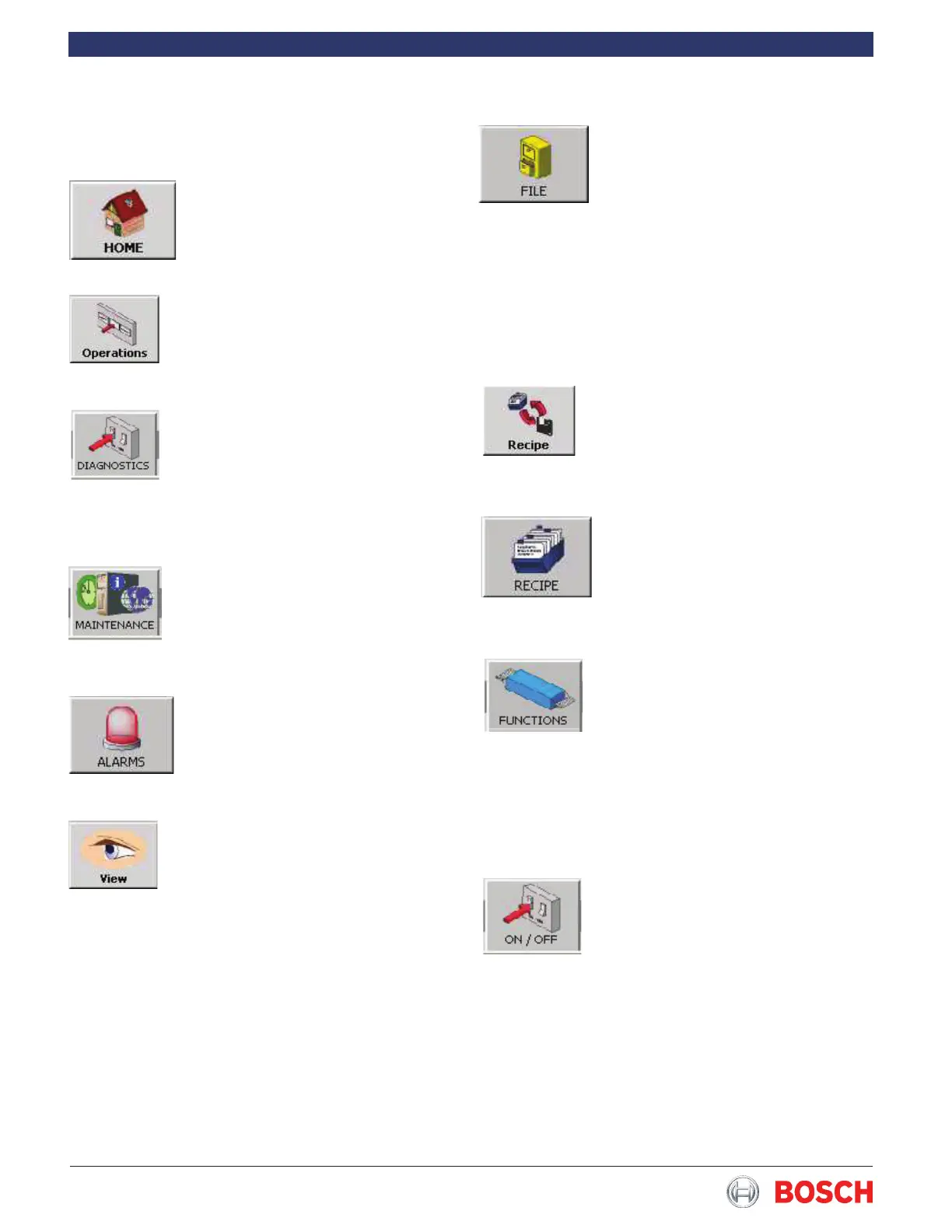
4.5.7 File
This section explains le management.
See the instructions in this document�
This button provides access to all the
product recipes that have been devel-
oped and saved� A recipe consists of
all mechanical settings and parameter
adjustments relating to the product to
be packaged� The mechanical settings
can be seen in the Functions list on the
Recipe screen�
4.5.8 Recipe
A different recipe can be loaded in this
section and the current recipe printed on
USB storage media� See the instructions
in this document�
4.5.9 Recipe
A recipe consists of all mechanical set-
tings and parameter adjustments relat-
ing to the product to be packaged� The
mechanical settings can be seen in the
settings list at Operation access level�
4.5.10 Functions
This button allows you to view and/or
edit the parameters that can affect the
quality of the packaging during produc-
tion: machine speed, product position,
lm position and temperature settings.
Changes to the parameters are applied
immediately but cannot be saved in the
recipe�
4.5.11 (Functions) On/Off
This button allows the operator to turn
various machine functions such as a
splicer or power feed roll on or off�
When the On/Off screen appears scroll
up or down to the desired function� It’s
current value is indicated at the right of
the function� Touching the function box
will toggle the function on or off�
4.5 Operator access level
Several screens can be accessed at this level�
4.5.1 Home
The Home Screen allows access to
three Function buttons: “Operations”,
“Diagnostics”, and “Maintenance”�
4.5.2 Operations
This button is used to return to the Home
screen from either the Diagnostics or the
Maintenence screens�
4.5.3 Diagnostics
This button provides access to the diag-
nostic functions which are used to view
counters, inputs and outputs, perform
various motor functions and aid in setting
up machine operations and options�
4.5.4 Maintenence
This button provides acces to the Mainte-
nence screen which allows the operator
to choose a different language (if avail-
able) for the screens�
4.5.5 Alarms
In the main menu, “Alarms” can display
the current status of the alarms and
their history� The alarms are described
elsewhere in the documentation�
4.5.6 View
Whenever an alarm occurs, the alarm ap-
pears in the status bar� This alarm is also
added to the alarm list�


 To Next Page