Connecting an external pedal
10
Controlling the knobs using an expression pedal (EXP FUNCTION)
You can control the settings of the [LEVEL], [TIME] and [FEEDBACK] knobs with an expression pedal (such as a Roland EV-5, sold
separately) that you’ve connected to the CTL/EXP jack.
The factory setting is the value of the [LEVEL] knob.
You can set the respective sounds for when the expression pedal is at MAX position (depressed firmly with your toes) and at MIN
position (depressed firmly with your heel), and make continuous changes to them.
Use the following settings to select the knob (parameter) that’s controlled by the expression pedal.
* Use only the specified expression pedal. By connecting any other expression pedals, you risk causing malfunction and/or
damage to the unit.
1.
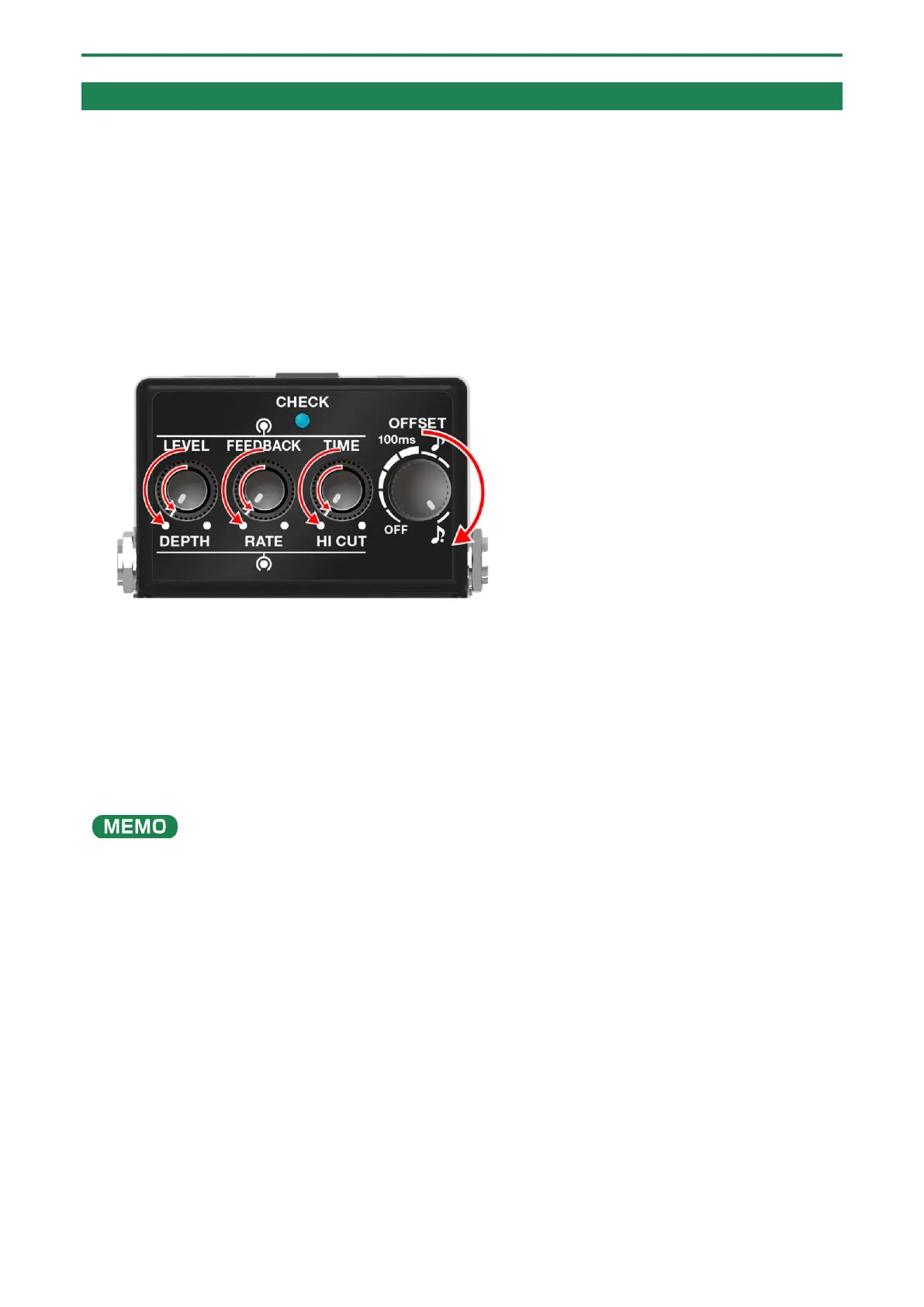
Turn the [OFFSET] knob to the maximum (MAX) setting.
2.
Turn all other knobs besides the [OFFSET] knob to the minimum (MIN) setting.
3.
Insert a plug into the INPUT A (MONO) jack while holding down the pedal switch.
The CHECK indicator blinks blue.
4.
Use the respective knobs to set the sound that’s used when the pedal is at the MIN value (pressed firmly
with your heel).
5.
Press the pedal switch.
The CHECK indicator blinks red.
6.
Use the respective knobs to set the sound that’s used when the pedal is at the MAX value (depressed
firmly with your toes).
To control multiple parameters at the same time, turn the knob in question to set it.
Knobs whose minimum (MIN) and maximum (MAX) value positions remain unchanged are not included in the knobs to be
7.
Press the pedal switch again to exit the settings.


 To Next Page