Configuring the stereo delay effect
16
Configuring the stereo delay effect
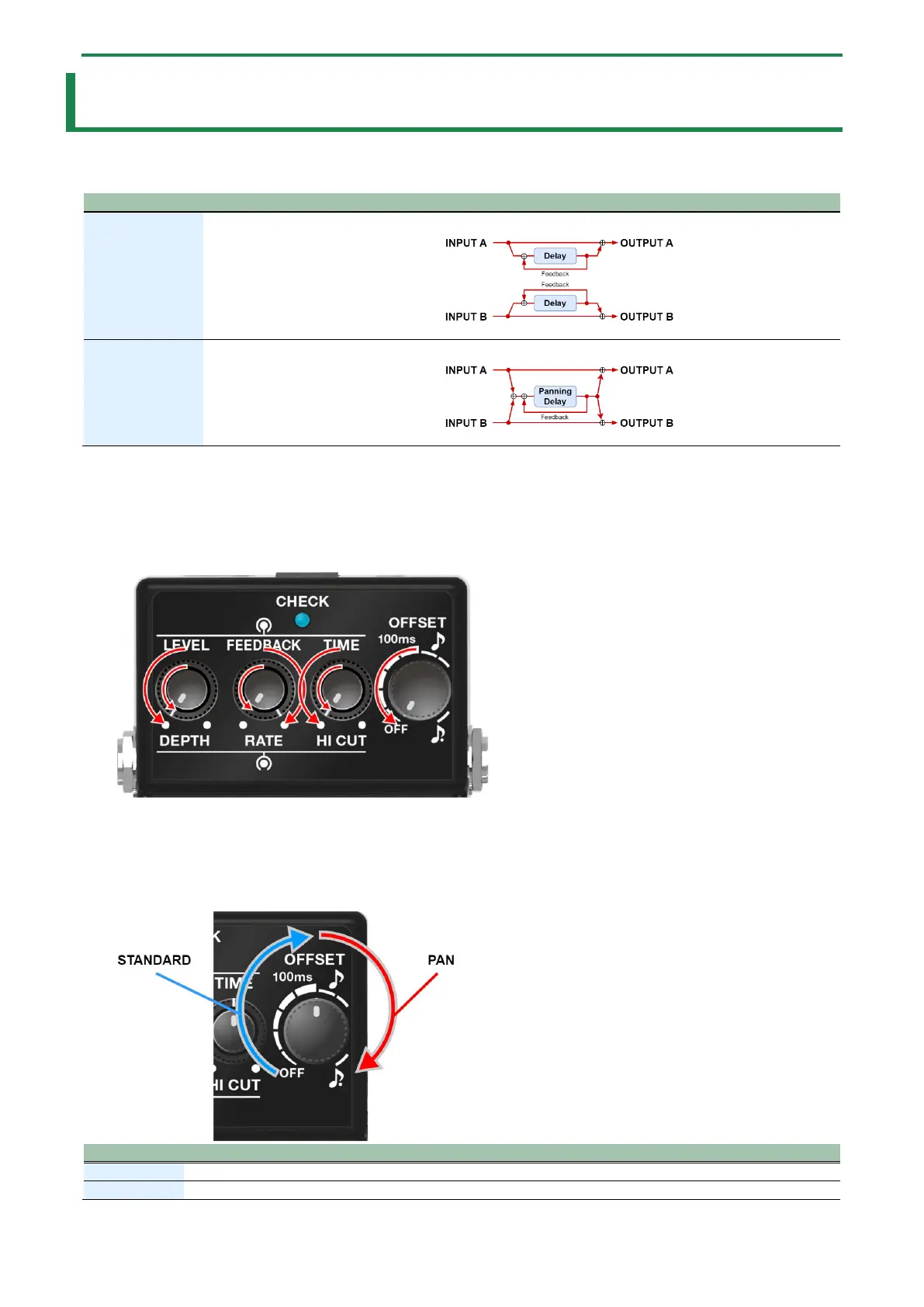
Here’s how to configure the effect when using this unit as a stereo delay. You can select either stereo or panning for the stereo
delay effect.
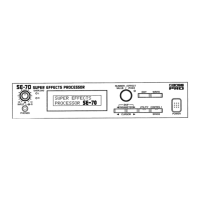
STANDARD
A delay with fully independent A/B channels.
PAN
* For details on how to connect the stereo delay, refer to “Connections(P.14)”.
1.
Turn the SDE-3 off.
2.
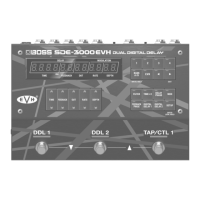
Turn the [RATE] knob to the maximum (MAX) setting.
3.
Turn all other knobs besides the [RATE] knob to the minimum (MIN) setting.
4.
Turn on the power by connecting a plug to the INPUT A (MONO) jack while holding down the pedal
switch.
The CHECK indicator blinks, and the unit enters settings mode.
5.
Turn the [OFFSET] knob to the type of stereo delay effect you wish to set.
A delay with fully independent A/B channels.
This is set to “STANDARD” when using the factory settings.


 To Next Page