Changing the output mode
13
Changing the output mode
You can select from three different output modes for the SDE-3.
Mode
Explanation
Stereo output
blue
The direct (dry) sound is mixed with the effect (wet) sound, and output
from the OUTPUT A (MONO) and OUTPUT B jacks.
Normal delay
When the input is mono and only the OUTPUT A (MONO) jack is connected,
the unit operates with normal delay time.
When the input is stereo, connecting to either the OUTPUT A (MONO) jack
or the OUTPUT B jack, or connecting to both jacks makes the unit operate
with normal delay time.
0 – 800msec
Long delay
When the input is mono and only the OUTPUT B jack is connected, the
delay time is doubled.
0 – 1,600 msec
+ direct (dry)
red
The effect (wet) sound is output from the OUTPUT A (MONO) jack, and the
direct (dry) sound is output from the OUTPUT B jack.
Direct mute
Only the effect (wet) sound is output from the OUTPUT A (MONO) jack and
the OUTPUT B jack.
Follow the steps below to change the output mode.
1.
Turn the SDE-3 off.
2.
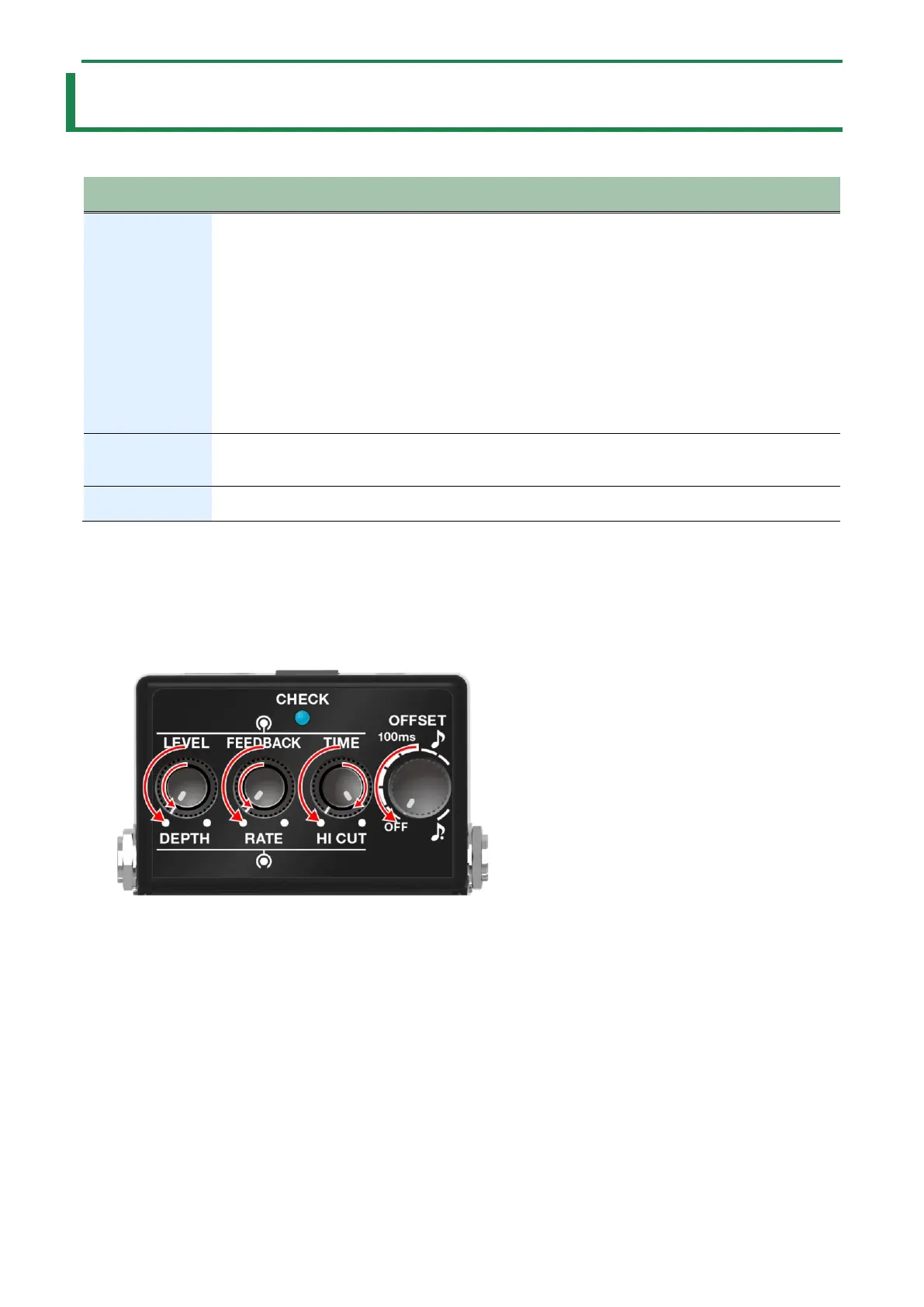
Turn the [TIME] knob to the maximum (MAX) setting.
3.
Turn all other knobs besides the [TIME] knob to the minimum (MIN) setting.
4.
Turn on the power by connecting a plug to the INPUT A (MONO) jack while holding down the pedal
switch.
The CHECK indicator blinks red, and the unit enters settings mode.
5.
Turn the [OFFSET] knob to the output mode you wish to set.


 To Next Page