Home Screen
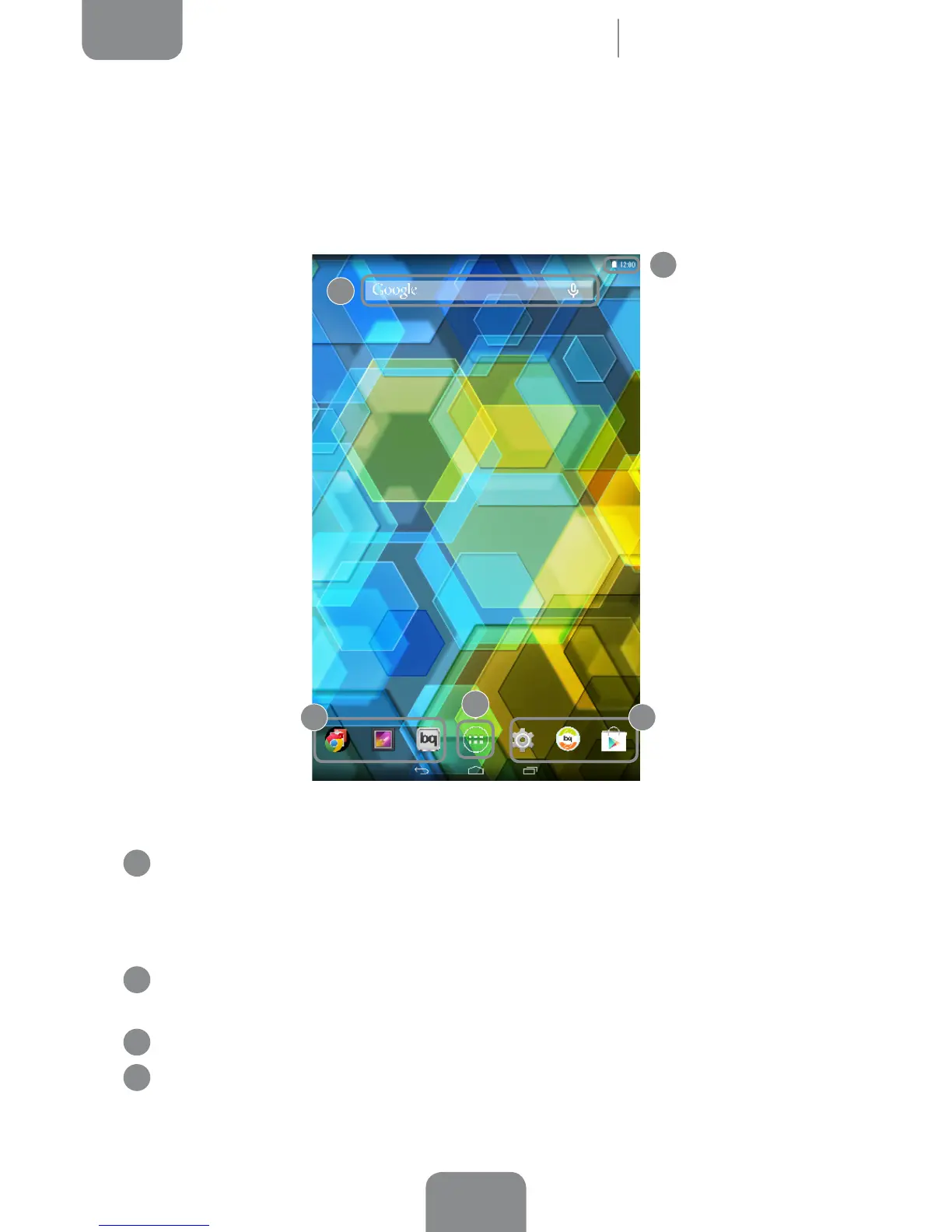
The Home screen, or Start screen, is your main access route to the tools and apps
installed on your device. From here, you can check the status of your device, visit
websites, open apps, and much more.
1
Status and Notications bar. Displays the time, Wi-Fi and Bluetooth connection
status, the sound prole and the remaining battery life. Slide the bar downwards
from the left to check your notications, or from the right to access the quick
settings menu.
2
Google search. Press the search bar to enter the text you want to search for
on the internet. You can also carry out a voice search.
3
Shortcuts. These give you quick access to the apps you use most frequently.
4
App menu. Here you can access all the apps installed on your device.
2
1
3 3
4
Home Screen



 To Next Page