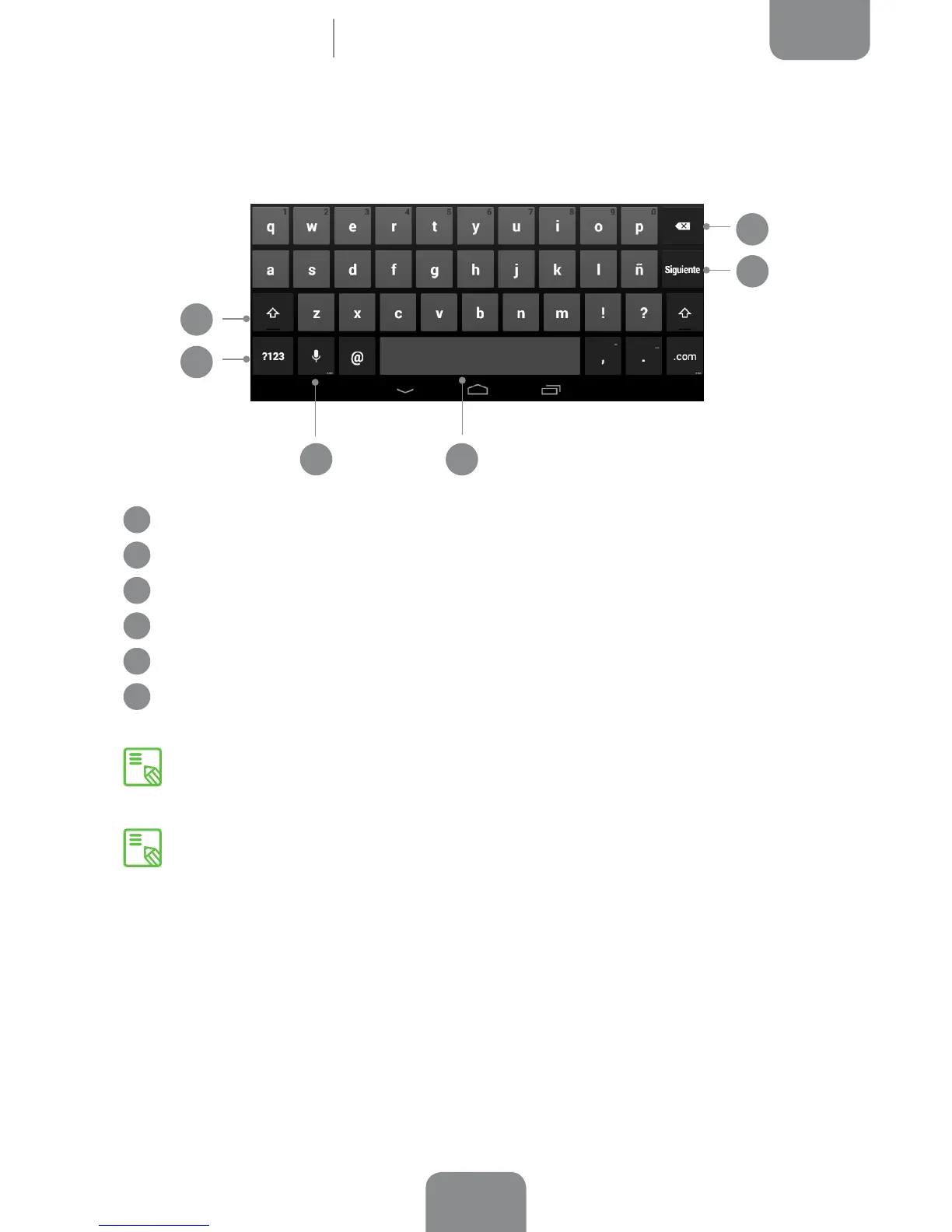
Keyboard
Pressing on any text eld will bring up the virtual keyboard.
1
Enable/disable Caps lock.
2
Open/close the number and symbol keyboard.
3
Activate the dictation function.
4
Space bar.
5
Enter/return.
6
Delete.
4
6
1
2
5
Home Screen
The keys in the bottom right-hand corner with “…” on them give you access to
extra functions when you touch and hold them.
You can nd more information about the keyboard settings and input languages
at Settings > Personal > Language & input.
3



 To Next Page