www.bresser.de
2.3.3 XYZ axis calibration
Z-axis calibration
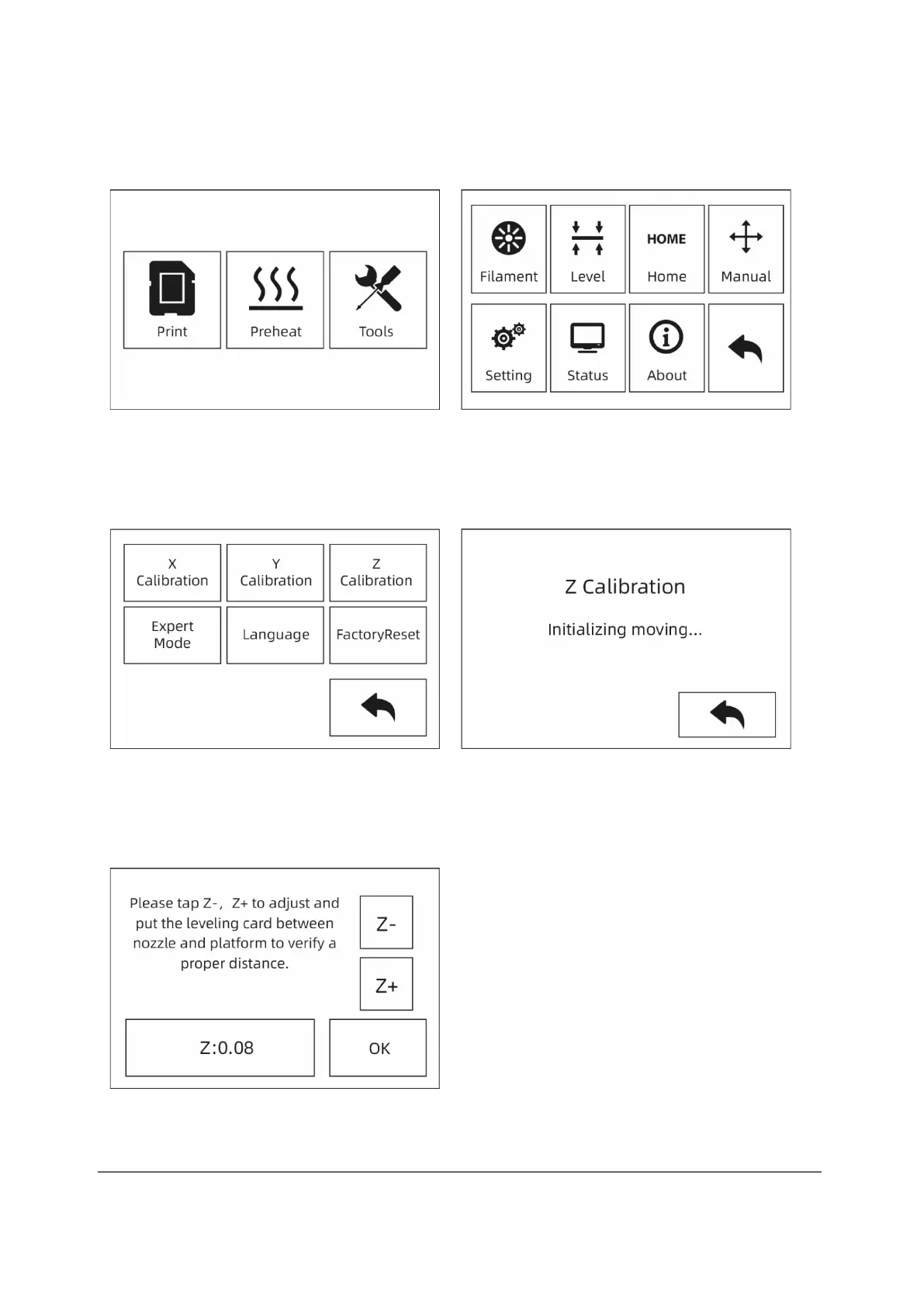
① Touch [Tools]-[Setting]-[Z Calibration]. The printer uses a compensation layer
mechanism. The mounting positions of the right and left nozzles do not have to be
adjusted by hand. A programme calculates the height difference between the two
nozzles.
② The extruder and the platform first move back to the zero position. Then select an
extruder for calibration. If the temperature of the nozzle and platform is too high,
the unit waits until the temperature has cooled down to 50 °C so that the nozzle
does not burn the construction tape.



 To Next Page