www.bresser.de
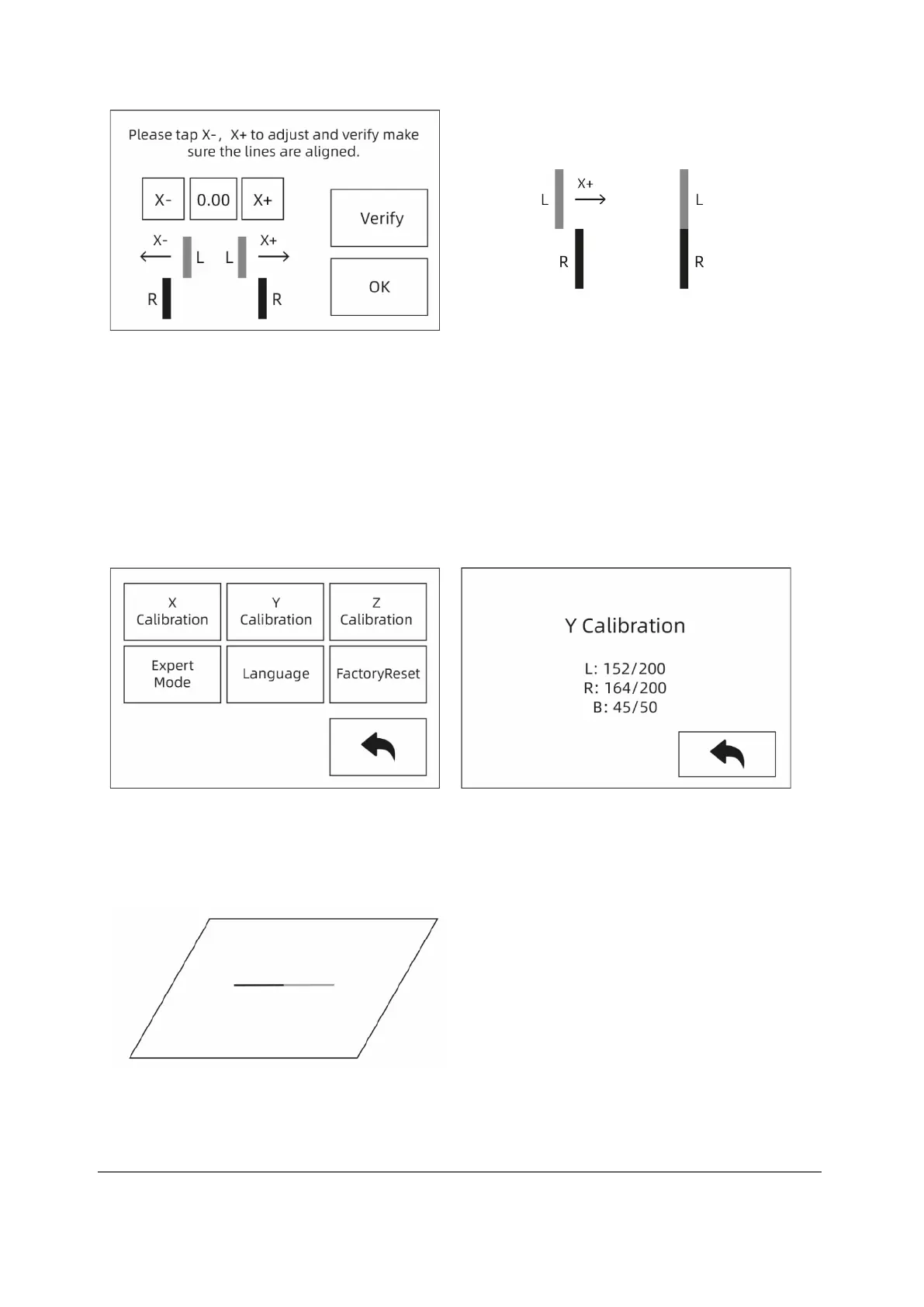
③ Touch "X-", "X+" according to the printed lines to adjust the extruder deviations
and remove the printed lines. Then touch the [OK] button. The two extruders (left
and right) reprint the lines to check that they match. If they match, the X-axis
calibration is complete. Otherwise, the adjustment must be continued until
conformity is established.
Y-axis calibration
Y-axis calibration: Uniform adjustment of the two extruders in the direction of the Y-
axis to avoid misalignment during printing.
① Finally, touch [Setting]-[Y Calibration] or continue to calibrate the Y axis after
completing the X axis calibration. After the initialization movement of the device
has been carried out, the nozzle and the platform are heated. Now make sure that
the filament has been inserted into the extruder.
② Once the warm-up phase is complete, the left and right extruders print a line one
after the other.



 To Next Page