www.bresser.de
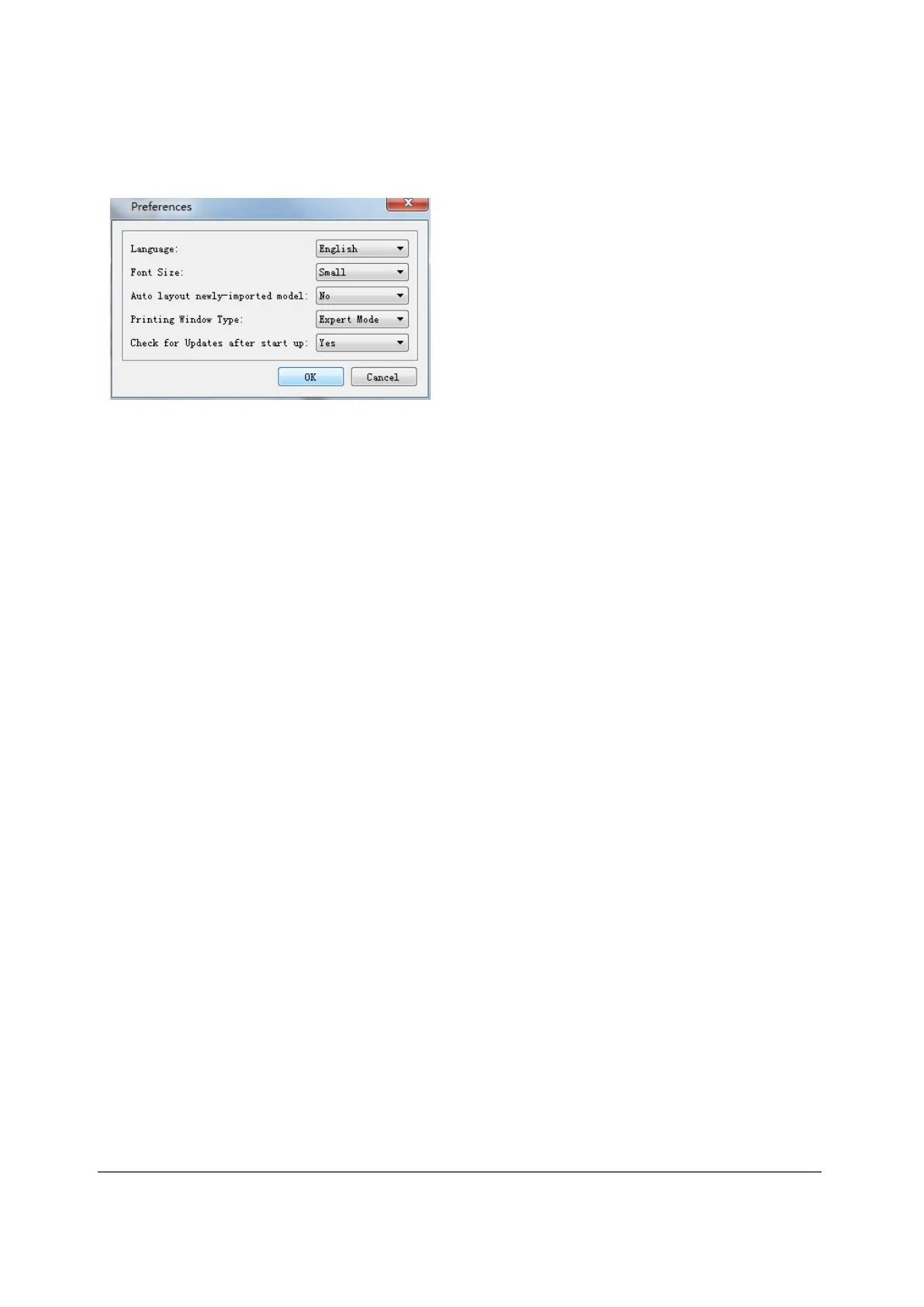
③ Preferences
Click on [File] > [ Preferences] . Here you can select the language and define the
search for existing updates at device startup.
● Language: The software supports the following six languages: Chinese (simplified
and traditional), English, French, Korean, Japanese and Russian.
● Printing Window Type: Includes basic mode and expert mode
● Check for Update After Start Up: This setting allows you to specify whether
automatic online updating should be activated. If you select "Yes", the software can
check online each time it is started to see if a new software version is available and,
if so, prompt the user to download and install the new software version.
3.2.13 Editing menu
① Undo
The following two options are available to cancel the last changes made:
Method 1: Click at [Edit] > [Undo].
Method 2: Press the key combination Ctrl+Z.
② Redo
The following two options are available to restore the last undone change to the
model file.
Method 1: Click to [Edit] > [Redo].
Method 2: Press the key combination Ctrl+Y.
③ Empty Undo Stack
You can use this function to delete the stored processing steps to free up memory
space.



 To Next Page