ALTA EVOLUTION / EVOLUTION GT … User manual
ALTA EVOLUTION / EVOLUTION GT
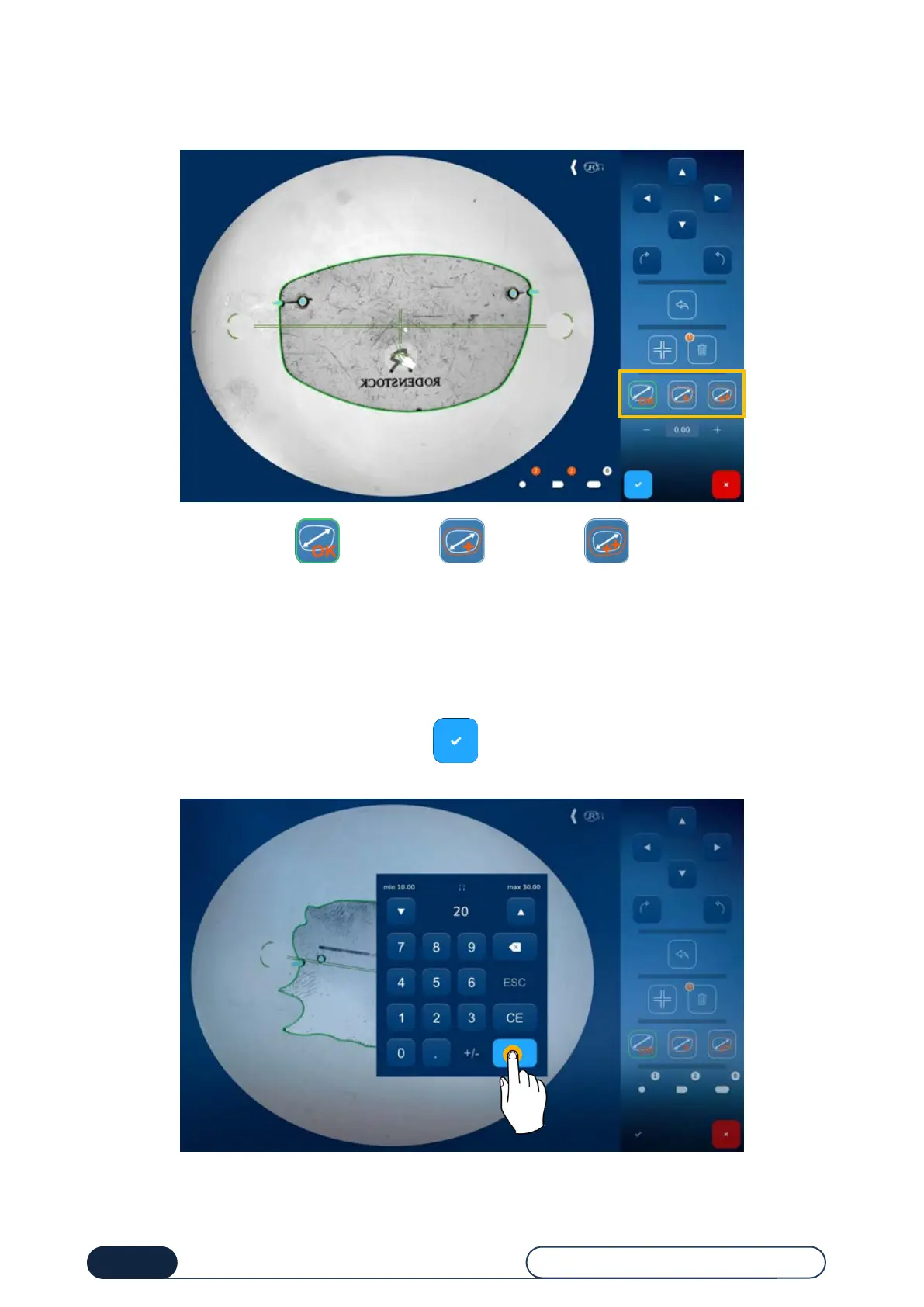
3.3.5.1.5. SHAPE OVERSIZE
Lens compensation involves applying an oversize or otherwise (defined in the machine settings).
Tip! You can change the compensation values from the setup screen – see chapter 4.2.1.2 Configuring the default settings.
Tip! The numerical value appears when you click on the corresponding icon.
3.3.5.1.6. BRIDGE VALUE
Once you confirm the changes made by pressing the button, the numerical keyboard is displayed on the screen.
Enter the Bridge value and then confirm.
Once the bridge value is confirmed, you are automatically redirected to the drilling screen provided your presentation
lens or pattern has drilling holes. (See chapter3.3.7 -Defining a drilling pattern).
Proportional
compensation
with an extra
width of 0.2mm
0.4mm double
compensation



 To Next Page