4-2
GAS:
DO NOT operate unit with-
out filter pan and filter pan
cover in its proper position. Filter pan cover
must be wiped clean after each filtering
cycle.
1. Clean unit as outlined in the operation
manual.
2. Make sure all controls OFF.
3. Install cover O-ring as outlined under
COVER in CLEANING section of oper-
ation manual.
4. Fill cooking well with cooking oil. See
PRE-COOKING PREPARATIONS in
operation manual.
5. Turn circuit breaker ON or install fuse.
6. Turn COOK/FILTER switch to COOK.
The HEAT ON light will illuminate indi-
cating the cooking oil is being heated.
NOTE: Check to make sure burner is
actually lit. If not see LIGHTING
INSTRUCTIONS.
7. Check flame on top of burner. It
should be all blue and settled on the
face of the burner. If it is not, see
MAIN BURNER FLAME ADMUST-
MENT.
8. If CHEC appears in display, turn unit
off and back to COOK.
9. Set time and temperature controls.
10. Turn pressure regulating valve handle
to CLOSED. The timer will start count-
ing down. At the end of a cook cycle,
an audible alarm will sound until pres-
sure regulating valve handle is turned
to OPEN.
LIGHTING INSTRUCTIONS
Start-Up:
1. Turn cook/filter switch OFF.
2. See OIL LEVEL in the operation man-
ual.
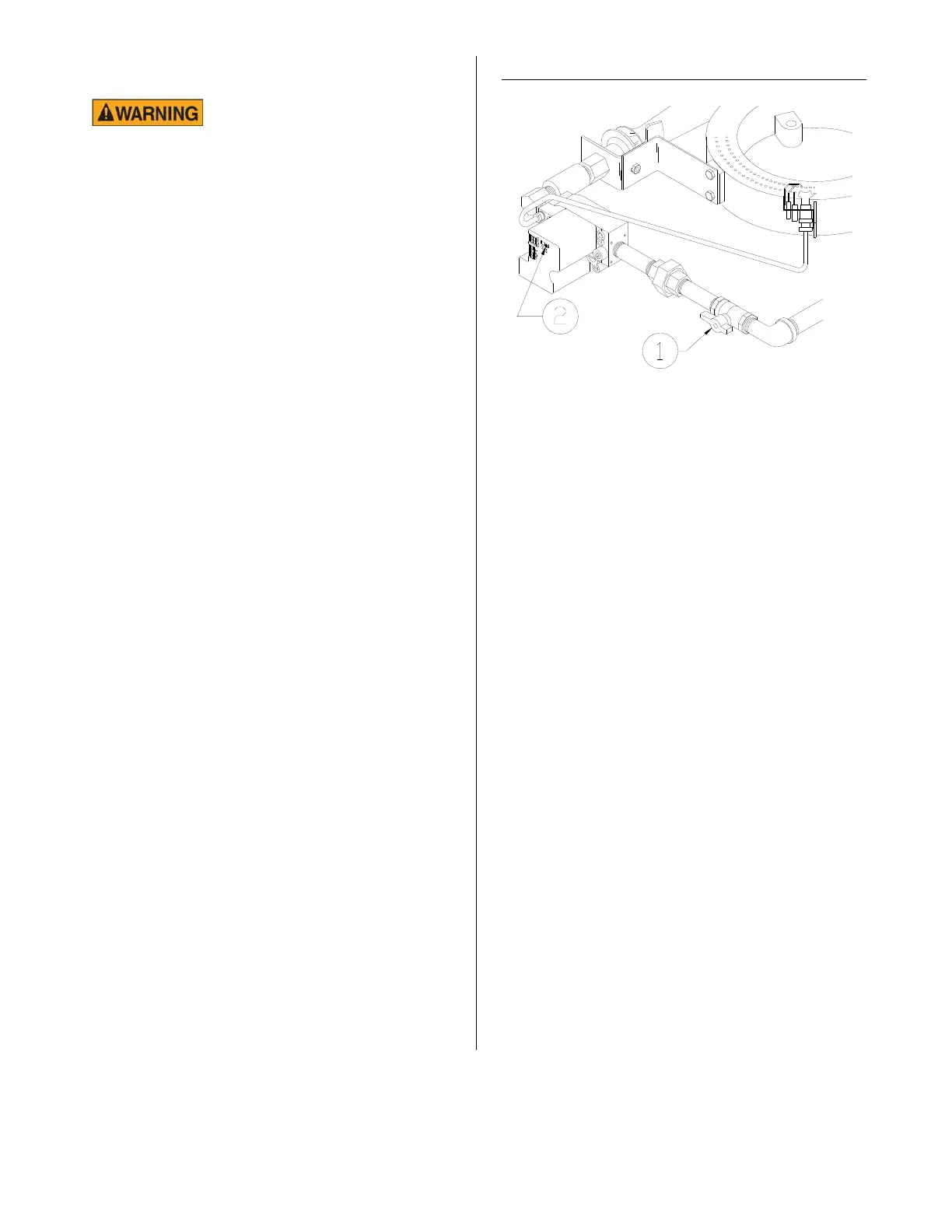
3. Turn gas shut-off valve (1) ON. Wait
five minutes before turning gas control
ON.
4. *Slide switch (2) on top of gas control
to ON.
Note: The unit has an intermittent pilot
burner. This type of pilot lights when the
controller calls for heat and goes out when
the controller isn’t calling for heat.
5. To light pilot and main burners, turn
cook/filter switch to COOK.
* This switch is not on gas pressure fryers manufactured for use in the European Union.
broaster.com Manual #15458 5/02 Rev 2/14



 To Next Page