Operation & Installation Manual RFS1 V2
MA365 Rev 3
34 of 46
7 Troubleshooting
7.1 False Alarms
In the event of a "false alarm" it is imperative that the cause is determined and
corrective action taken.
Condition: False Alarm - System is fully activated; Red Alarm LED 'ON'.
7.1.1 Frequent Nuisance Alarms Occur
1. Close kitchen/bathroom door when in use.
2. Ensure that the Alarm is sited at least 6m away from sources of fumes.
3. Contamination from insects, paint or paint fumes may have occurred. Clean
the Alarm as described in the Alarm booklet.
4. If the problem persists, re-sitting of the unit should be considered.
Alternatively, replace with a new unit
7.1.2 Alarm Sounds for no Apparent Reason
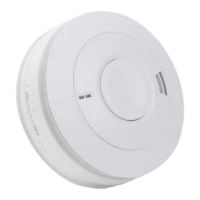
1. Identify the alarm source, press alarm “Locate” at the RFS1, all the
Smoke/Heat Alarms stop sounding except the Alarm which is the source of
the alarm.
2. Check for fumes; steam etc. from the kitchen or bathroom. Paint and other
fumes can cause nuisance alarms. Fan the Smoke Alarm vigorously with a
newspaper or cloth to try to clear smoke from inside the sensing chamber.
If the Smoke Alarm silences, press the “Locate” button to restore the system.
3. If required, press the “Mute” button to silence all the Smoke/Heat Alarm for
10 minutes.
4. If the Alarm does not stop sounding, turn the panel power off, remove the
Alarm head then unplug the adapter board (Only remove the identified
Alarm). If a replacement cannot be acquired immediately, restore the power.
The defect mode will be active, press the “Ack” button to acknowledge the
fault, other Alarms will continue to operate normally.
5. When a replacement is available, turn the Panel power off, plug-in the
adapter board into the new Alarm and mount the head to its base. Restore
the panel power.
Note: EIB650iWX and/or EIB603CX are not serviceable, if suspected to be faulty or
contaminated, they have to be replaced.
7.2 Faults
7.2.1 Line Fault
If the fault LED is lit and the sounder is pulsing, then an Open Circuit or Short Circuit
has occurred. If a Short Circuit has occurred, then the fuse on the zone would have
been blown. If a short occurs between +Ve and Interconnect, the panel generates
an alarm, this will not be indicated on the panel as a fault. If a short occurs between
the -Ve and Interconnect, the panel will activate locate mode, this also will not be
indicated on the panel as a fault.
If an Open Circuit has occurred while the fuse is intact, the field wiring should be
disconnected and metered to locate the source of the open circuit.
There should only be one Smoke/Heat Alarm that is set as the EOL device in the
zone circuit and it must be on the last Alarm for that zone (either by EOL device or



 To Next Page