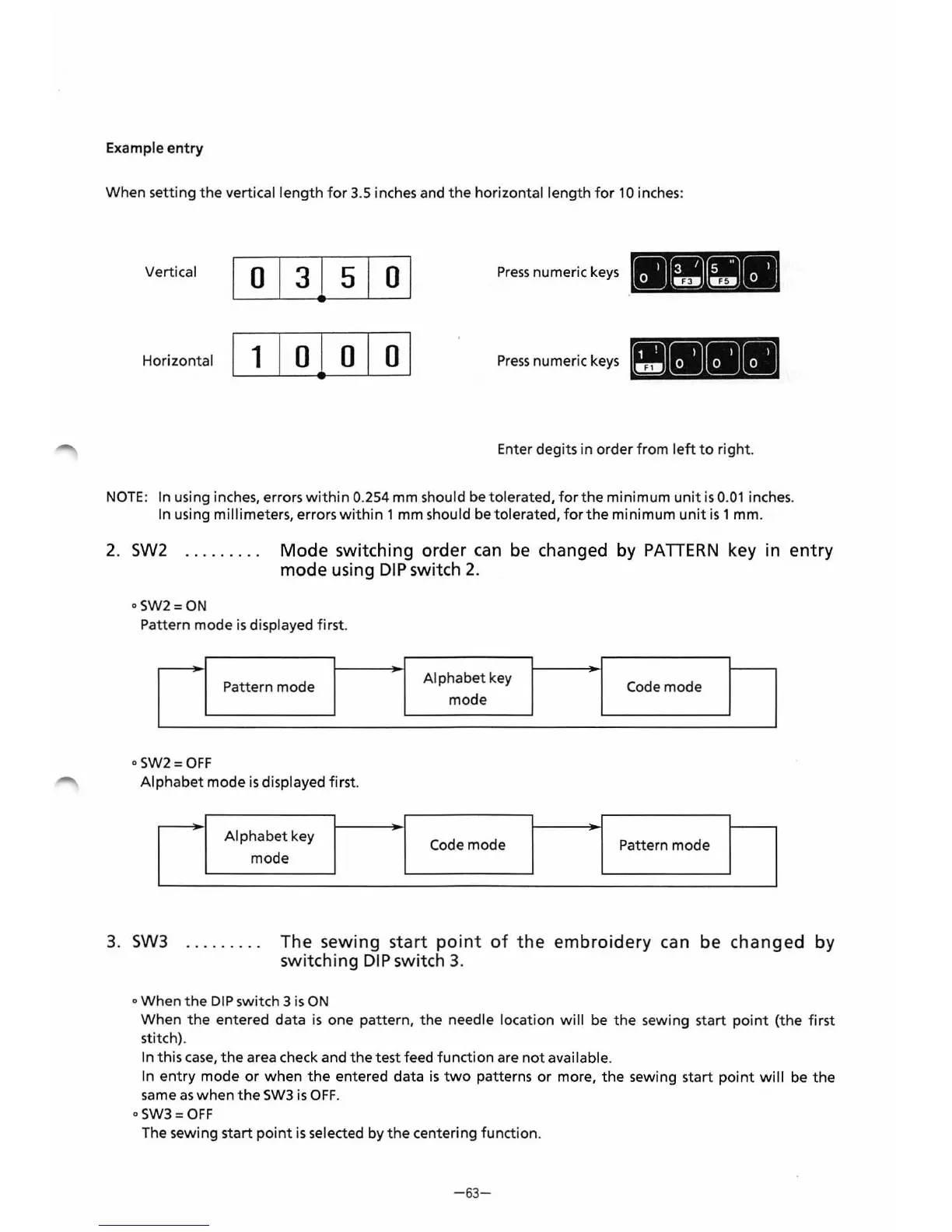
Example
entry
When setting
the
vertical
length
for
3.5 inches and
the
horizontal length
for
10
inches:
Vertical
0
1
3
1
5
1
ol
Press
numeric
keys
Horizontal
1
I o I o I
ol
Press
numeric
keys
Enter degits in order
from
left
to
right
.
NOTE
:
In
using inches, errors
within
0.254 mm should be tolerated,
for
the
minimum
unit
is
0.
01
inches.
In
using millimeters, errors
within
1 mm should be tolerated,
for
the
minimum
unit
is
1 mm.
2. SW2
Mode
switching
order
can
be changed by PATIERN key in
entry
mode using
DIP
switch 2.
o
SW2=0N
Pattern mode is displayed first.
Pattern mode
Alphabet
key
Code
mode
mode
oSW2=0FF
Alphabet
mode
is
displayed
first
.
Alphabet
key
Code mode
Pattern mode
mode
3. SW3
The sewing
start
point
of
the
embroidery
can be
changed
by
switching
DIP
switch
3.
o When
the
DIP
switch 3
is
ON
When
the
entered data is one pattern,
the
needle location
will
be
the
sewing start
point
(the
first
stitch).
In this
case,
the
area check and
the
test feed
function
are
not
available.
In
entry
mode
or
when
the
entered data
is
two
patterns
or
more,
the
sewing start
point
will
be
the
same
as
when
the
SW3
is
OFF
.
o
SW3=
OFF
The sewing start
point
is
selected by
the
centering function.
-63
-



 To Next Page