37
2
■ Trial Cutting
Adjust the blade extension according to the material,
and then use the same material to be used in your
project to perform trial cutting.
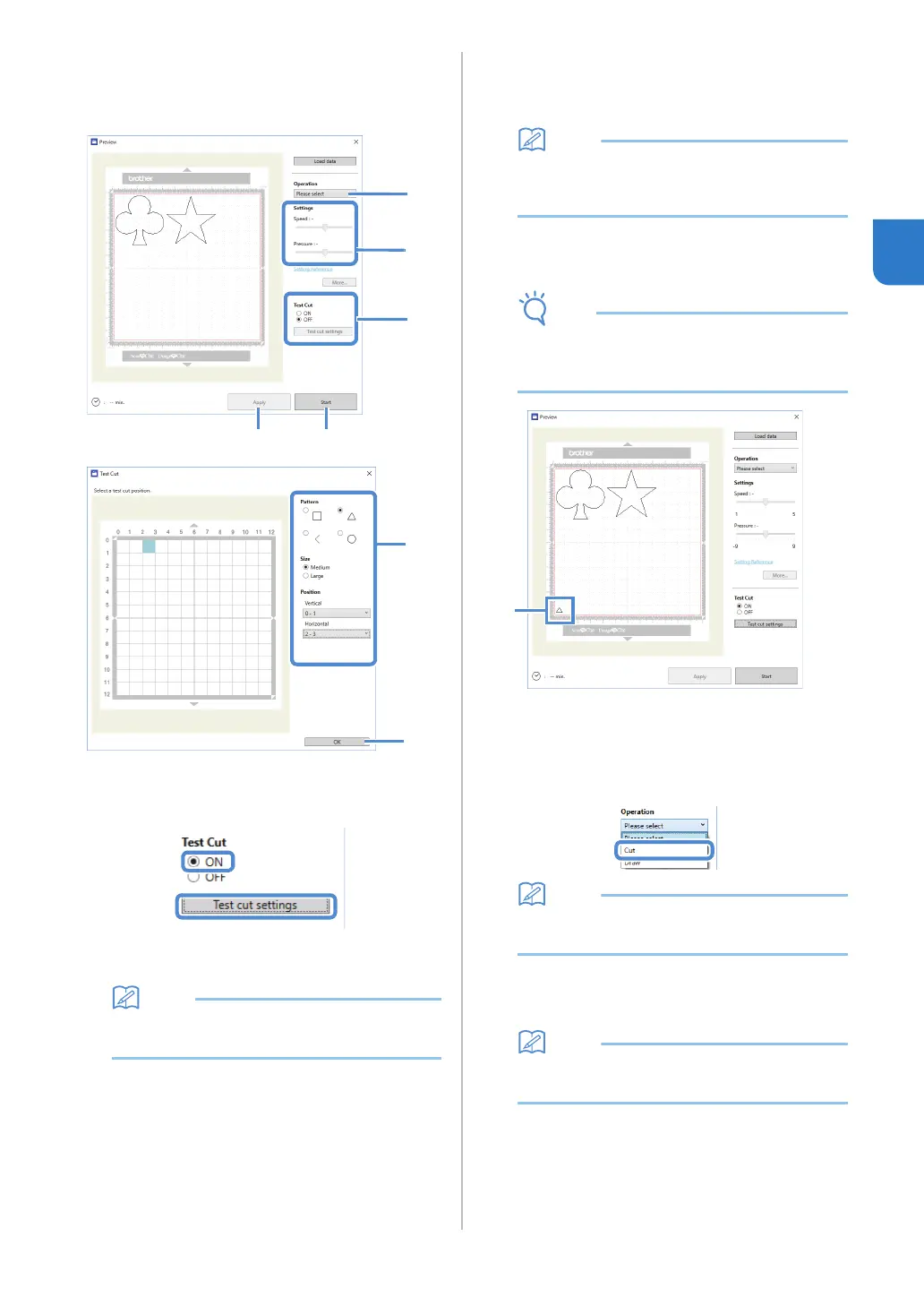
a Set [Test Cut] to [ON], and then click [Test cut
settings].
A window for specifying detailed settings
appears.
• With the mobile device version:
Preview window→[Test Cut].
b Select the desired shape under [Pattern], and
then select settings for [Size] and [Position].
Refer to the grid references on the mat, and select the
location of the trial cutting shape from the drop-down
lists.
Example: Settings when positioned in the lower-left
corner of the mat
Vertical: 11-12
Horizontal: 0-1
• The trial cutting shape can also be positioned
by clicking a cell (block) in the mat shown in the
test cut setting window.
c Click [OK], and then position the trial cutting
shape.
• Make sure that the location for the trial cutting
shape does not overlap the location for the
pattern and does not extend from the material.
a Trial cutting shape at the location specified in
step
b
d In DesignNCut Manager, select [Cut] from the
[Operation] drop-down list.
• With the mobile device version:
Preview window→[Operation]→[Cut]
e With the sliders, specify settings for [Speed]
and [Pressure] for cutting.
•
With the mobile device version:
Preview window
→
[Settings]
→
[Speed]/[Pressure]


 To Next Page