ControlCenter2
192
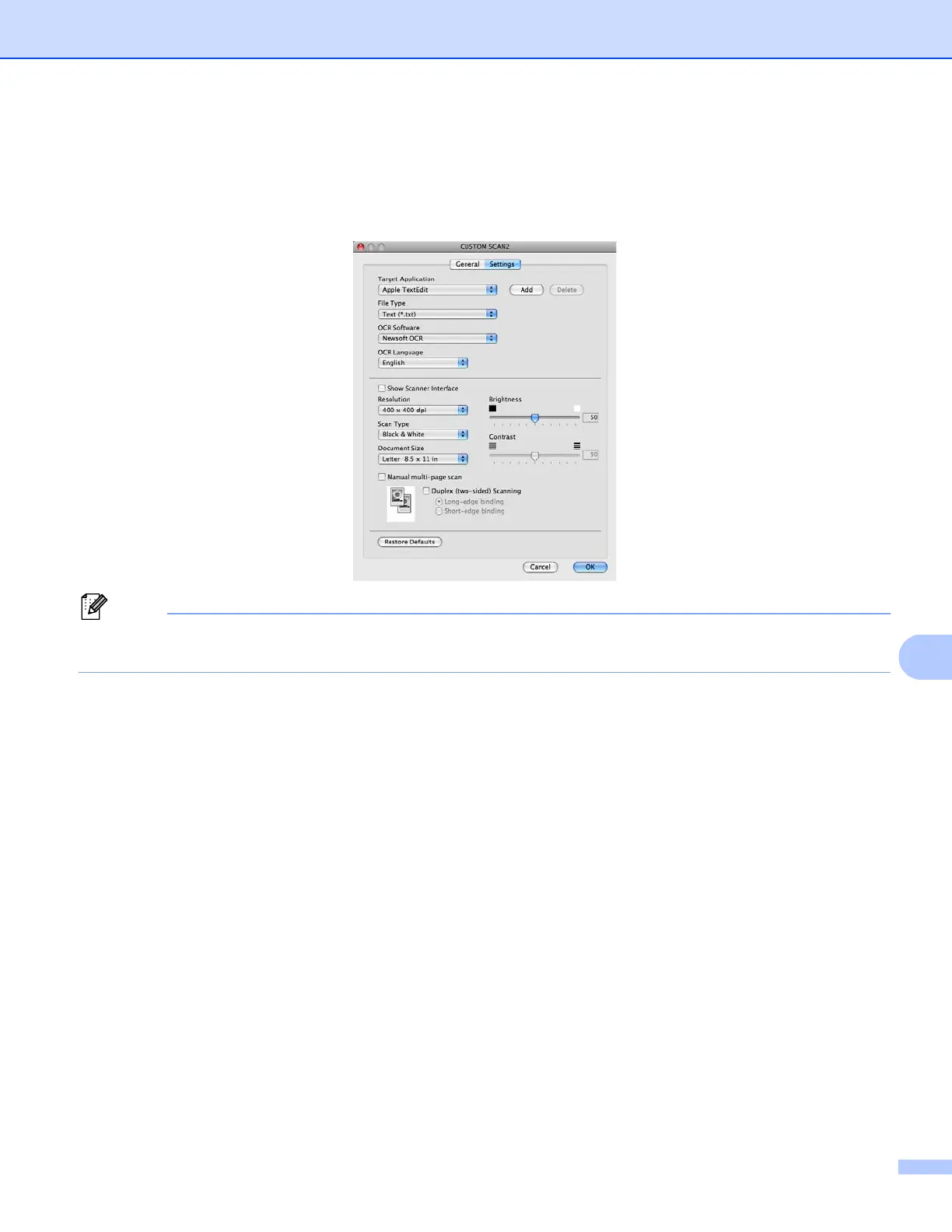
Settings tab
Choose the Target Application, File Type, OCR Software, OCR Language, Resolution, Scan Type,
Document Size, Manual multi-page scan, Duplex (two-sided) Scanning (For DCP-8155DN,
MFC-8910DW and MFC-8950DW(T)), Show Scanner Interface, Brightness and Contrast settings.
The Scan to OCR function is available for English, French, German, Dutch, Italian, Spanish, Brazilian
Portuguese, Danish, Swedish, Japanese, Korean, Traditional Chinese and Simplified Chinese.


 To Next Page
 Loading...