6-3 Confidential
Preparation
Prior to proceeding with the disassembly procedure,
(1) Unplug the following:
- Power cord from the electrical outlet
- USB cable, if connected
- LAN cable*, if connected
- USB cable from the PictBridge jack, if connected
*For wired LAN-enabled models
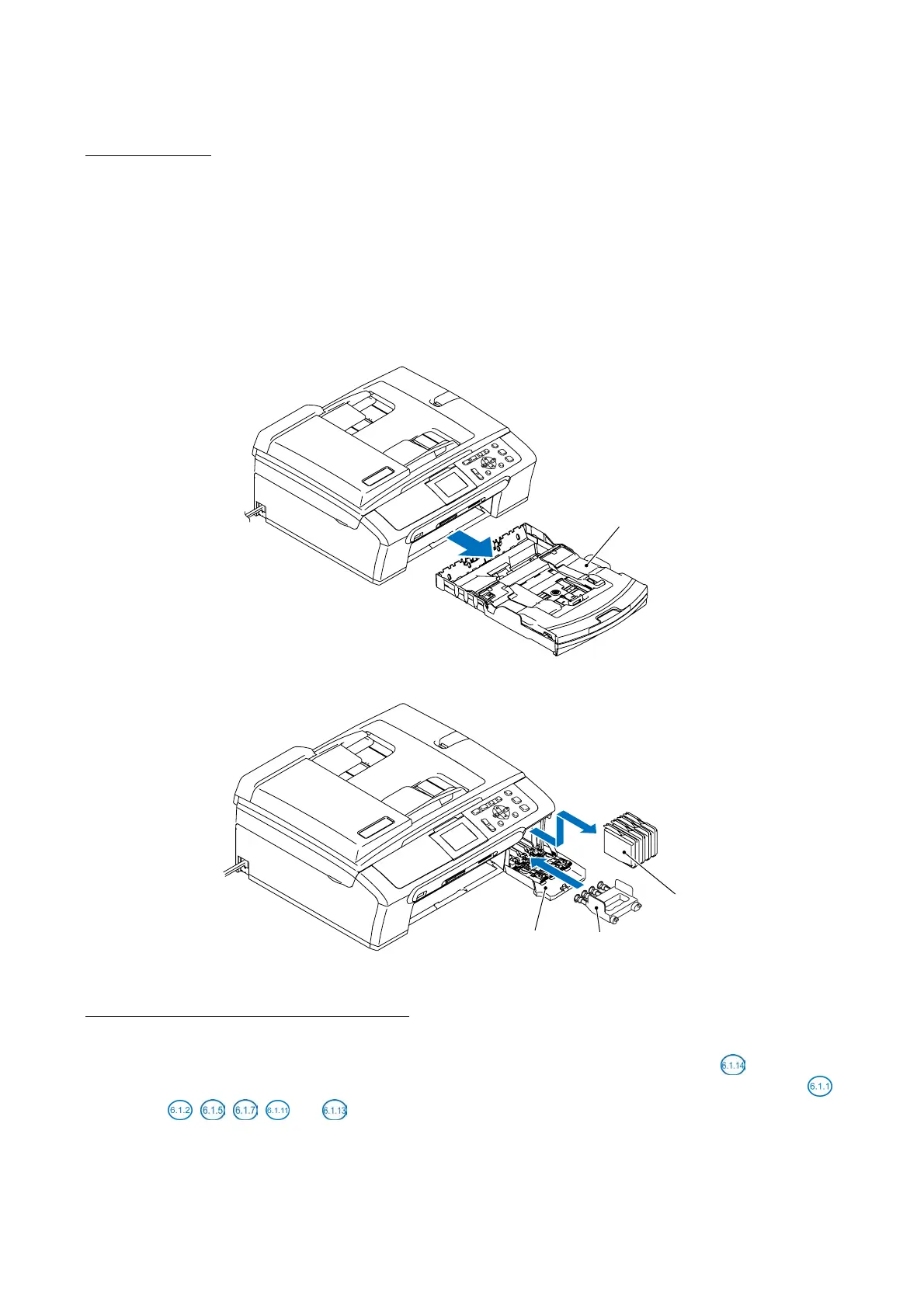
(2) Remove the paper tray ASSY.
(3) Remove memory cards if inserted in the machine.
Paper tray ASSY
(6_01)
(4) Remove all four ink cartridges and set the protective part instead.
(6_02)
Ink cartridges
Ink cartridge cover
Protective part
How to Access the Target Component
• On the next page is a disassembly flowchart which helps you access the target components. To
remove the maintenance unit, first find it on the flowchart and note its number (
in this case).
To access it, you need to remove all the parts above the maintenance unit on the flowchart (
,
,
, ,
and
in this case) before the unit itself can be removed.
• Unless otherwise specified, all parts should be replaced in the opposite order to which they were
removed to reassemble the machine.



 To Next Page