9-18 Confidential
9.4.9 Fine Adjustment of Scanning Start/End Position (Function code 54)
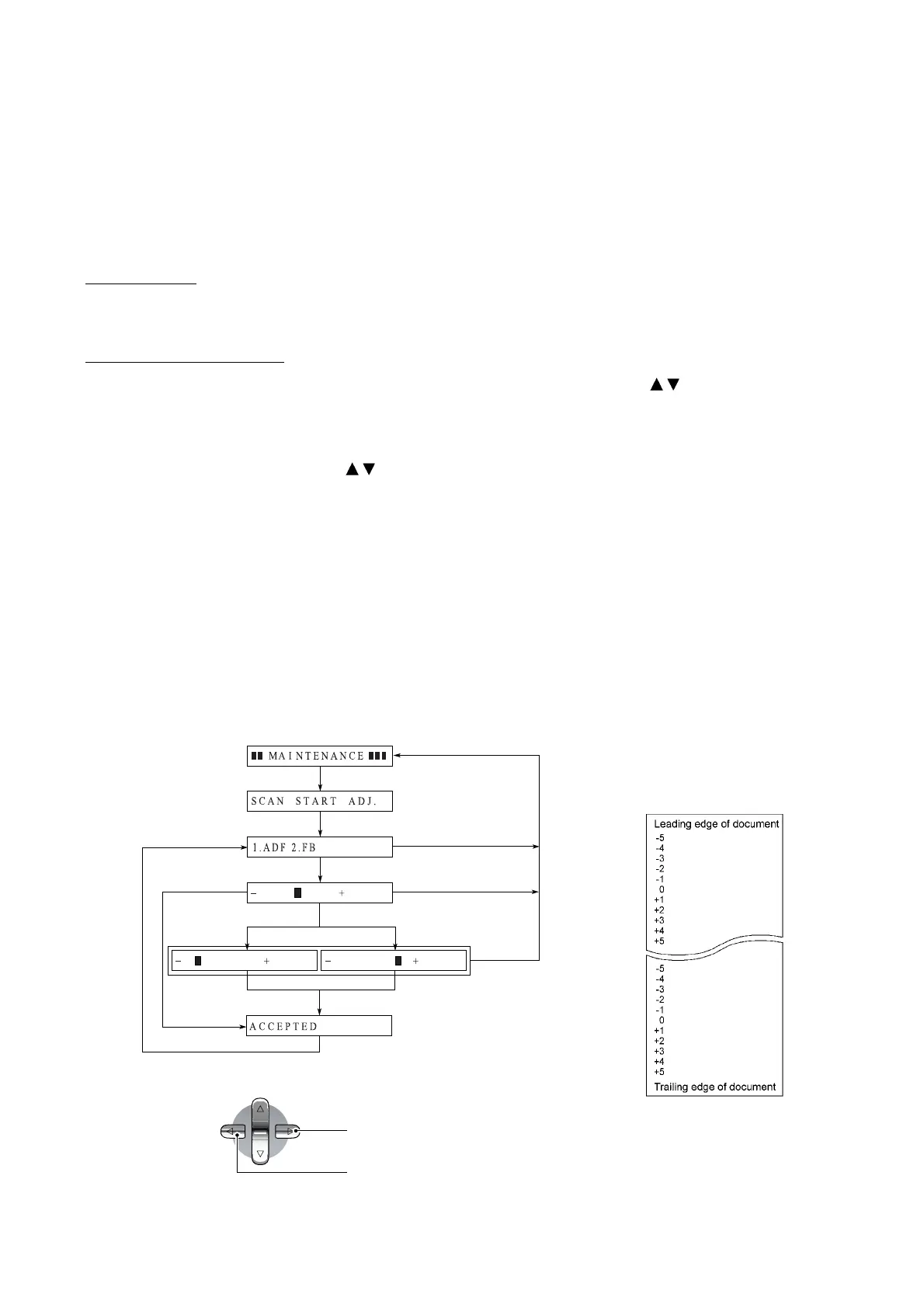
This function allows you to adjust the scanning start/end position.
For models without an ADF, selecting "1.ADF" in steps (2) and (3) below produces nothing. Select
"2.FB" to adjust the start/end position of flat-bed scanning.
Function
This function allows you to adjust the scanning start/end position.
Operating Procedure
(1) Enter 5 and 4 in the initial stage of the maintenance mode using the / and OK keys.
The "SCAN START ADJ." appears on the LCD.
(2) Wait for the LCD to display the "1.ADF 2.FB."
(3) Enter 1 or 2 using the
/ and OK keys, and the current scanning position correction value
appears.
You can adjust the correction value to 11 levels from +5 to -5 (mm).
(4) To increase the correction value, press the right arrow key; to decrease it, press the left arrow
key.
If you press the Stop/Exit key, the machine returns to the initial stage of the maintenance
mode without making change of the correction value.
(5) Press the OK key.
The "ACCEPTED" appears on the LCD. After one second, the LCD returns to the "1.ADF
2.FB" screen.
(6) Press the Stop/Exit key to return to the initial stage of the maintenance mode.
5 and 4
Stop/Exit key
Stop/Exit key
OK key
Stop/Exit
key
OK key
1 or 2
1 second later
Right arrow keyLeft arrow key
NOTE: The relationship between
the scanning start/end positions and
their correction values is shown
below.
Right arrow key
Left arrow key



 To Next Page