7-5 Confidential
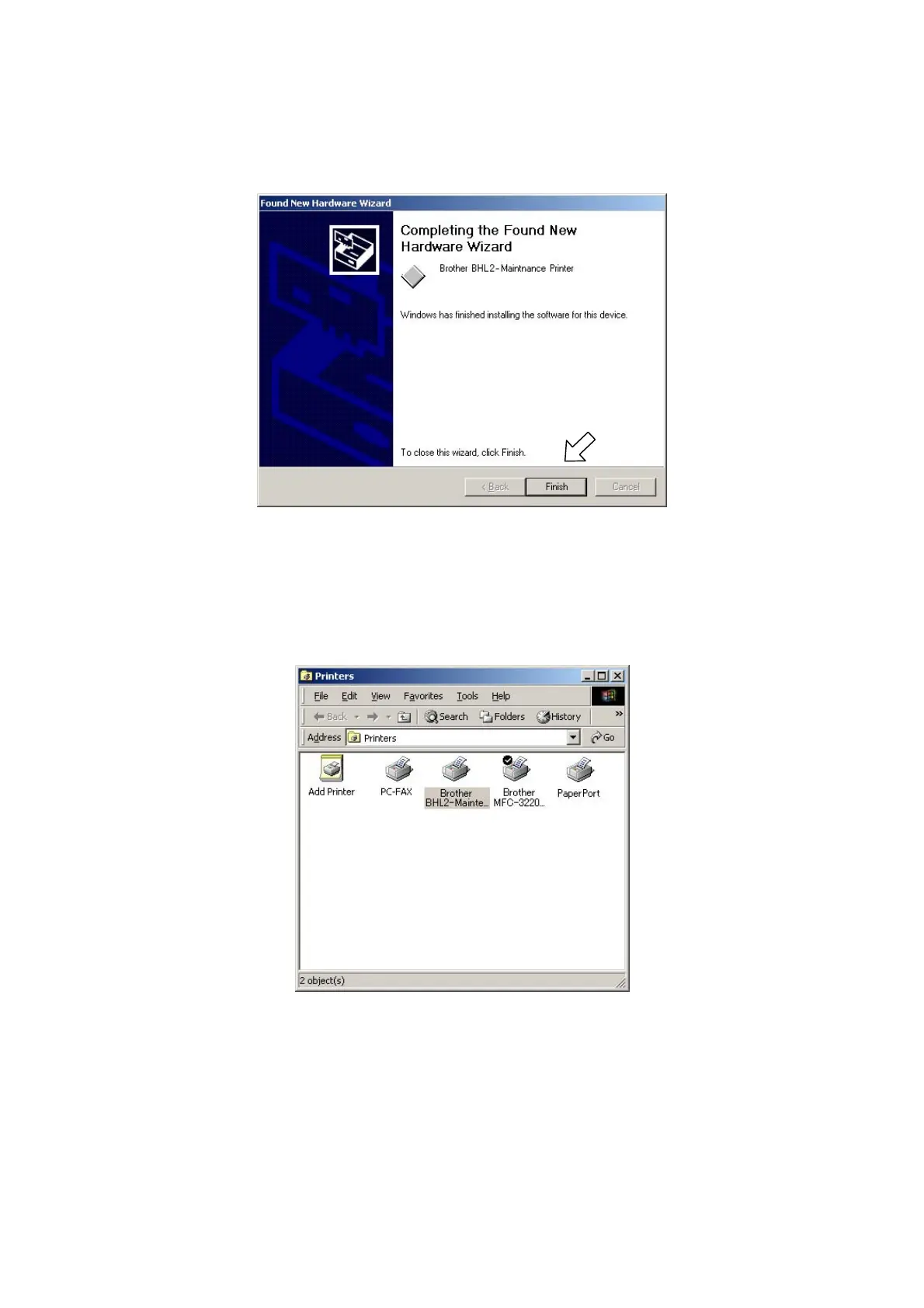
(12) If the driver is successfully installed, the following message window appears. Click Finish to
return to Windows.
NOTE: After completion of the driver installation, if the machine exits the maintenance mode, the
"Found New Hardware Wizard" screen in step (6) appears again. Click Cancel.
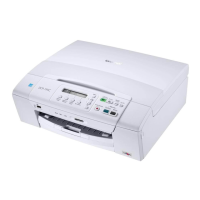
NOTE: To check that the printer driver is successfully installed, click Start|Settings|Printers to call
up the Printers window as shown below and confirm that the BHL2-Maintenance Printer icon is
displayed.


 To Next Page