App. 2-5 Confidential
Loading the programs onto the flash ROM of the machine
After replacing the main PCB with a new one
Unplug the power cord of the machine from the electrical outlet and disconnect the USB cable that
connects the machine with your PC.
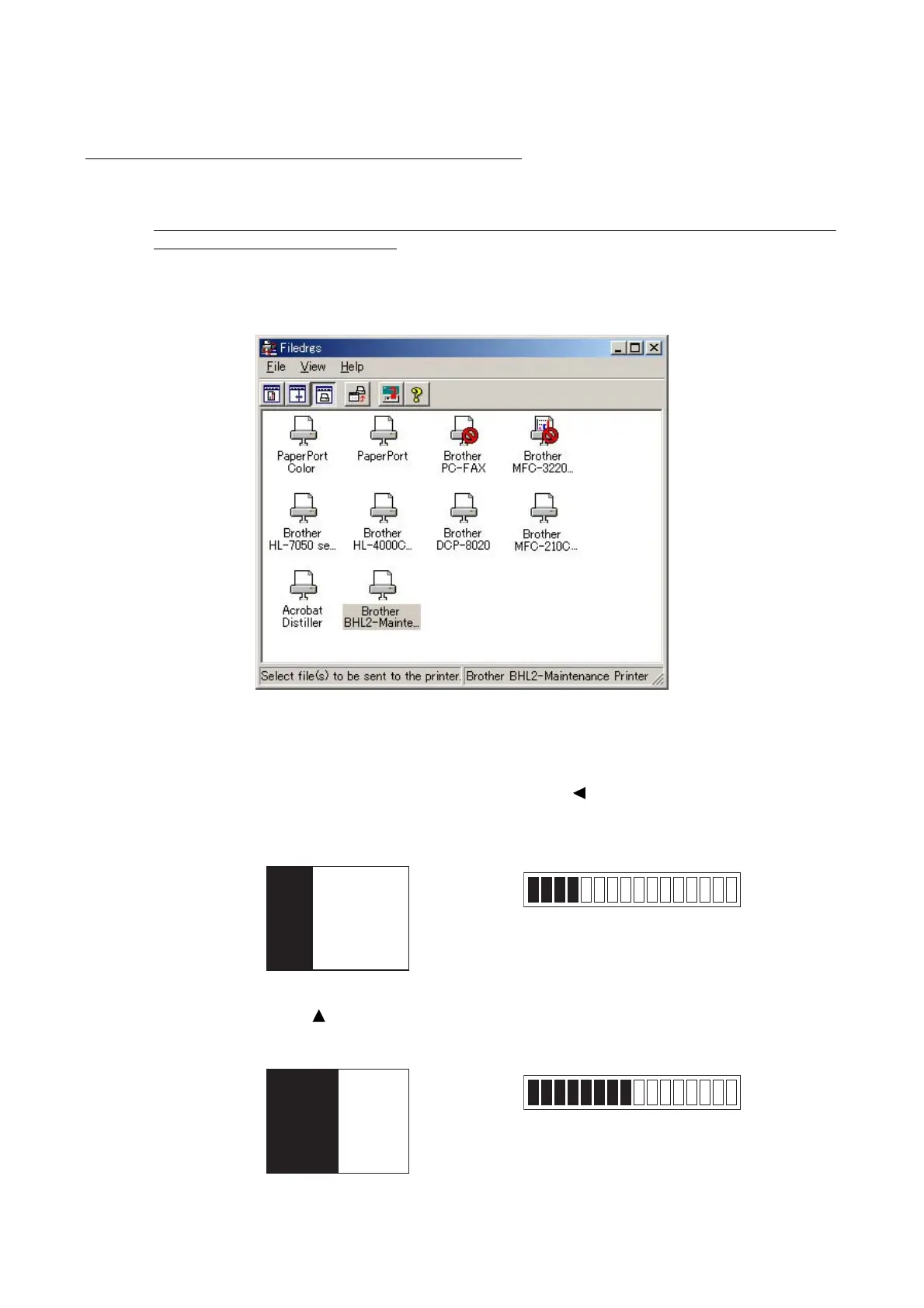
(1) On your PC, run "filedg32.exe."
The Filedrgs window will appear as shown below.
(2) Connect the machine to your PC using a USB cable.
(3) On the machine, follow the steps below to enter the firmware loading mode.
1) Plug the power cord into an electrical outlet with the
(Copy Options) key held down and
keep holding it down until the following appears on the LCD.
Color LCD Monochrome LCD
2) Hold down the
(Enlarge/Reduce) key until the following appears on the LCD.
Color LCD Monochrome LCD



 To Next Page