Sewing
27
SEWING BASICS
2
d
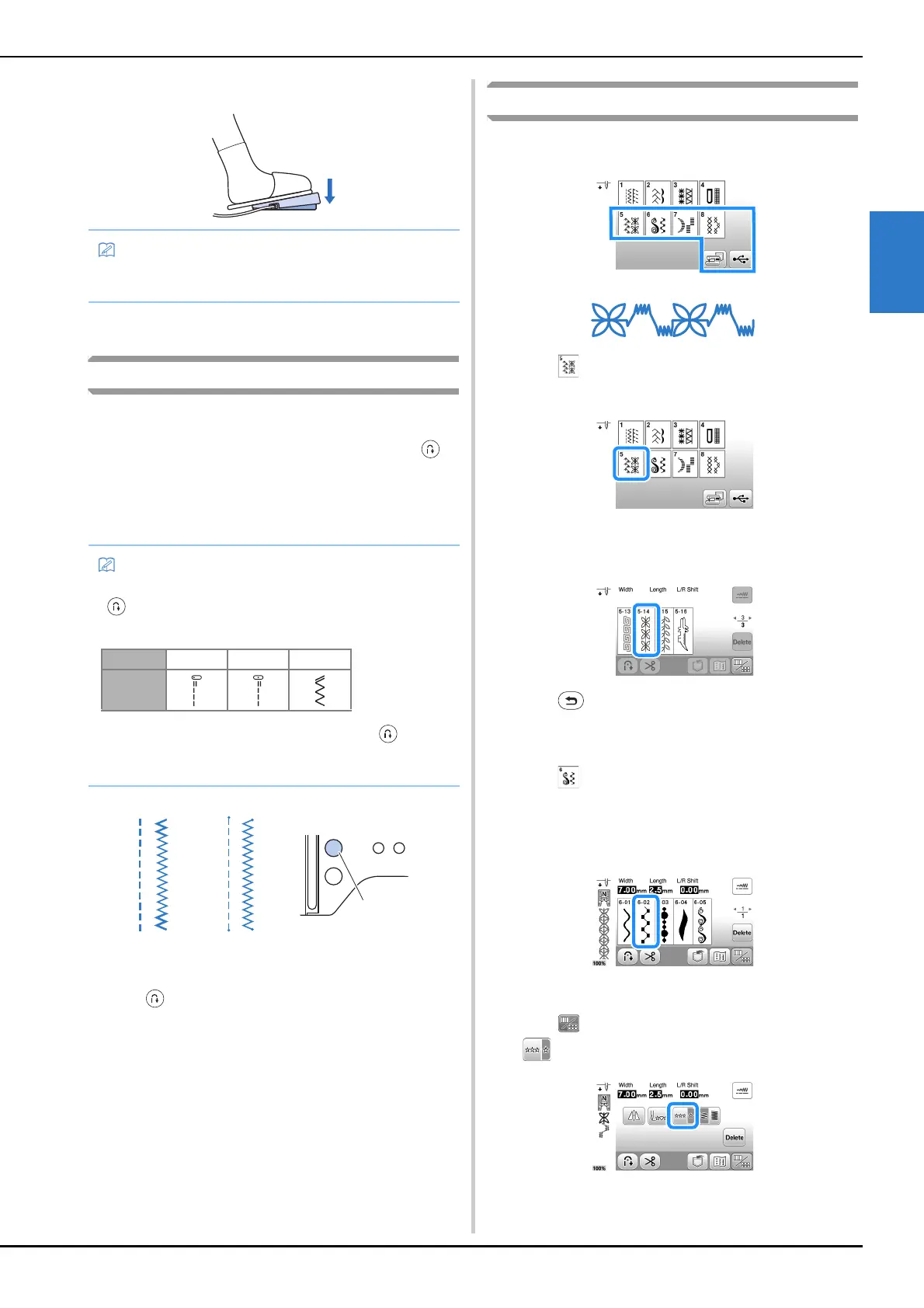
Slowly depress the foot controller to start sewing.
e
Release the foot controller to stop the machine.
Sewing reverse/reinforcement stitches
Reverse/reinforcement stitches are generally necessary at the
beginning and end of sewing. Depending on the selected
stitch, reverse or reinforcement stitches are sewn while
(Reverse/Reinforcement stitch button) is kept pressed. With
reinforcement stitches, 3 to 5 stitches are sewn at the same
place. With reverse stitches, the stitching is sewn in the
opposite direction.
1 Reverse stitch
2 Reinforcement stitch
3 (Reverse/Reinforcement stitch button)
Combining Stitch Patterns
Stitch patterns from the following categories can be
combined.
Example:
a
Press .
b
Select the following stitch pattern.
c
Press .
→ The display returns to the stitch selection screen.
d
Press .
e
Select the following stitch pattern.
f
If you want to sew the stitch pattern continuously,
press to display editing screen, and then press
.
• The speed that is set using the sewing speed controller
will be the foot controller’s maximum sewing speed.
• When any of the following stitches is selected, pressing
(Reverse/Reinforcement stitch button) will sew
reverse stitches.
When any other stitch is selected, pressing
(Reverse/Reinforcement stitch button) will sew
reinforcement stitches.


 To Next Page