LCD Operation
10
Viewing the LCD
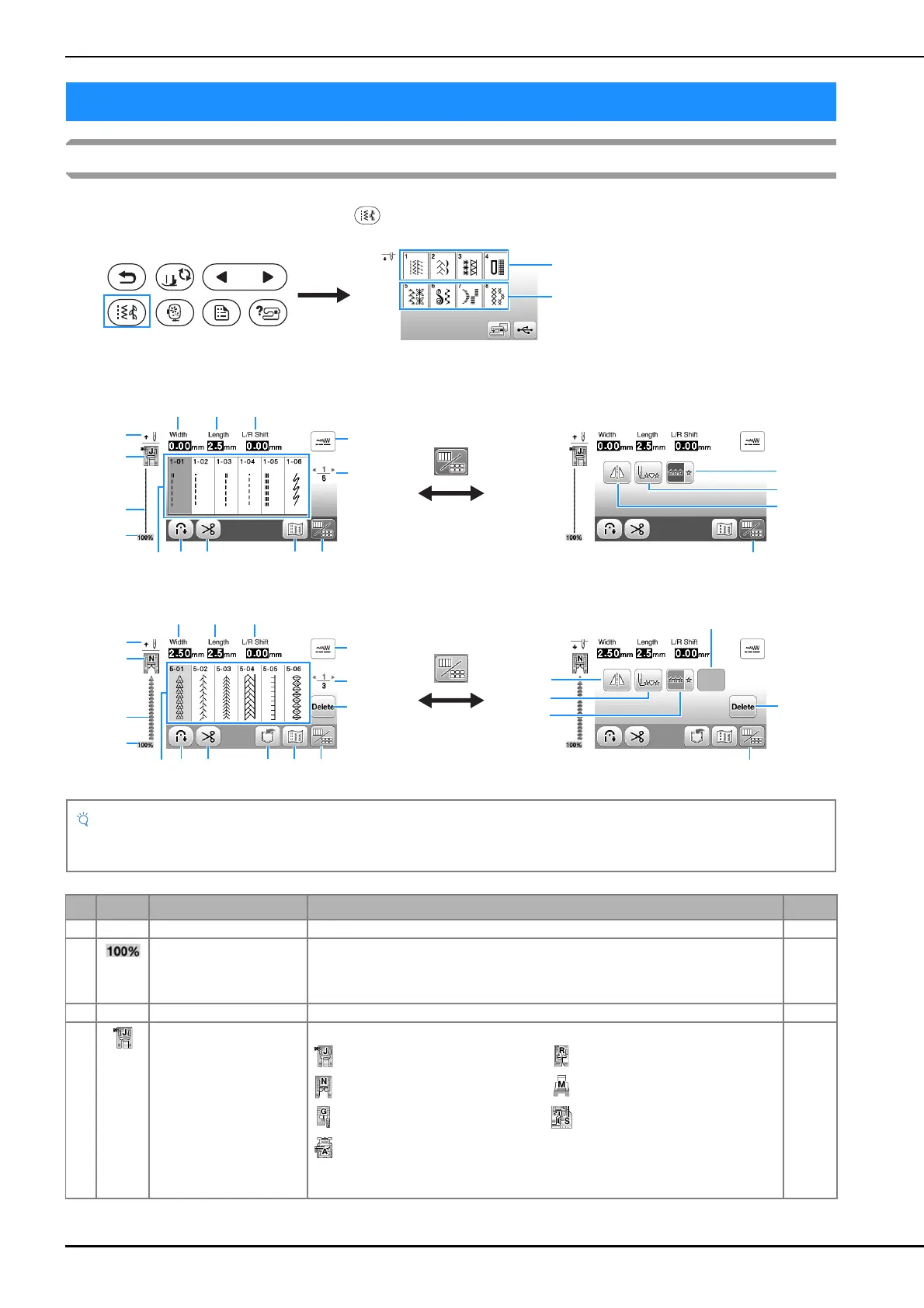
Press a key with your finger to select the stitch pattern, to select a machine function, or to select an operation indicated on the
key. The screen below appears when you press on the operation panel.
LCD Operation
1 Utility stitch
2 Decorative stitch
■ Utility stitch screen ■ Utility stitch editing screen
■ Decorative stitch screen ■ Decorative stitch editing screen
• Some editing functions cannot be used with certain stitch patterns. Only the functions for the displayed keys are
available when a stitch pattern is selected.
No. Display Key Name Explanation Page
1 – Stitches Press the key for the stitch you want to sew. 25
2 Stitch pattern display size Shows the approximate size of the stitch pattern selected.
100%: Nearly the same size as the sewn stitch pattern
50%: 1/2 the size of the sewn stitch pattern
25%: 1/4 the size of the sewn stitch pattern
–
3 – Stitch preview Shows a preview of the selected stitch. –
4 Presser foot Shows presser foot to be used. Before sewing, install the presser foot indicated here. 23
Zigzag foot “J” Blind stitch foot “R”
Monogramming foot “N” Button fitting foot “M”
Overcasting foot “G” Side cutter “S”
Buttonhole foot “A”
* The symbols for certain presser feet, such as zipper foot “I” and the quilting foot,
may not appear in the screen.


 To Next Page