EasyManua.ls Logo

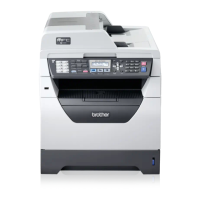
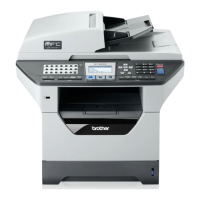
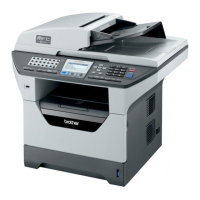
Brother MFC-8380DN - User Manual

Brother MFC-8380DN
215 pages
Print Icon
To Next Page IconTo Next Page
Loading...
USER’S GUIDE
MFC-8370DN
MFC-8380DN
Version 0
ARL/ASA/NZ

Table of Contents

Other manuals for Brother MFC-8380DN

Questions and Answers

  • A
    Arthur GibsonNov 15, 2025
    Why can't I receive a fax on my Brother MFC-8380DN All in One Printer?
    • Y
      ymaysNov 16, 2025
      To resolve the issue of not being able to receive a fax on your Brother All in One Printer, first ensure your machine has a dial tone by pressing the Hook key. If you hear static, contact your local telephone company. Check all line cord connections, ensuring the telephone line cord is plugged into the telephone wall jack and the LINE jack of the machine. For DSL or VoIP services, contact your service provider for connection instructions. Also, verify that the machine is in the correct Receive Mode, depending on the external devices and telephone subscriber services you have. If you have a dedicated fax line, select Fax Only mode. If sharing a line with an external answering machine, use External TAD mode. For shared lines with other telephones, select Fax/Tel mode. If you do not want your...

Brother MFC-8380DN Specifications

General IconGeneral
Duplex printingYes
Print technologyLaser
Maximum resolution1200 x 1200 DPI
Time to first page (black, normal)8.5 s
Print speed (black, normal quality, A4/US Letter)30 ppm
Scan toe-mail, FTP, OCR, USB
Input color depth48 bit
Copier resize25 - 400 %
Maximum copy resolution1200 x 600 DPI
Maximum number of copies99 copies
N-in-1 copy function (N=)4, 9, 16, 25
Copy speed (black, normal quality, A4)30 cpm
FaxingMono faxing
Fax memory500 pages
Modem speed33.6 Kbit/s
Total input capacity500 sheets
Total output capacity150 sheets
Multi-Purpose tray input capacity50 sheets
Auto document feeder (ADF) input capacity20 sheets
Internal memory64 MB
Sound power level (standby)30 dB
Sound pressure level (printing)56 dB
DisplayLCD
Market positioningHome & office
Custom media sizes(69.8 - 216) x (116 - 406.4) mm
Dimensions (WxDxH)531 x 451 x 475 mm
Networking features10/100 Base-TX
All-in-one functionsCopy, Fax, Scan
Maximum internal memory0.576 GB
Color all-in-one functionsscan, n
Compatible operating systemsLinux, Windows 2000, XP/2003, Vista, XP, Mac OS X 10.3.9
Maximum print size216 x 297 mm
Media weight (tray 1)60 - 105 gsm
Paper tray media typesBond paper, Envelopes, Labels, Plain paper, Recycled paper, Transparencies
Non-ISO print media sizesExecutive
ISO A-series sizes (A0...A9)A4, A5, A6
ISO B-series sizes (B0...B9)B5
Maximum ISO A-series paper sizeA4
Multi-Purpose Tray media weight60 - 163 g/m²
Supported network protocols (IPv4)IPv4, IPv6
Standard interfacesEthernet, USB 2.0
USB 2.0 ports quantity1
Power consumption (standby)85 W
Power consumption (PowerSave)19 W
Power consumption (average operating)680 W
Package weight21100 g

Related product manuals